
// Automation Testing




// Why Automation Fails (And How Jignect Avoids It)
Fragile Suites That Break Constantly
Scripts that fail every time the UI changes aren't automation, they're maintenance debt. We design for stability from the start: resilient locators, proper abstractions, self-healing where applicable.
Automation Built by the Wrong People
Automation handed to manual testers without engineering support produces brittle scripts nobody maintains. Our automation engineers build frameworks, not just scripts.
No CI/CD Integration
A suite that runs on demand instead of every commit isn't delivering continuous quality. We embed automation into your pipeline from day one.
Wrong Layer Coverage
Teams automate what's easy (UI) and skip what's valuable (API). We apply automation at the right layer: API-first, UI where necessary.
// Types of Test Automation We Deliver
UI / GUI Automation
End-to-end interface testing across every screen and flow, built on resilient locators so it survives redesigns.
API Automation
REST, GraphQL, and gRPC testing at the contract layer, faster and more stable than UI automation alone.
Regression Automation
Suites that run on every commit, catching side effects new features introduce in areas nobody thought to check.
Cross-Browser & Cross-Device Automation
The same suite validated across Chrome, Safari, Firefox, Edge, and real devices, not just one reference browser.
Mobile Test Automation
Native, hybrid, and React Native apps automated on real devices and cloud device farms, not just emulators.
Data-Driven Automation
Test logic separated from test data, so new scenarios are added by extending a data set, not writing new code.
Keyword-Driven Automation
Reusable action keywords let non-engineers extend coverage without touching the underlying framework code.
Visual Regression Automation
Pixel-diff and layout stability checks that catch visual breaks functional automation alone would miss.
CI/CD Pipeline Automation
Tests triggered automatically on every commit and pull request, with pipeline gates that block risky merges.
AI-Augmented Automation
Self-healing locators and AI-assisted script generation that keep suites stable as your product changes.
// Three Automation Domains
Web Automation
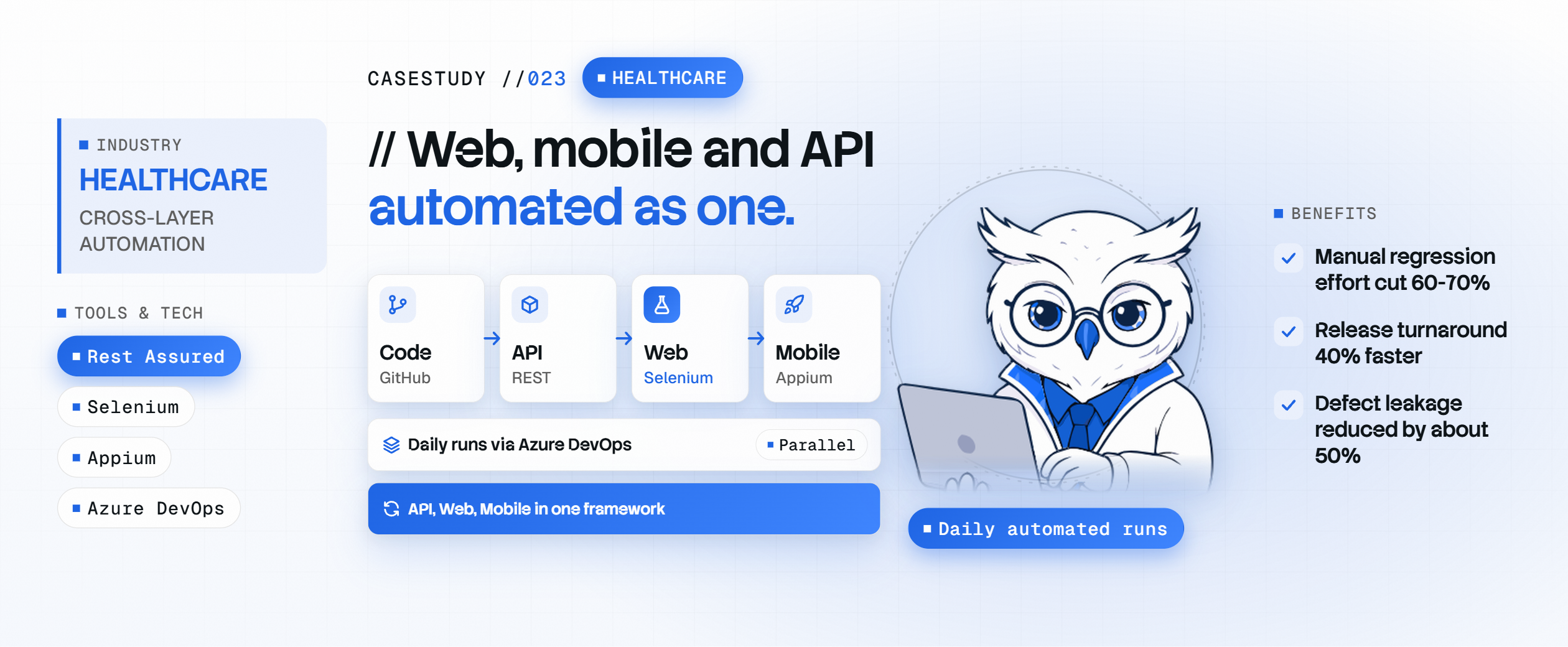
End-to-end user journeys, regression suites for every deployment, cross-browser runs (Chrome, Firefox, Safari, Edge), component-level UI tests for React/Vue/Angular and visual regression. Built with Playwright, Selenium WebDriver, Cypress, WebDriverIO, Percy and Storybook on a Page Object Model, with parallel runs wired into GitHub Actions, GitLab CI or Jenkins.

Mobile Automation (Android & iOS)
Native, hybrid and React Native apps, gesture interactions, device compatibility across OS versions, push notifications and deep links, plus performance and memory-leak checks during runs. Built with Appium, Detox, XCUITest, Espresso, BrowserStack App Automate, Sauce Labs and LambdaTest, on real devices, not just emulators.

API / Backend Automation
REST, GraphQL and gRPC functional tests, consumer-driven contract tests (Pact), multi-step API workflows, OAuth2/JWT/API-key auth flows, response data validation and error and edge cases. Built with REST Assured, Karate, Postman/Newman, Pact, k6, pytest and Jest. API-first: API-layer coverage comes before UI automation.

// Jignect's Automation Engineering Approach
Discovery & Framework Design
//01Audit existing automation (if any), assess stack compatibility, and design the framework architecture: language, libraries, folder structure, reporting, CI integration.
Pilot Coverage Build
//02Build the first set of automated tests covering highest-value user journeys and critical regression paths. Demonstrate value before scaling.
CI/CD Integration
//03Plug the suite into the pipeline. Tests run on every push / PR / merge. Pipeline gates defined: fail the build on critical test failures.
Scale & Coverage Expansion
//04Expand coverage systematically: API layer first, then UI, then cross-browser and mobile. Reporting dashboards wired to Jira / Slack.
Maintenance & Optimization
//05Ongoing flaky test analysis, test execution time optimization, framework upgrades, and coverage gap reporting on every sprint.
// Frameworks Built to Last,
Not Just to Launch.
Structure & Reuse
Clean, modular architecture any engineer can navigate and extend, without breaking what already exists.

Page Object Model & Screenplay Pattern
UI elements and actions abstracted into reusable objects, so a UI change means updating one file, not fifty tests.
Shared Utility & Helper Libraries
Login flows, data setup, API calls, and common assertions built once as reusable components, not copy-pasted across test files.
Data-Driven Test Design
Test logic separated from test data, so new scenarios are added by extending a data set, not writing new code.
Standard Naming & Full Commenting
Consistent conventions across every framework we build, so any engineer, yours or ours, can onboard in hours, not weeks.



// Automation Gets Smarter. Your Suite Gets More Reliable.
Self-Healing Locators
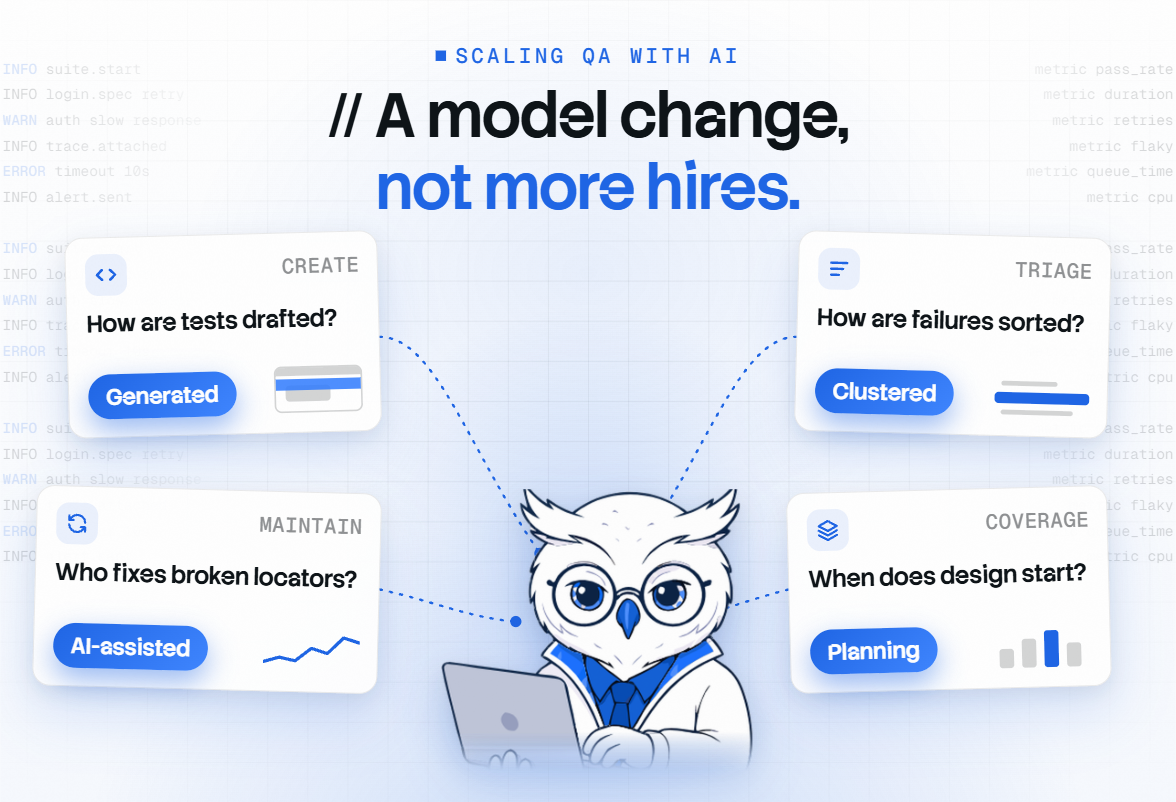
This self-healing test automation identifies the updated element and repairs the affected script automatically when the UI changes, instead of failing the build and waiting for a human fix.
Intelligent Flaky Test Detection
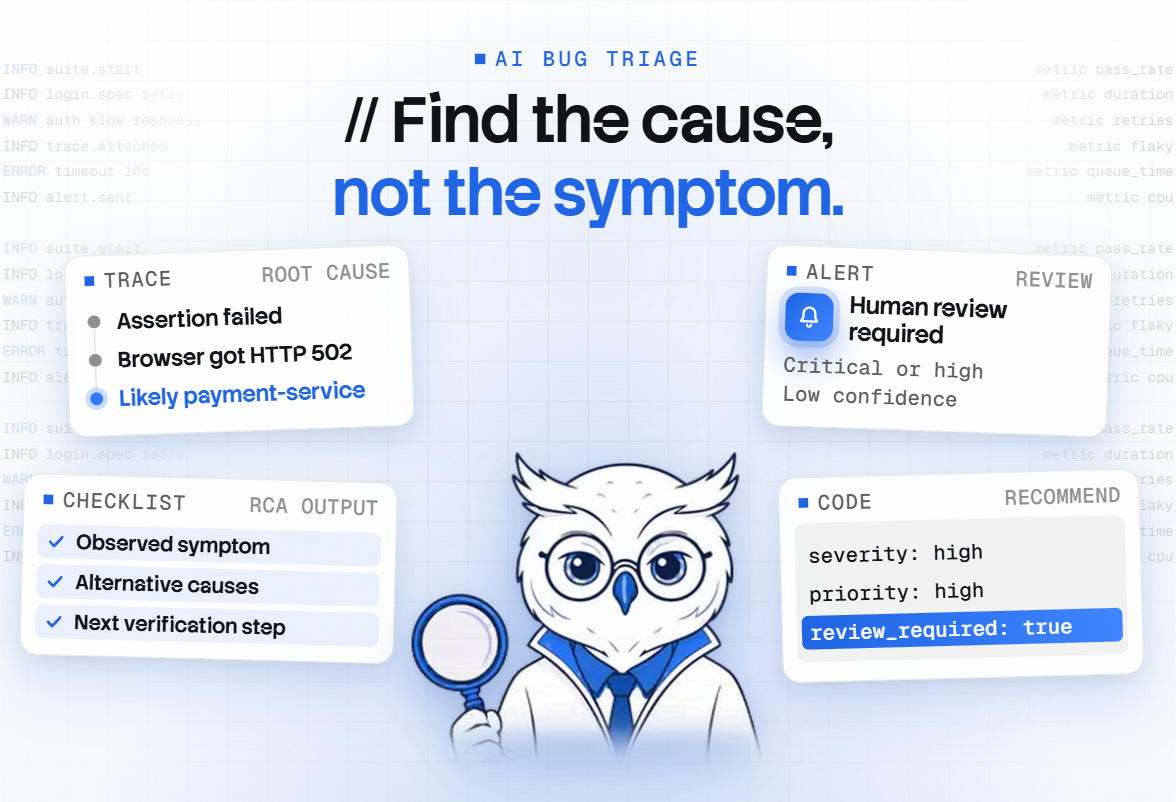
This autonomous test execution distinguishes genuine defects from environmental flakes using execution history, so your team stops re-running tests to "see if it passes this time."
AI-Assisted Script Generation
Our AI test case generation converts recorded user journeys and API specs into draft automation scripts, which our engineers review, refine, and bring up to framework standard.

// Framework Ecosystem




// Documentation We Provide
Environment Setup Guide
Step-by-step instructions for the test environment: dependencies, configuration, and prerequisites, so results stay consistent whether the suite runs locally, with us, or in CI.
Test Execution Reports
Detailed reports after every run: what passed, failed, and skipped, and why, built for stakeholders to read directly, not just engineers to interpret.
Framework Documentation
Full documentation of the framework itself: architecture, folder structure, component library, and guidelines for writing new tests, so your team can extend it confidently.
Test Coverage & Traceability Report
Every automated test mapped to the requirement or user journey it covers, so coverage gaps are visible, not assumed.
// Proven in the Real World.
// Latest Articles.

// Questions, Answered.
Do you build new automation from scratch or improve our existing suite?
We do both. If you have an existing automation suite, we audit it, identify gaps and fragile tests, and help you refactor. If you're starting fresh, we design a scalable framework and build pilot coverage in the first sprint.
Which automation framework do you recommend: Playwright or Selenium?
It depends on your stack and timeline. Playwright automation is faster and more modern for new projects. Selenium testing services offer broader language support for existing test suites. We recommend based on your team's skills and project scope.
How do you handle automation for mobile apps, native and hybrid?
We use Appium mobile testing for native apps (iOS/Android) and Detox for React Native. Real device testing on BrowserStack / Sauce Labs gives the most reliable results. Emulators are faster for CI but miss device-specific issues.
Can you integrate automation tests into our existing GitHub Actions pipeline?
Yes. We build CI/CD test automation to run in any system: GitHub Actions, GitLab CI, Jenkins, CircleCI. We'll wire up the reporting, set pipeline gates, and ensure tests run on every commit.
What's your approach to keeping automation suites maintainable over time?
We use the Page Object Model, data-driven design, and self-healing locators to reduce maintenance. We also assign an automation engineer to review test execution reports weekly, identify flaky tests, and optimize.
Do you support visual regression and codeless automation tools?
Yes. We run visual regression automation with Percy and pixel-diff checks to catch layout breaks functional tests miss. For codeless needs, we evaluate low-code tools case by case, but most engagements favor code-based frameworks for long-term maintainability.
How do you handle flaky tests in an existing suite?
AI analyses execution history to separate genuine defects from environmental flakes. Chronically flaky tests get flagged for rework rather than endless re-runs, so your team trusts a red build again.
What's the ROI of investing in test automation?
Most clients see a significant drop in manual regression effort within the first few sprints, plus faster release cycles once suites run in CI/CD. The bigger return is fewer production defects reaching users, which automation catches before release.