
// Accessibility Testing
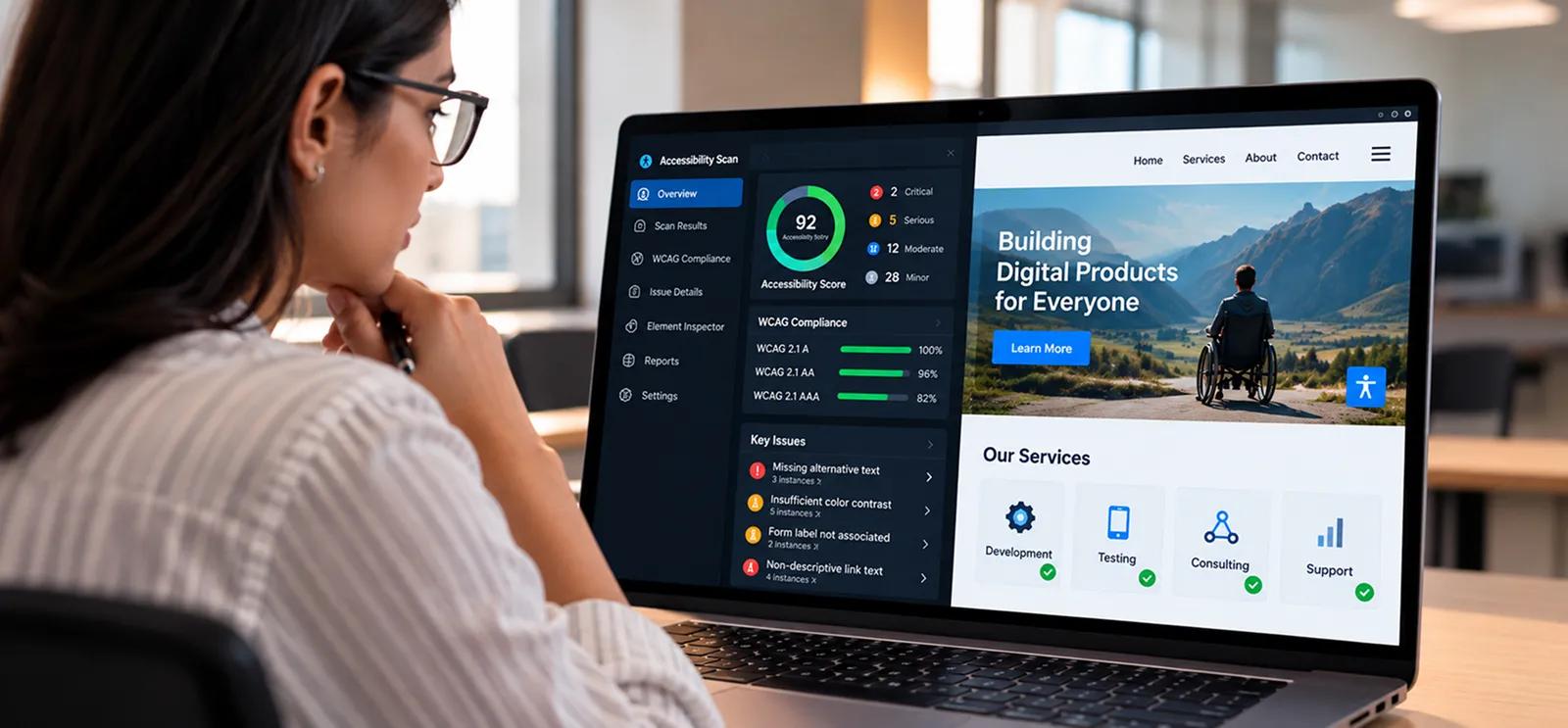



// The High Cost of the Digital Divide.
The 15% Gap
Over 1 billion people live with disabilities. If your product isn't accessible, you're excluding a significant market segment before they even try to use it.
The Legal Storm
2026 marks a turning point in enforcement. Accessibility lawsuits have reached record highs, and "we didn't know" is no longer a legal defense.
The SEO Penalty
Search engines now use accessibility signals, semantic HTML, clear navigation, heading structure, as ranking factors. Poor accessibility hurts discoverability, not just usability.
Jignect shifts accessibility from audit mode to engineering capability, embedded in design, development, and every release.
// Accessibility Coverage Across Every Layer: From Component to Compliance
Automated WCAG 2.2 & 3.0 Auditing
CI/CD-integrated scans for color contrast, ARIA labels, and heading structure, catching ~40% of issues automatically before human review.
Screen Reader Testing & Compatibility
Validation with JAWS, NVDA, VoiceOver, and TalkBack across web and mobile, so the screen reader experience is as intuitive as the visual one.
Keyboard-Only Navigation Validation
Complete journey testing without a mouse: focus order, tab sequence, skip links, focus traps, keyboard shortcuts.
Assistive Technology (AT) Testing
Switch access devices, voice-control software, magnification tools, and on-screen keyboards.
Cognitive Accessibility Validation
Reading level assessment, plain language compliance, content chunking, and predictable navigation.
Mobile Accessibility Testing
iOS VoiceOver, Android TalkBack, touch target sizing, accessible gestures, and dynamic text sizing.
Color Contrast & Visual Accessibility
Contrast ratios across every theme and state, color-only information encoding, and animation safety (WCAG 2.3).
Form & Interactive Component Accessibility
Error announcements, required field labeling, ARIA implementation in custom components, and dialog accessibility.
Document & Multimedia Accessibility
PDF accessibility, video captions and audio descriptions, and image alt text quality.
Design System Accessibility Certification
Component-level WCAG compliance and design token contrast validation for reusable accessible components.
// Four Ways AI Makes Accessibility Engineering Scalable and Predictive
Pillar 1
Automated gates in CI/CD scan every PR for contrast, ARIA, and headings, catching 40% of issues before human review, at the speed of development.
Pillar 2
AI detects visual contrast risks across themes, predicts focus order failures in dynamic DOMs, and clusters repeated defect patterns, moving accessibility from reactive to predictive.
Pillar 3
AI analyses session replays from screen reader and keyboard users to surface friction patterns before they get reported.
Pillar 4
Developers get ready-to-paste accessible code snippets for every violation found, turning WCAG requirements into actionable tasks.
// From Compliance Panic to Continuous Accessibility Engineering
Accessibility becomes expensive when treated as a post-release audit. Here's how Jignect builds it into your delivery process as an ongoing capability:
Accessibility Baseline Assessment
//01An audit of your current WCAG posture: automated scan, manual expert review, and AT testing to establish a complete baseline with severity classification.
Risk-Prioritized Remediation Roadmap
//02Findings ranked by impact severity, user population affected, legal exposure, and fix complexity, producing a sprint-ready backlog.
Design System & Component Enablement
//03We build accessibility into your component library and design system, so new development inherits compliance by default.
CI/CD Accessibility Gates
//04Automated WCAG checks embedded in your build pipeline. Every PR is scanned for contrast, ARIA, and heading structure before review.
Real-User & AT Validation
//05Moderated testing with users who rely on assistive technologies, validating the experience, not just the code.
Continuous Monitoring & Scorecard
//06We track accessibility score per release and maintain audit-ready documentation for ADA and EAA purposes.

// Tools That Cover the Full Accessibility Validation Spectrum



// Documentation Built for Audit and Legal Defense
Test Environment Setup Guide
Step-by-step setup instructions covering software, hardware, and network configurations used for testing.
Accessibility Test Plan
Testing strategy mapped to WCAG and ADA standards, with tools and team roles defined for execution.
Accessibility Test Cases
Detailed test cases covering navigation, form controls, and multimedia, auditable component by component.
Accessibility Bug Report
Every issue documented with description, severity, reproduction steps, and resolution suggestions.
Testing Summary Report
Key findings and prioritized recommendations for improving your compliance posture.
Accessibility Guidelines Reference
Documented references to WCAG, ADA, EAA, and Section 508 for procurement and legal review.
// Latest Articles.

// Questions, Answered.
Is WCAG 2.1 AA still enough in 2026, or do we need WCAG 2.2?
WCAG 2.1 remains a valid baseline, but WCAG 2.2 adds critical new criteria around focus visibility, mobile target sizing, and animation-induced seizure risk. Many enterprise procurement teams now explicitly require WCAG 2.2 AA in vendor RFPs. Aiming for 2.2 AA future-proofs your compliance posture and avoids re-remediation cycles.
Can't we just use an accessibility overlay or widget?
Overlays address visual contrast for some users, but they can't fix structural problems like missing ARIA labels or keyboard trap failures, roughly 60% of real accessibility barriers. Major audits and the disability community now actively discourage overlay-only solutions. Real accessibility needs semantic HTML, proper ARIA, and genuine keyboard navigation.
How do you handle cognitive accessibility?
Cognitive accessibility covers reading level, content chunking, error message clarity, predictable navigation, and reducing cognitive load. We evaluate content against plain language standards, test navigation predictability, and validate interactive patterns against user expectations, so your product works for people with dyslexia, learning disabilities, and cognitive fatigue.
Does accessibility testing slow down our release cycle?
Treated as a post-release audit, yes, it becomes a bottleneck. Embedded into CI/CD as a gate, it accelerates releases by catching issues early. Our integration scans every PR automatically, so most violations are caught before code review.
Do you provide VPAT (Voluntary Product Accessibility Template) reports?
Yes. VPAT reports are standard for enterprise procurement and government contracts. As part of our ADA compliance testing, we provide VPAT documentation aligned with Section 508 and EN 301 549, with evidence of testing suitable for legal review.
Can you test mobile apps for accessibility?
Yes. We test iOS VoiceOver and Android TalkBack compatibility, touch target sizing, accessible gestures, and dynamic text sizing. Mobile testing follows WCAG 2.2 guidelines and integrates into your mobile CI/CD pipeline.
How do you validate accessibility for custom UI components and design systems?
Component-level testing matters because custom components often skip built-in accessibility features. We test each component for keyboard navigation, screen reader announcements, ARIA, and contrast. Results feed back into your design system as accessibility annotations, so new development inherits compliance by default.
What is the difference between compliance and genuine inclusivity?
Compliance means meeting the letter of WCAG standards, contrast ratios, ARIA labels. Genuine inclusivity means those standards translate into a usable experience for people with disabilities in real-world conditions. We bridge this by combining automated validation with real-user testing, so your product doesn't just pass audits, it works for everyone.