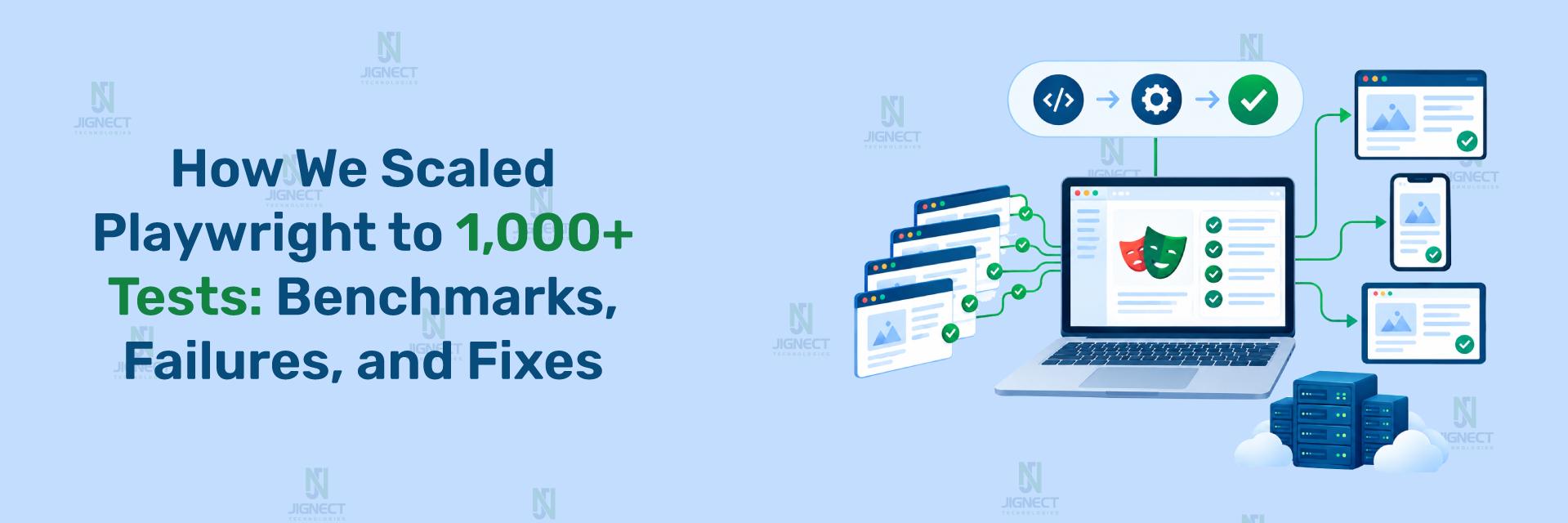

A test suite that once finished in eight minutes can quietly grow into one that takes ninety. Nobody decides to make this happen – it accumulates test by test, sprint by sprint, until a single pull request is stuck waiting forty-five minutes for CI feedback. By the time a team notices, they usually have well over a thousand Playwright tests, a CI bill that keeps climbing, and a growing habit of merging first and checking test results later.
This is the point where “just add more tests” stops being sustainable. At 1,000+ automation test , the bottleneck is rarely test quality – it’s execution architecture. Teams that reach this scale need a deliberate strategy for distributing work across machines, isolating test data safely under high concurrency, and keeping CI/CD pipelines fast enough that engineers still trust and wait for the results.
- Why Large Playwright Suites Slow Down
- Parallelism vs. Sharding: Understanding the Difference
- Setting Up Sharding in Playwright
- Merging Reports From Sharded Runs
- Wiring Sharding Into CI/CD Pipelines
- How Playwright Compares for Scale
- Common Mistakes When Scaling Playwright Test Suites
- Best Practices for Running Large Playwright Suites
- Measuring Whether Your Scaling Strategy Is Working
- Practical Use Cases by Suite Size
- Conclusion
- Ready to Scale Your Testing?
Why Large Playwright Suites Slow Down
A test suite with a few hundred tests can run sequentially and still finish in a reasonable time. Once a suite crosses into the thousands, sequential execution becomes the single biggest source of delay, and the delay compounds every time someone opens a pull request.
The slowdown at scale usually comes from a combination of factors rather than one obvious cause:
- Sequential or under-parallelized execution – tests running one after another, or with too few workers to use available CPU cores.
- Long CI queue times – jobs waiting for available runners before they even start executing.
- Flaky reruns – retries silently adding minutes back onto a run that was supposed to be fast.
- Unbalanced test distribution – one file or shard taking far longer than the others, so the whole run waits on it.
- Report and artifact overhead – collecting traces, screenshots, and videos across thousands of tests without a plan to merge and store them efficiently.
None of these problems are solved by simply writing fewer tests – a large application legitimately needs large coverage. The fix is architectural: distribute the existing suite intelligently across available compute, rather than running it as one long line of sequential work.
Parallelism vs. Sharding: Understanding the Difference
Before touching configuration, it’s worth being precise about two terms that get used interchangeably but describe different mechanisms. Getting this distinction right determines whether a scaling strategy actually works at 1,000+ tests or just adds complexity without adding speed.
Parallelism in Playwright refers to running multiple tests at the same time on a single machine, using multiple worker processes. Sharding refers to splitting the entire test suite into separate chunks, called shards, so that each shard can run independently – typically on separate CI jobs or separate machines entirely.
Think of parallelism as making better use of the CPU cores on one runner, and sharding as adding more runners. A suite of 1,000 tests generally needs both: enough workers per machine to saturate available cores, and enough shards across machines to keep total wall-clock time low regardless of suite size.
Worker-Based Parallelism Within a Single Machine
Playwright’s test runner starts multiple worker processes and distributes test files across them automatically. This is controlled by the workers option in the configuration file, or the --workers flag on the command line.
For a broader grounding in Playwright fundamentals — locator strategy, Page Object Model, and CI/CD basics- see our Playwright Test Automation Best Practices for QA Engineers guide
Setting workers explicitly on CI gives predictable resource usage instead of relying on Playwright’s automatic core-detection, which can behave differently across CI runner sizes. Leaving it undefined locally lets Playwright use its default heuristic based on available CPU cores. Note that Playwright’s own CI guidance also documents a more conservative pattern – starting with
workers: 1on CI for stability and increasing it once the environment is verified – so the right number depends on runner size and how flake-sensitive the suite is.
Sharding Across Multiple Machines or CI Jobs
Sharding takes parallelism a step further by splitting the suite itself, not just distributing it across cores on one machine. Each shard is invoked with a specific index and total count.
Example scenario: A checkout test suite with 1,000 tests needs to run across four CI jobs so that no single job becomes the bottleneck for the whole pipeline.
npx playwright test --shard=1/4
npx playwright test --shard=2/4
npx playwright test --shard=3/4
npx playwright test --shard=4/4
Output/Expected Result: Each command runs roughly one-quarter of the suite. When run as four separate CI jobs in parallel, total wall-clock time for the suite approaches the time of the slowest single shard, rather than the sum of all four.
These four commands are meant to run as four separate, parallel CI jobs – running them sequentially in the same job defeats the purpose, since each
--shardinvocation still processes its assigned quarter of the suite.
How fullyParallel Changes Shard Balancing
Sharding only helps if the work is distributed evenly. Playwright supports two balancing models, and the difference matters directly at 1,000+ test scale.
Without fullyParallel: true, Playwright balances shards at the file level – it tries to distribute test files evenly across shards, but if one file contains many more tests than another, that shard runs longer regardless of the shard count. With fullyParallel: true, Playwright balances at the individual test level, spreading tests more evenly regardless of which file they live in.
// playwright.config.ts
export default defineConfig({
  fullyParallel: true, // balance shards by individual test, not by file
});
For a large suite where test file sizes vary naturally – a checkout.spec.ts with 40 tests next to a footer-links.spec.ts with 3 –
fullyParallel: trueprevents the checkout file from becoming an accidental long-pole shard. This is the setting most teams scaling past 1,000 tests need to enable deliberately rather than leave at its default.
Setting Up Sharding in Playwright
With the concepts established, setting up sharding for a real suite is a short, procedural sequence.
- Confirm the suite runs correctly without sharding first. Run the full suite locally or in a single CI job to establish a baseline before splitting it.
- Decide on a shard count based on suite size and available CI runners. A team with four available runners and 1,000 tests might start with four shards rather than an arbitrary number.
- Enable
fullyParallel: truein playwright.config.ts so shard balancing happens at the test level. - Add the
--shard=x/yflag to the test command in each CI job definition, with x matching the job’s position and y matching the total shard count. - Run all shards concurrently as separate CI jobs, not sequential steps in one job.
- Collect and merge reports from each shard (covered in the next section) so results appear as one unified report rather than four disconnected ones.
Choosing Shard Count Based on Suite Size and Runner Availability
There is no single correct shard count – it depends on how many CI runners are available and how long a single shard is acceptable to run. A practical starting approach is to divide the target maximum run time by the estimated time per test, then round to a shard count that matches available runner capacity, and adjust from there based on observed run times.
Example: A team with 1,000 tests, an average of roughly 2 seconds per test, and a target run time under 1 minute would need approximately eight shards running concurrently (1,000 tests × 2 seconds ÷ 8 shards ≈ 250 seconds per shard, still too long – indicating either more shards or higher per-shard worker counts are needed). This example is illustrative; actual timing depends heavily on test type, browser engine, and application response times, and should be measured empirically rather than assumed.
Merging Reports From Sharded Runs
Splitting a suite into shards creates a new problem: results now exist as separate, incomplete reports, one per shard. Without merging them, nobody gets a single clear picture of whether the full suite passed.
Playwright addresses this with the blob reporter, a reporter format specifically designed to be merged after sharded runs complete.
Configuring the Blob Reporter
// playwright.config.ts
export default defineConfig({
    reporter: process.env.CI ? 'blob' : 'html',
});
Using blob only in CI keeps local development reports in the more human-readable html format, while CI runs produce blob files intended for merging. Each shard produces its own blob report file in the blob-report directory, named using a pattern like
report-<hash>-<shard_number>.zip.
Practical Example: Merging Blob Reports Into a Single HTML Report
Scenario: After four shards finish running in CI, a QA lead needs one combined HTML report showing all 1,000 test results together, not four separate files.
npx playwright merge-reports --reporter html ./all-blob-reportsOutput/Expected Result: A single HTML report directory is generated from all blob files collected into ./all-blob-reports, showing pass/fail/flaky status across the entire suite as one report.
This command expects all shard blob files to already be present in the target directory – in a CI pipeline, this means each shard job must upload its blob report as an artifact, and a separate merge job must download all of them before running merge-reports. Missing even one shard’s blob file will produce an incomplete merged report without necessarily raising an obvious error, so verifying the artifact count before merging is worth an explicit check.
Wiring Sharding Into CI/CD Pipelines
Sharding only delivers its speed benefit when the CI/CD pipeline is configured to actually run shards concurrently, collect their reports, and merge them automatically. This section is intentionally platform-neutral in its explanation, with GitHub Actions shown as a concrete reference implementation since it is commonly used and Playwright documents it directly.
Practical Example: GitHub Actions Matrix Strategy With Shard Merge Job
Scenario: A CI pipeline needs to run a 1,000-test Playwright suite across four parallel jobs, then produce one merged report as a build artifact.
jobs:
  test:
    strategy:
      matrix:
        shardIndex: [1, 2, 3, 4]
        shardTotal: [4]
    steps:
      - name: Run Playwright tests
        run: npx playwright test --shard=${{ matrix.shardIndex }}/${{ matrix.shardTotal }}
      - name: Upload blob report
        uses: actions/upload-artifact@v4
        with:
          name: blob-report-${{ matrix.shardIndex }}
          path: blob-report
          retention-days: 1

  merge-reports:
    needs: [test]
    steps:
      - name: Download blob reports
        uses: actions/download-artifact@v4
        with:
          path: all-blob-reports
      - name: Merge into HTML report
        run: npx playwright merge-reports --reporter html ./all-blob-reports
Output/Expected Result: Four test jobs run concurrently, each executing one-quarter of the suite and uploading its own blob report as an artifact. The merge-reports job waits for all four to finish (needs: [test]), downloads every blob report, and produces one combined HTML report.
The matrix.shardIndex and matrix.shardTotal values map directly onto the
--shard=x/ysyntax, so adding more parallel jobs is a matter of extending the shardIndex array and updating shardTotal to match – no changes to the test code itself are required.
Sharding Differences Across Other CI Providers
GitHub Actions is not the only pipeline Playwright supports for sharding – the underlying --shard=x/y flag is identical everywhere, but how each provider exposes parallel job indices differs.
| CI Provider | Mechanism | Index Behavior |
| GitHub Actions | strategy.matrix | 1-indexed; matrix values map directly to –shard |
| GitLab CI | parallel or parallel:matrix keyword | Exposes CI_NODE_INDEX and CI_NODE_TOTAL for use in the shard flag |
| CircleCI | Parallelism configuration | 0-indexed via CIRCLE_NODE_INDEX; requires adding 1 to match Playwright’s 1-indexed shard numbering |
| Azure Pipelines | Matrix strategy | Similar to GitHub Actions, using pipeline matrix variables |
Choose GitHub Actions or GitLab CI patterns when the team is already standardized on one of those platforms and wants documented, directly-supported sharding syntax. Choose CircleCI when the team already relies on its parallelism features, but explicitly account for the 0-indexed-to-1-indexed conversion to avoid silently skipping or duplicating a shard. Use a hybrid approach when self-hosted runners are mixed with a hosted CI provider – the shard flag stays the same, only the environment variables supplying the index and total change.
How Playwright Compares for Scale
Sharding is a Playwright-specific mechanism, but teams evaluating how to scale their end-to-end suite often want to know how this compares to the horizontal scaling approaches of other frameworks. This is not a full framework comparison – it’s scoped specifically to how each tool approaches distributing large suites.
| Framework | Scaling Mechanism | Cost/Access Model |
| Playwright | Built-in –shard flag plus worker-based parallelism | Free, built into the CLI |
| Selenium Grid | Hub-and-node architecture distributing WebDriver sessions across nodes | Free, but requires more infrastructure to manage nodes and browser instances directly |
| Cypress | Native parallelization | Requires the paid Cypress Cloud service to orchestrate parallel/distributed runs |
Choose Playwright’s built-in sharding when the team wants CI-native scaling without a separate paid service or additional infrastructure layer. Choose Selenium Grid when the project already depends on WebDriver-based, multi-language test suites (Java, Python, C#, Ruby) and the team has the infrastructure capacity to manage a Grid/Hub-Node setup. Choose Cypress with Cypress Cloud when the team already values Cypress’s developer experience and is willing to adopt its paid orchestration layer for parallel runs.
Published performance benchmarks comparing these tools’ raw execution speed vary significantly across sources and are not consistent enough to cite as fact – any speed claim should be validated against the specific application and CI environment in question rather than assumed from a generic benchmark.
Common Mistakes When Scaling Playwright Test Suites
Scaling to 1,000+ tests expose mistakes that don’t matter at a smaller scale but become expensive once shard counts and worker counts grow.
Uneven Test Files Without fullyParallel
Mistake: Leaving fullyParallel unset (or false) while relying on file-level balancing, then adding more shards expecting proportional speedup.
Why it fails: If one test file contains a disproportionate number of tests, that file’s shard becomes the long pole regardless of how many total shards exist – adding more shards doesn’t shorten the slowest one.
Correction: Set fullyParallel: true so Playwright balances individual tests across shards rather than whole files, and consider breaking up unusually large spec files as a secondary measure.
Over-Relying on Retries Instead of Fixing Root-Cause Flakiness
Mistake: Setting retries: 3 or higher as a blanket fix for an unstable suite, rather than investigating why specific tests fail intermittently.
Why it fails: Retries can mask real flakiness, and at 1,000+ tests, even a small flaky percentage multiplies into meaningful added runtime – every retried test adds its execution time back onto the total run, undermining the speed gained from sharding.
Correction: Use retries as a safety net at a modest level (Playwright’s own CI examples commonly use 2), while separately tracking which tests retry most often and treating that as a queue of root causes to fix – unstable locators, race conditions, or shared test state are typical culprits.
Ignoring Worker-Level Test Data Isolation
Mistake: Tests that write to shared fixtures, shared database records, or shared files without accounting for the fact that many workers are running concurrently.
Example scenario: Two tests in different workers both create a user with the same hardcoded email address for a registration flow, and one test’s cleanup step deletes the record the other test is still using – producing an intermittent failure that only appears under high concurrency.
Correction: Generate unique test data per worker, using testInfo.workerIndex or the process.env.TEST_WORKER_INDEX environment variable to namespace records, files, or accounts so concurrent workers never collide.
import { test } from '@playwright/test';

test('user can register with a unique email', async ({ page }, testInfo) => {
    const uniqueEmail = `qa-user-${testInfo.workerIndex}-${Date.now()}@example.com`;
    await page.goto('/register');
    await page.fill('#email', uniqueEmail);
    // remaining registration steps
});
Combining testInfo.workerIndex with a timestamp produces an email that is unique both across workers and across repeated runs, removing the shared-state collision that only surfaces once concurrency is high enough to matter.
Best Practices for Running Large Playwright Suites
The following practices are specifically about operating a suite at scale, rather than general Playwright authoring practices such as locator strategy or the Page Object Model, which apply regardless of suite size.
- Isolate test data per worker. As shown above, namespacing test data with
testInfo.workerIndexprevents concurrency-related collisions that only appear once dozens of workers run simultaneously. - Use –only-changed for fast pull-request feedback. Added in Playwright v1.46, this flag runs only the test files affected by uncommitted or recent changes, giving engineers quick feedback during development without abandoning full-suite runs before merge.
npx playwright test --only-changed=main- This runs tests in files changed relative to the main branch, including files that import a changed file, rather than the entire 1,000-test suite.
- Set sensible retries and maxFailures for CI cost control. A moderate retry count (such as 2) balances resilience against masking real flakiness, and
maxFailurescan stop a run early once a threshold of failures is reached, avoiding wasted compute on a build that has already clearly failed. - Keep the blob-report merge step as its own CI job. Separating test execution jobs from the merge job (as shown in the GitHub Actions example) keeps the dependency explicit and makes it easier to diagnose when a shard’s artifact is missing.
- Re-measure shard count periodically, not just once. As the suite grows past 1,000 tests toward higher counts, the ideal shard count changes – a shard count tuned for today’s suite size may become unbalanced again in six months.
- Track flaky-test rate as its own signal, separate from pass rate. A suite can have a high pass rate while quietly accumulating flaky tests that pass only on retry – this distinction matters more at scale, where flaky reruns add up.
Measuring Whether Your Scaling Strategy Is Working
Sharding and parallelism changes should be validated with concrete signals rather than assumed to be working once configured. A few metrics are directly relevant here:
- Total wall-clock execution time – the time from pipeline start to final merged report, which is the metric sharding and parallelism most directly target.
- Slowest shard duration – if one shard consistently takes noticeably longer than the others, it indicates a balancing problem (often the
fullyParallelissue described earlier), even if the total suite still finishes. - Flaky-test rate – the proportion of tests that pass only after a retry, tracked over time rather than per run, since a single run can look fine while flakiness climbs gradually.
- CI runner cost or minutes consumed – relevant when evaluating whether increasing shard count is delivering proportional speed gains or just proportional cost increases.
No single metric proves a scaling strategy is correct on its own – a fast total run time achieved by masking flakiness with heavy retries, for example, is not actually a healthy outcome even though the top-line number looks good. These metrics are meant to be read together, and any specific numeric targets should be set based on a team’s own measured baseline rather than an external benchmark.
Practical Use Cases by Suite Size
Not every team needs the full sharding-plus-CI-matrix setup described above. The right strategy scales with actual suite size and team constraints.
- A few hundred tests, single CI job: Worker-based parallelism alone (tuning the
workersconfig) is usually sufficient; sharding adds CI complexity without a meaningful speed benefit at this size. - Several hundred tests approaching 1,000, single application: This is typically where
fullyParallel: trueplus a small number of shards (two to four) starts to pay off, especially if certain spec files are noticeably larger than others. - 1,000+ tests across multiple suites or applications: This is where the full pattern in this guide applies – multiple shards run as a CI matrix, blob reports merged into one view, and dedicated tracking of flaky-test rate and shard balance over time.
- Fast pull-request feedback loops regardless of total suite size:
--only-changedis valuable at any scale where engineers need quick signal before a full-suite run happens later in the pipeline (for example, on merge to a main branch).
Conclusion
Scaling a Playwright suite past 1,000 tests is fundamentally an architecture problem, not a test-writing problem: worker-based parallelism makes better use of each machine, and sharding distributes the suite across multiple machines so that total run time stays manageable as the suite grows. Getting shard balancing right with fullyParallel: true, merging results cleanly with the blob reporter, and wiring shards into a CI/CD matrix are the concrete mechanics that make this work in practice.
The most important trade-off to keep in mind is that sharding and parallelism only deliver their benefit when the underlying suite is reasonably stable – heavy reliance on retries to paper over flaky tests will quietly erode the speed gains that sharding is meant to provide. Teams scaling past 1,000 tests should treat flaky-test rate as seriously as total run time when judging whether their scaling strategy is actually working.
For teams at a few hundred tests, standard worker parallelism is often enough; the full sharding-and-CI-matrix pattern earns its complexity specifically at the 1,000+ test range this guide focuses on.
Ready to Scale Your Testing?
Witness how our meticulous approach and cutting-edge solutions have elevated quality and performance to new heights. To know more, refer to Tools and Technologies and QA Services.
If you would like to learn more about the services we provide, be sure to reach out.
Happy Testing 😊