// How to Implement Dependency Injection with POM in Playwright for Scalable Test Automation
Modern test automation is no longer just about writing test scripts that click buttons and verify results. Today, scalability, maintainability, and reusability are crucial. As test suites grow, poorly structured code leads to duplicated effort, flaky tests, and high maintenance costs. This is where Playwright, Dependency Injection (DI), and Page Object Model (POM) come together to provide a clean, maintainable automation framework.
What is Playwright?
Playwright is a modern end-to-end testing framework developed by Microsoft. It supports multiple browsers (Chromium, Firefox, WebKit) and languages (C#, Java, Python, Node.js). Playwright enables you to automate web apps reliably with features such as auto-waiting, tracing, and cross-browser support.
Example:
using Microsoft.Playwright;
using System.Threading.Tasks;

class Program
{
public static async Task Main()
{
using var playwright = await Playwright.CreateAsync();
var browser = await playwright.Chromium.LaunchAsync(new BrowserTypeLaunchOptions { Headless = false });
var page = await browser.NewPageAsync();
await page.GotoAsync("https://example.com");
await page.ScreenshotAsync(new PageScreenshotOptions { Path = "example.png" });
}
}
Why Modern Test Automation Needs Better Design Patterns?
When projects grow, having hundreds of test scripts with repeated steps can make automation fragile and hard to maintain. Design patterns like POM and DI help organize code so that changes (like locator updates) only need to be done once.
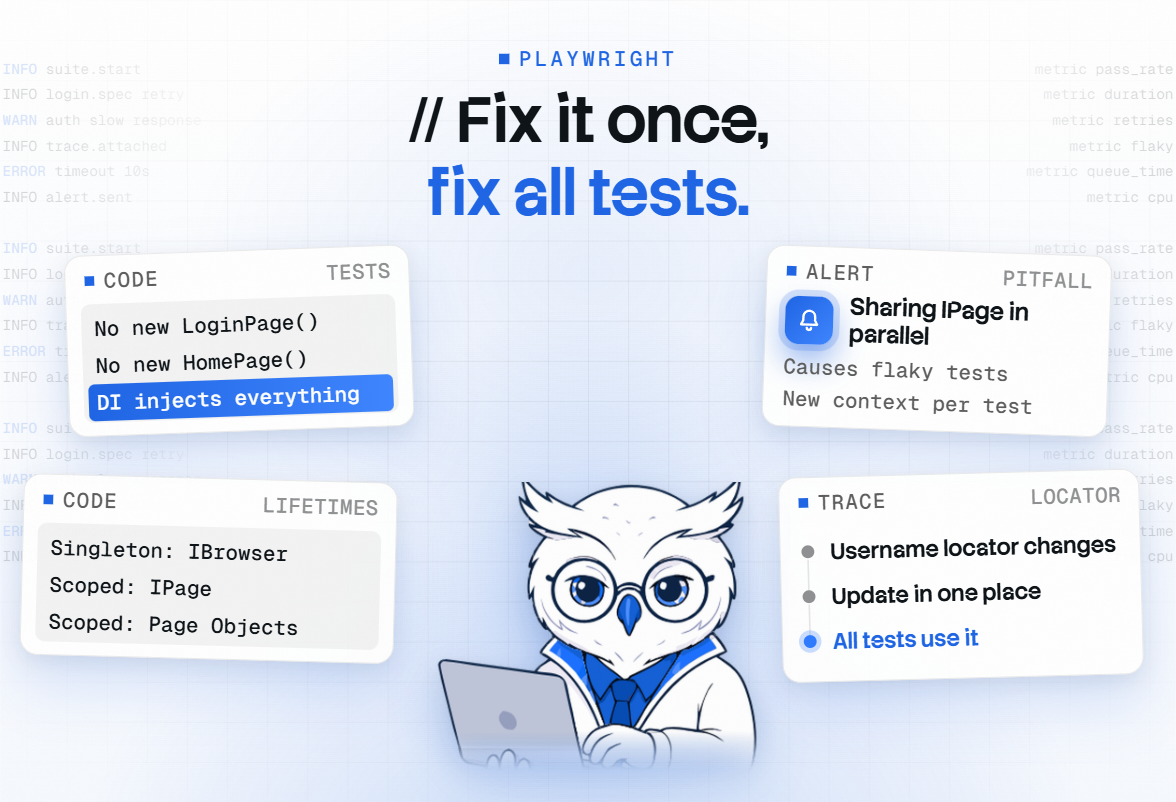
Real-life Example: Imagine a login page where the username field's locator changes. Without POM, you'd have to update the locator in 50+ test files. With POM, you update it in one place, and all tests use the updated locator automatically.
Dependency Injection (DI) in C# Automation
What is Dependency Injection in C#
Dependency Injection in C# is a design pattern used to reduce tight coupling between classes, making applications more flexible, maintainable, and easier to test. Traditionally, classes create their own dependencies using the new keyword, which makes the code rigid and hard to change. With DI, these dependencies are supplied from the outside through constructors, methods, or properties, so each class can focus only on its core functionality.
The .NET framework provides a built-in DI container that manages service registration (AddSingleton, AddScoped, AddTransient) and resolves them at runtime. This greatly improves unit testing because mock or fake services can be injected instead of real implementations. Overall, DI supports clean architecture by keeping components loosely coupled, improving scalability, and making future changes far easier.
Why DI Matters in Test Automation
- Reduces Code Duplication
No need to create the same objects (drivers, page objects, utilities) again and again. - Improves Maintainability
A centralized place to manage all dependencies makes the framework easier to update. - Loose Coupling
Classes (like Page Objects or Services) don’t depend on concrete implementations.
You can replace or extend them easily. - Easy to Switch Environments/Drivers
Change browser (Chrome → Firefox) or environment (QA → Staging) without modifying test code. - Better Test Stability
DI can provide fresh instances of WebDriver or API clients per test, preventing test interference. - Supports Clean Architecture
Makes the framework more modular with separation of concerns. - Makes Unit Testing Easier
You can inject mock dependencies for utilities, reporting, or API services during test runs. - Centralized Object Creation
All object lifecycles are controlled from one place (e.g., startup or container). - Improves Reusability
Pages, helpers, and services can be reused easily because they don’t handle their own dependencies. - Scales Well for Large Frameworks
DI is almost essential when you have hundreds of tests and many components.
Types of DI
- Constructor Injection: Most common, dependencies passed via the constructor.
- Method Injection: Dependencies passed via method parameters.
- Property Injection: Dependencies set via public properties.
Setting Up Playwright in a C# Project
Install Playwright in a C# Project
Run:
- dotnet add package Microsoft.Playwright
- dotnet build
- playwright install
Create and Run the First Test
using Microsoft.Playwright;
using Xunit;
public class SampleTest
{
[Fact]
public async Task VerifyTitle()
{
using var playwright = await Playwright.CreateAsync();
var browser = await playwright.Chromium.LaunchAsync();
var page = await browser.NewPageAsync();
await page.GotoAsync("https://playwright.dev");
Assert.Contains("Playwright", await page.TitleAsync());
}
}
Basic Playwright Commands
- Launch Browser: await playwright.Chromium.LaunchAsync()
- Navigate: await page.GotoAsync("url")
- Actions: await page.FillAsync(selector, value), await page.ClickAsync(selector)
- Assertions: Assert.Equal(expected, actual)
- To know more, refer to the link below.
Understanding Page Object Model (POM) in Playwright
What is POM & Why It Matters
The Page Object Model (POM) is a simple but powerful design pattern that helps keep your test code clean and manageable. Instead of scattering selectors and UI interactions across test files, POM groups them into dedicated page classes. This makes your tests easier to read, reduces duplication, and keeps maintenance under control as your application grows. In Playwright, POM fits in naturally because of its clean structure and support for reusable components, making it easier to scale your automation suite without creating a mess behind the scenes.
Advantages
- Reusability: The Same login method can be reused across 100s of tests.
- Maintainability: Update the locator once, fix all tests.
- Readability: Tests look clean and business-readable.
Creating a Simple Page Class
public class LoginPage
{
private readonly IPage _page;
public LoginPage(IPage page) => _page = page;

private ILocator Username => _page.Locator("#username");
private ILocator Password => _page.Locator("#password");
private ILocator LoginButton => _page.Locator("#loginBtn");

public async Task LoginAsync(string user, string pass)
{
await Username.FillAsync(user);
await Password.FillAsync(pass);
await LoginButton.ClickAsync();
}
}
Why Use Dependency Injection (DI) and Page Object Model (POM) Together?
Problems with Unstructured Tests
- Duplicate Code: The Same login code is written in every test.
- Hard to Maintain: Updating one locator breaks multiple tests.
- Tight Coupling: Browser instances are created everywhere.
How DI + POM Solve These Issues
- POM centralizes locators and actions.
- DI manages object lifecycles and ensures a single browser/page instance across tests.
Key Benefits
- Clean Code: Separation of concerns.
- Reusability: Page classes can be reused across tests.
- Scalability: Easily add more pages/tests without rewriting boilerplate code.
Combining POM + DI in Playwright
Setting Up a BasePage
public abstract class BasePage
{
protected readonly IPage Page;
protected BasePage(IPage page) => Page = page;
}
Using DI for Browser, Page, and context management
Use a central setup class to initialize and register objects.
Constructor Injection in Page Objects
public class DashboardPage: BasePage
{
public DashboardPage(IPage page) : base(page) {}

public async Task VerifyDashboardLoaded()
{
await Page.WaitForSelectorAsync("#dashboardHeader");
}
}
Configuring DI in Playwright
Dependency Injection (DI) helps us manage object creation and dependencies in a clean, maintainable way. Instead of manually creating browser/page instances and passing them around everywhere, we register them as services and let the framework handle object creation. This reduces boilerplate code, improves scalability, and makes test frameworks more structured especially as projects grow.
In Playwright with C#, we can configure DI using
Microsoft.Extensions.DependencyInjection. This package allows us to register services like:
- IBrowser, IPage – so that any test can get the browser/page instance easily
- Page Objects – Registering Page Object classes prevents manual initialization
- Any reusable service (logger, config manager, API utilities, etc.)
This approach is extremely useful when building large automation frameworks using Playwright.
Add the Microsoft.Extensions.Dependency Injection package
Install via NuGet Package Manager:
Microsoft.Extensions.DependencyInjection
Register Services like Browser, Context, Page, Page Objects
We generally create a Setup file / Base class to register DI services.
Example:
TestServiceSetup.cs
using Microsoft.Extensions.DependencyInjection;
using Microsoft.Playwright;

namespace PlaywrightDISetup
{
    public class TestServiceSetup
    {
        public ServiceProvider ServiceProvider { get; private set; }

        public async Task InitializeServices()
        {
            var services = new ServiceCollection();

            // Register Playwright and Browser
            services.AddSingleton(async () => await Playwright.CreateAsync());
            services.AddSingleton<IBrowser>(async provider =>
            {
                var playwright = await provider.GetRequiredService<Func<Task<IPlaywright>>>()();
                return await playwright.Chromium.LaunchAsync(new BrowserTypeLaunchOptions { Headless = false });
            });

            // Register Browser Context & Page
            services.AddScoped(async provider =>
            {
                var browser = await provider.GetRequiredService<IBrowser>();
                return await browser.NewContextAsync();
            });

            services.AddScoped(async provider =>
            {
                var context = await provider.GetRequiredService<Task<IBrowserContext>>();
                return await context.Result.NewPageAsync();
            });

            // Register Page Objects
            services.AddScoped<HomePage>();
            services.AddScoped<LoginPage>();

            ServiceProvider = services.BuildServiceProvider();
        }
    }
}
Configure DI in a setup file or base class
using NUnit.Framework;

namespace PlaywrightDISetup
{
    public class BaseTest
    {
        protected HomePage homePage;
        protected LoginPage loginPage;
        protected IPage page;
        private TestServiceSetup serviceSetup;

        [SetUp]
        public async Task Setup()
        {
            serviceSetup = new TestServiceSetup();
            await serviceSetup.InitializeServices();

            page = await serviceSetup.ServiceProvider.GetRequiredService<Task<IPage>>();
            homePage = serviceSetup.ServiceProvider.GetRequiredService<HomePage>();
            loginPage = serviceSetup.ServiceProvider.GetRequiredService<LoginPage>();
        }

        [TearDown]
        public async Task Cleanup()
        {
            await page.CloseAsync();
        }
    }
}
Recommended Project Structure
When building a scalable automation framework with Playwright, organizing your project structure is crucial. A clean and consistent structure ensures that your framework is easy to understand for new team members, easy to maintain as it grows, and flexible enough to handle complex automation needs.Here’s a recommended folder structure for Playwright + C# projects:
ProjectRoot/
├── Pages/ # Contains Page Object Model classes
│ ├── LoginPage.cs # Encapsulates login page locators & actions
│ ├── DashboardPage.cs # Encapsulates dashboard page locators & actions
│ └── ... (more pages)
│
├── Tests/ # Contains test classes
│ ├── LoginTests.cs # Verifies login functionality
│ ├── DashboardTests.cs # Verifies dashboard behavior
│ └── ... (other feature tests)
│
├── Utilities/ # Helper classes and utilities
│ ├── ConfigReader.cs # Reads settings from appsettings.json
│ ├── Logger.cs # Handles custom logging if required
│ └── TestDataHelper.cs # Manages test data loading & parsing
│
├── Setup/ # Central setup and Dependency Injection registration
│ ├── TestBase.cs # Base class for all tests (sets up DI & browser)
│ └── DIConfig.cs # Configures DI container and registers services
│
├── appsettings.json # Stores environment URLs, credentials, configs
└── README.md # Documentation for how to run tests
Role of Each Folder
Pages/
- Contains Page Object classes representing each application page.
- Each page class holds locators and reusable methods.
- Example: LoginPage.cs will have the LoginAsync() method that fills the username, password, and clicks the login button.
Tests/
- Houses test classes written in xUnit or NUnit.
- Each test class focuses on one feature/module.
- Tests should call page methods instead of interacting with locators directly.
Utilities/
- Provides helper methods to avoid code repetition.
- Example: a utility to read test data from JSON, generate random emails, or log messages.
- Encourages the DRY (Don't Repeat Yourself) principle.
Setup/
- Contains DI container setup, Playwright initialization, and base classes.
- Ensures that browser and page objects are created once and shared across tests.
- Helps maintain a single source of truth for framework bootstrapping.
appsettings.json
- Central configuration file where you can store:
- Base URLs for different environments (dev, QA, staging).
- Credentials (ideally encrypted or in secrets manager).
- Timeouts, headless mode settings, etc.
Real-World Example: Imagine you are automating an e-commerce website. Your Pages/ folder might have LoginPage.cs, ProductPage.cs, CartPage.cs, CheckoutPage.cs. Your Tests/ folder would have LoginTests.cs, AddToCartTests.cs, CheckoutTests.cs. All tests share the same browser context and base URL from appsettings.json, making it easier to switch environments without touching the test code.
This structure ensures scalability: when new pages or modules are added to the app, you simply create new page classes and test files without affecting existing ones.
Writing Tests with DI + POM
Create test classes using injected Page Objects
Suppose you are automating a real website like an E-commerce application. You have these Page Objects:
- LoginPage
- HomePage
- ProductPage
With DI enabled, your test class looks like this:
DI automatically provides LoginPage with the correct IPage instance.
public class LoginTests
{
    private readonly LoginPage _loginPage;
    private readonly HomePage _homePage;

    public LoginTests(LoginPage loginPage, HomePage homePage)
    {
        _loginPage = loginPage;
        _homePage = homePage;
    }

    [Test]
    public async Task UserCanLoginSuccessfully()
    {
        await _loginPage.NavigateAsync();
        await _loginPage.LoginAsync("[email protected]", "Password123");

        await _homePage.VerifyUserLoggedIn();
    }
}
Notice:
No new LoginPage()… no new HomePage()…
DI injects everything automatically.
This keeps test classes focused only on test logic, not object creation.
How DI resolves dependencies automatically
Let’s say your LoginPage depends on IBrowser and creates a new page:
public class LoginPage
{
    private readonly IBrowser _browser;
    private IPage _page;

    public LoginPage(IBrowser browser)
    {
        _browser = browser;
    }

    public async Task NavigateAsync()
    {
        _page = await _browser.NewPageAsync();
        await _page.GotoAsync("https://example.com/login");
    }

    public async Task LoginAsync(string user, string pass)
    {
        await _page.FillAsync("#email", user);
        await _page.FillAsync("#password", pass);
        await _page.ClickAsync("#submit");
    }
}
Best Practices and Common Pitfalls
A well-structured framework with Dependency Injection (DI) and Page Object Model (POM) can make your test automation clean, maintainable, and scalable. However, there are some best practices to follow and pitfalls to avoid.
Best Practices
Keep Locators Inside POM Classes
- Store all selectors/locators inside your Page Object classes instead of tests.
- This makes tests readable and easy to maintain - if a locator changes, you only update it in one place.
Example:
public class LoginPage
{
private readonly IPage _page;
public LoginPage(IPage page) => _page = page;
private ILocator UsernameInput => _page.Locator("#username");
private ILocator PasswordInput => _page.Locator("#password");
private ILocator LoginButton => _page.Locator("button[type='submit']");
public async Task LoginAsync(string user, string pass)
{
await UsernameInput.FillAsync(user);
await PasswordInput.FillAsync(pass);
await LoginButton.ClickAsync();
}
}
Use Config Files for Environment Data
- Never hardcode URLs, credentials, or timeouts inside tests.
- Store them in appsettings.json or environment variables, then read them using a config utility.
Example:
appsettings.json:
{
"BaseUrl": "https://testsite.com",
"Credentials": {
"Username": "testuser",
"Password": "password123"
}
}
Use Proper DI Lifetimes
- Singleton for IPlaywright and IBrowser (reuse across tests).
- Scoped or Transient for IPage and Page Objects (new instance per test).
- This avoids memory leaks and ensures test isolation.
Dispose of Resources Properly
- Always close the browser and dispose of Playwright at the end of the test run.
- In xUnit, do this in IAsyncLifetime.DisposeAsync() or a CollectionFixture.
public async ValueTask DisposeAsync()
{
var browser = _serviceProvider.GetService<IBrowser>();
if (browser != null) await browser.CloseAsync();
var playwright = _serviceProvider.GetService<IPlaywright>();
if (playwright != null) await playwright.DisposeAsync();
}
Keep Test Logic Out of POM
- POM should only contain page interactions (click, type, navigate).
- Assertions, validations, and test-specific logic should stay in test classes.
Organize Project Structure
Follow a clean folder structure:
- Pages/ → Page Object classes
- Tests/ → Test classes
- Setup/ → DI setup, TestBase, initialization
- Utilities/ → Helpers, Config readers
Common Pitfalls to Avoid
- Hardcoding Data in Tests : This makes tests brittle. Changing a URL or credential requires editing multiple test files.
- Sharing IPage Between Parallel Tests : Sharing a single page across tests can cause flaky tests. Use a new IBrowserContext/IPage per test.
- Overusing DI or Over-Engineering : Keep DI simple don’t register unnecessary services. The goal is clean, maintainable code, not complexity.
- Mixing Setup/Teardown Logic in Tests : Don’t open or close browsers in individual tests manually. Centralize this in your setup (TestBase or Fixture).
- Ignoring Async/Await : Avoid. Result or.Wait() wherever possible. Use await for Playwright methods to prevent deadlocks.
- Large POM Classes : Break down large pages into smaller components if needed. Example: separate a HeaderComponent or SidebarComponent instead of putting everything in one giant page class.
Takeaway: Following these best practices and avoiding the pitfalls ensures that your framework remains clean, scalable, and easy to maintain, even as the test suite grows to hundreds or thousands of tests.
Conclusion
Combining POM and DI in Playwright provides a scalable, maintainable test framework. It ensures clean separation of concerns, easy reusability of page classes, and consistent browser management. This approach is ideal for teams looking to build enterprise-grade test automation solutions that grow with the application.
Witness how our meticulous approach and cutting-edge solutions elevated quality and performance to new heights. Begin your journey into the world of software testing excellence. To know more refer to Tools & Technologies & QA Services.
If you would like to learn more about the awesome services we provide, be sure to reach out.
Happy Testing 🙂