
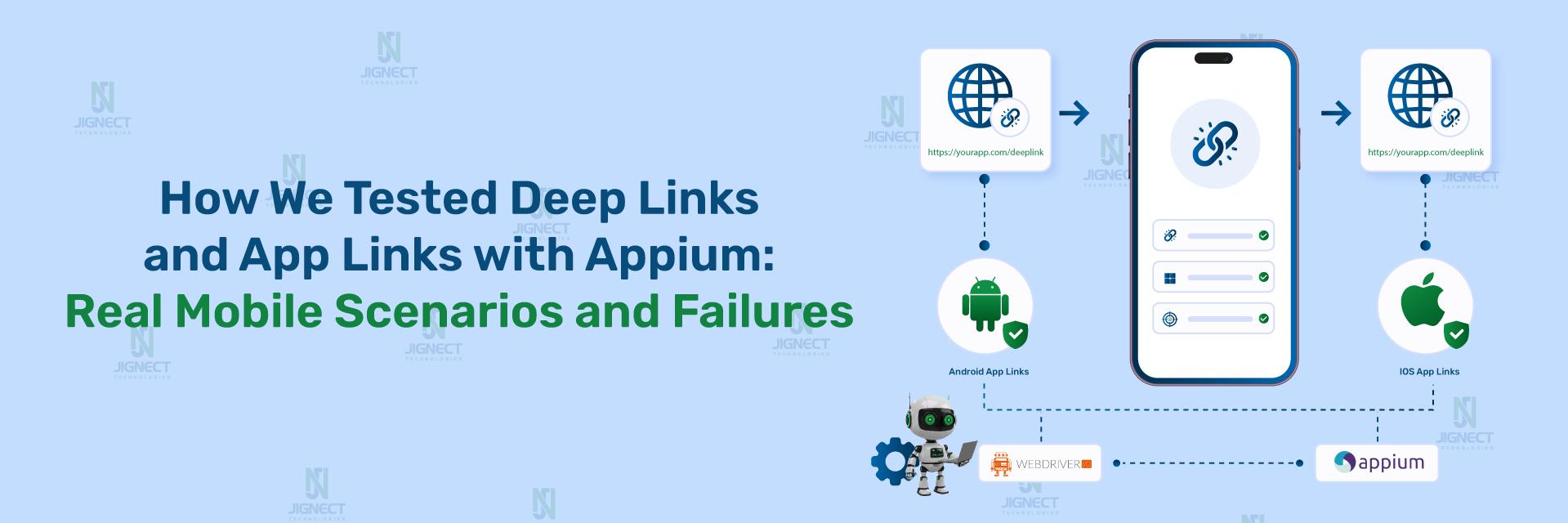

A QA engineer runs a regression suite before a release and every core screen passes. Then a support ticket comes in: users tapping a promotional email link land on the app’s home screen instead of the product page they were promised. The link worked in a browser. It worked when the app was already open. It failed only on a cold start, on one specific Android OEM device, because the intent filter matched a browser disambiguation dialog instead of opening the app directly.
This is the recurring failure mode behind deep link and App Link bugs: they pass in the one scenario testers usually check (app already running, correct OS version, app installed) and silently break in the scenarios real users actually encounter, such as a cold launch from a push notification or a link tapped when the app was never installed. Because deep links sit at the intersection of the OS, the browser, and the app’s own routing logic, mobile deep link testing needs coverage that goes beyond a single “tap the link” happy path.
This complete guide, built for QA engineers, developers, testers, automation engineers, and SREs, walks through what deep links, Android App Links, and iOS Universal Links actually are, how to automate deep link testing and app link testing with WebdriverIO and Appium, and how to structure automation testing coverage for the launch states, link variations, and verification checks that typically get missed.
- Why Are Deep Link Bugs Hard to Catch?
- Deep Links, App Links, and Universal Links Explained
- How WebdriverIO and Appium Handle Deep Links
- Environment Setup and Prerequisites
- Core Implementation: Automating Deep Link Tests
- Advanced Test Scenarios: What Else Should You Test?
- Verifying Android App Link Domain Association
- Common Pitfalls and Troubleshooting
- Best Practices for Deep Link Test Automation
- Alternatives to WebdriverIO/Appium for Deep Link Testing
- Conclusion
Why Are Deep Link Bugs Hard to Catch?
Mobile deep link testing is not just “does tapping this link open the app.” A single deep link path can behave differently depending on:
- Whether the app is already running (warm) or not running at all (cold launch).
- Whether the app is installed or the OS has to fall back to a browser or app store.
- Whether the user is authenticated or the target screen requires a login redirect first.
- Whether the link is well-formed or missing required query parameters.
- Whether the OS routes the link to the app directly or shows a disambiguation dialog asking the user to choose.
Each of these is a separate variable that a single manual tap doesn’t cover, which is exactly why deep link defects tend to surface in production rather than in a two-minute pre-release smoke check. This is one of the reasons mobile test automation service provider teams treat deep link and app link testing as a distinct area of automation testing rather than a one-off UI check.
Deep Links, App Links, and Universal Links Explained
Before automating anything, it is worth being precise about terminology, because Android and iOS use different mechanisms and different official names for what is conceptually the same idea: opening a specific screen inside an app from an external link.
Android Deep Links
Android deep links use a custom URI scheme (for example, myapp://product/42) or a generic HTTP/HTTPS link matched through an intent filter declared in the app manifest. Because a custom scheme or an unverified HTTP link can be claimed by more than one installed app, Android may show a disambiguation dialog asking the user which app should handle it.
Android App Links
Android App Links are HTTP/HTTPS deep links that have been cryptographically verified against the target domain. Android App Links testing requires android:autoVerify="true" in the app’s intent filter plus a .well-known/assetlinks.json file hosted on the associated domain. When verification succeeds, Android opens the app directly with no chooser dialog. Android 15 also introduced Dynamic App Links, which allow some URL-matching behavior to be updated without shipping a new app release.
iOS Universal Links
iOS’s equivalent is Universal Links: standard HTTPS URLs associated with an app through an Apple App Site Association file and the Associated Domains entitlement. Tapping a Universal Link opens the app directly instead of routing through Safari, and it falls back to the website if the app isn’t installed. iOS Universal Links testing therefore needs the same domain-association awareness as Android App Links testing, even though the implementation details differ.
| Mechanism | Platform | Verification required | Fallback behavior |
| Deep link (custom scheme) | Android | No | May trigger app chooser dialog |
| Android App Link | Android | Yes (assetlinks.json) | Opens app directly if verified; browser otherwise |
| iOS Universal Link | iOS | Yes (Apple App Site Association) | Opens app directly if verified; Safari otherwise |
Choose Android App Links or Universal Links when you control the associated domain and want a chooser-free experience. Use plain custom-scheme deep links when the link only needs to work from inside another app or a controlled internal source, such as a QA test harness, where a disambiguation dialog is not a concern.
How WebdriverIO and Appium Handle Deep Links
WebdriverIO ships an official mobile command specifically for deep link automation testing:
browser.deepLink(link, appIdentifier, waitForLaunch)link: the deep link URL to open, such asmyapp://path. For Universal Links on iOS, WebdriverIO’s own documentation says to usebrowser.url("your-url")instead, since Universal Links are standard HTTPS URLs.appIdentifier: the Android package name or the iOS bundle ID of the target app.waitForLaunch: optional boolean, defaulttrue, that controls whether WebdriverIO waits for the app to launch after the deep link opens. This parameter is Android-only.
Underneath browser.deepLink(), WebdriverIO relies on the Appium driver’s own mobile: deepLink execute method, implemented separately in appium-uiautomator2-driver (Android) and appium-xcuitest-driver (iOS). The WebdriverIO docs explicitly note: “Refer to the official Appium driver documentation to see which driver versions support this command.” Support is a function of your installed Appium driver version, not just your WebdriverIO version.
Two version constraints matter in practice:
- On iOS,
mobile: deepLinkin the XCUITest driver requires Xcode 14.3+ and iOS 16.4+. - On Android, the
packageargument tomobile: deepLinkwas required in earlier UiAutomator2 driver versions but became optional starting from version 3.9.3.
If your iOS target OS or Xcode version is older than this, mobile: deepLink will not be available, and you will need the Safari-based fallback approach covered later in this guide.
Environment Setup and Prerequisites
Implementation
{
  "capabilities": [
    {
      "platformName": "Android",
      "appium:automationName": "UiAutomator2",
      "appium:deviceName": "Android Emulator",
      "appium:app": "/path/to/your/app.apk"
    },
    {
      "platformName": "iOS",
      "appium:automationName": "XCUITest",
      "appium:deviceName": "iPhone 15",
      "appium:app": "/path/to/your/app.app"
    }
  ]
}
How It Works
This is a standard WebdriverIO/Appium capabilities configuration; nothing deep-link-specific is required at the capability level. The automationName determines which underlying driver (UiAutomator2 or XCUITest) executes mobile: deepLink when browser.deepLink() is called, which is why the driver version constraints above matter more than the WebdriverIO version itself.
Required dependencies:
- Node.js and a WebdriverIO test project (
npm init wdio@latest ., per the official Getting Started guide). - Appium server with the
appium-uiautomator2-driverinstalled for Android, and/orappium-xcuitest-driverfor iOS. adb(Android Debug Bridge) available onPATHfor Android verification steps described later.
Core Implementation: Automating Deep Link Tests
Example: Opening an Android Deep Link with browser.deepLink()
Scenario
A QA engineer needs to verify that tapping a marketing deep link opens the app’s “Drag” screen directly, using the official WebdriverIO native demo app, com.wdiodemoapp.
Implementation
// deeplink.android.spec.js
describe('Android deep link navigation', () => {
  it('should open a deep link for the WDIO native demo app', async () => {
    await browser.deepLink('wdio://drag', 'com.wdiodemoapp');
  });

  it('should open a deep link without waiting for app launch', async () => {
    await browser.deepLink('wdio://drag', 'com.wdiodemoapp', false);
  });
});
This is drawn directly from the official WebdriverIO deepLink API example.
Expected Result
The app launches (or comes to the foreground) and navigates to the Drag tab, bypassing the home screen. With the third argument set to false, WebdriverIO issues the deep link command without waiting for the launch to complete, which is useful when you want to assert loading states immediately afterward.
How It Works
browser.deepLink() passes the link and package name to the Appium UiAutomator2 driver’s mobile: deepLink execute method, which triggers an Android VIEW intent against the given package, equivalent to what a real notification tap or browser redirect would do.
Example: Cross-Platform Deep Link with a Ternary Identifier
Scenario
The same deep link test needs to run against both Android and iOS builds of the same app without duplicating spec files, a common requirement for teams running mobile app link automation across platforms.
Implementation
it('should open a deep link cross-platform', async () => {
  await browser.deepLink(
    'wdio://drag',
    browser.isIOS ? 'org.reactjs.native.example.wdiodemoapp' : 'com.wdiodemoapp'
  );
});
This pattern is taken from the official WebdriverIO documentation’s own cross-platform example.
Expected Result
The same spec runs unmodified against both platforms, resolving to the correct bundle ID or package name at runtime via browser.isIOS.
How It Works
browser.isIOS is a WebdriverIO-provided boolean available on the browser object during a mobile session. The ternary selects the iOS bundle ID or Android package name so a single deepLink() call adapts to whichever platform the session was started against.
Example: iOS Universal Link via browser.url()
Scenario
A team needs to test an iOS Universal Link (a real HTTPS URL, not a custom scheme) that should open the app instead of Safari, a core part of iOS Universal Links testing.
Implementation
it('should open a Universal Link on iOS', async () => {
  // Universal Links are standard HTTPS URLs, use browser.url(), not deepLink()
  await browser.url('https://your-verified-domain.example/product/42');
});
Placeholder note:
https://your-verified-domain.example/product/42is a placeholder representing your app’s own Apple App Site Association-verified domain. It is not a runnable public URL; replace it with your team’s real, verified domain before running this test.
Expected Result
If the domain’s Apple App Site Association file correctly associates the path with the app, and the app is installed, tapping the resulting link opens the app to the corresponding screen instead of loading the page in Safari, per Apple’s Universal Links documentation.
How It Works
WebdriverIO’s own deepLink documentation directs teams to browser.url() for iOS Universal Links specifically, since these are ordinary HTTPS URLs rather than custom-scheme deep links.
Advanced Test Scenarios: What Else Should You Test?
Complete mobile deep link testing goes beyond a single successful tap. The scenarios below reflect real routing conditions that a thorough automation testing suite should isolate.
Cold Launch vs. Warm Launch
Scenario
A push-notification deep link needs to behave correctly whether the app was already running (warm) or fully terminated (cold).
Implementation
import { openDeepLinkUrl, relaunchApp } from '../helpers/Utils.js';

describe('deep link launch states', () => {
  it('should handle a warm launch deep link', async () => {
    await openDeepLinkUrl('login');
    // App is already in foreground; assert immediately
  });

  it('should handle a cold launch deep link', async () => {
    await relaunchApp(browser.isAndroid ? 'com.wdiodemoapp' : 'org.reactjs.native.example.wdiodemoapp');
    await openDeepLinkUrl('login');
    // App was fully terminated before the deep link was triggered
  });
});
relaunchApp() and the mobile: terminateApp / mobile: activateApp / mobile: launchApp execute methods it wraps come from the official webdriverio/appium-boilerplate repository’s Utils.ts helper file.
Expected Result
Both tests should land on the same login screen. A cold-launch-only failure typically indicates that the app’s deep link router runs before some required initialization, such as session restoration, completes.
How It Works
relaunchApp() terminates the app via mobile: terminateApp and restarts it via mobile: activateApp (Android) or mobile: launchApp (iOS), simulating a fully cold state before the deep link is triggered, a scenario a simple “tap while app is open” test cannot reproduce.
Uninstalled App / Fallback Behavior
Scenario
The link should fall back to a browser or app store page when the target app isn’t installed.
Implementation
Conceptual Example
1. Ensure the target app is not installed on the test device/emulator.
2. Trigger the same App Link / Universal Link used in the installed-app test.
3. Assert that the OS opens the associated website (Android App Links)
   or Safari (iOS Universal Links) instead of failing silently.
This scenario is described conceptually because fallback behavior is OS-level routing rather than an app-level or Appium-level API call; it depends on Android’s and iOS’s documented App Link/Universal Link fallback rules.
Expected Result
Android should route to the associated website when the app is absent; iOS should do the same via Safari, per official platform documentation. This must be validated on a real or emulated device where the app has been deliberately uninstalled.
How It Works
Both platforms treat the associated domain as the source of truth: if the app claiming that domain isn’t present, the OS has nothing to hand the intent to and defers to the browser.
Authenticated Deep Link Routing
Scenario
A deep link points to a screen that requires login, for example, an order-details deep link sent in a transactional email.
Implementation
import { openDeepLinkUrl } from '../helpers/Utils.js';
import LoginScreen from '../screenobjects/LoginScreen.js';

it('should redirect an unauthenticated deep link to login', async () => {
  await openDeepLinkUrl('login');
  await LoginScreen.waitForIsShown(true);
  // Expected Result: login screen appears instead of the protected target screen
});
This builds on the official boilerplate’s LoginScreen.waitForIsShown() pattern and openDeepLinkUrl() helper.
Expected Result
An unauthenticated session should redirect to the login screen rather than crashing, showing a blank screen, or silently discarding the intended destination.
How It Works
The test intentionally starts from a logged-out state and confirms that the app’s own routing layer, not Appium, handles the authentication gate correctly before continuing to the originally requested screen. A follow-up test after login would be needed to fully validate the redirect chain.
Invalid or Malformed Deep Links
Scenario
A deep link is missing a required query parameter or points to a non-existent route.
Implementation
it('should handle an invalid deep link gracefully', async () => {
  await browser.deepLink('wdio://nonexistent-route', 'com.wdiodemoapp');
  // Expected Result: app shows a fallback/error screen or home screen,
  // not a crash or blank white screen
});
Expected Result
The app should degrade gracefully, typically routing to a default screen or a defined error state, rather than crashing. The specific expected screen depends on your app’s own routing logic and should be defined in your test data, not assumed.
How It Works
This test exercises the app’s own fallback routing rather than any deep-link infrastructure. It is a probable failure surface, not a guaranteed one; validate the actual expected behavior with your development team before asserting a specific outcome.
Deep Links with Query Parameters
Scenario
A deep link carries a parameter that should pre-fill or filter content on the destination screen, for example, wdio://search?query=shoes.
Implementation
it('should pass query parameters through the deep link', async () => {
  await browser.deepLink('wdio://search?query=shoes', 'com.wdiodemoapp');
  // Assert that the search screen renders with "shoes" pre-filled
});
Expected Result
The destination screen should reflect the parameter value. If it does not, the defect is most likely in the app’s deep link parser rather than in Appium or WebdriverIO.
How It Works
browser.deepLink() passes the full URL string, including the query string, unmodified to the OS-level intent (Android) or URL scheme handler (iOS); the app itself is responsible for parsing query=shoes out of the URL.
Verifying Android App Link Domain Association
Before assuming an automated App Link test failure is an app bug, verify the domain association itself using adb. The example below uses Reddit’s real, publicly available Android app so you can run these exact commands on your own device or emulator and see real output, provided the Reddit app is installed.
Example: Checking App Link Verification Status
Scenario
An Android App Link test intermittently opens a browser disambiguation dialog instead of the app directly, and the team needs to determine whether this is a test flakiness issue or a genuine domain verification failure.
Implementation
# Check current verification status for Reddit's real Android app package
adb shell pm get-app-links --package com.reddit.frontpage

# Force re-verification against Reddit's hosted assetlinks.json
adb shell pm verify-app-links --re-verify com.reddit.frontpage

# Manually trigger a real Reddit App Link outside of Appium for isolated testing
adb shell am start -W -a android.intent.action.VIEW \
  -d "https://www.reddit.com/r/androiddev/" com.reddit.frontpage
These commands are documented in the official Android Debug Bridge reference and the Android App Links verification guide. com.reddit.frontpage is Reddit’s real, publicly listed Android package name, and reddit.com is Reddit’s real, documented App Links domain, so these commands can be run as-is against a device or emulator with the official Reddit app installed.
Expected Result
pm get-app-links reports whether the domain is verified, legacy_failure, or another state defined by Android. A status other than verified explains a disambiguation dialog appearing in your automated test independent of any Appium or WebdriverIO configuration. Against a genuine Reddit installation, the am start command should open the Reddit app directly to the r/androiddev subreddit instead of showing a chooser dialog or loading the page in a browser.
How It Works
pm get-app-links reads the on-device verification record for the package’s declared domains, checked against the .well-known/assetlinks.json file hosted on that domain. am start -W -a android.intent.action.VIEW -d "<URI>" <PACKAGE> manually fires the same VIEW intent Appium’s mobile: deepLink uses internally, making it a fast way to isolate whether a failure is device/domain-level or automation-level. Substitute your own app’s package name and verified domain once you have confirmed the command pattern works end to end against a known-good app like Reddit’s.
Notes / Troubleshooting
If pm get-app-links reports a non-verified status, the fix belongs to whoever owns the assetlinks.json file and the app’s intent filter configuration, not to the test suite. Re-run pm verify-app-links --re-verify after any change to the hosted file, since Android caches verification results.
Common Pitfalls and Troubleshooting
Disambiguation Dialogs Breaking Automated Runs
Explanation: Unverified Android deep links, or App Links that fail domain verification, can trigger an app chooser dialog. Appium has no reliable, cross-device way to auto-dismiss this dialog because it is rendered outside the app’s own UI hierarchy.
Realistic example: A CI pipeline running on multiple emulator images passes on one image, where a single app is registered for the scheme, and fails on another, where a second test app registers the same scheme, forcing a chooser.
Impact: Tests become environment-dependent and non-deterministic, eroding trust in the suite.
Mitigation: Prefer verified Android App Links over unverified custom-scheme deep links wherever the domain is under your control, and keep test/emulator images free of extra apps that register the same scheme.
Missing or Misconfigured assetlinks.json
Explanation: If assetlinks.json is missing, malformed, or not served with the correct content type at .well-known/assetlinks.json, Android App Link verification silently fails, and links fall back to deep-link (chooser) behavior.
Realistic example: A staging environment domain never had assetlinks.json published, so every App Link test against staging shows a browser prompt while the same test passes in production.
Impact: Teams may misattribute an infrastructure gap to a flaky test or an app defect.
Mitigation: Run the pm get-app-links check shown above as a pre-condition or CI gate before running App Link UI tests, so failures are attributed correctly.
iOS Version and Xcode Compatibility Gaps
Explanation: mobile: deepLink in the XCUITest driver requires Xcode 14.3+ and iOS 16.4+. On older simulators or real devices, the command is unavailable.
Realistic example: A test suite targeting an iOS 15 device farm fails with a driver error on every browser.deepLink() call, even though the same code works on newer devices.
Impact: Teams testing against older iOS versions, common when supporting a wider device matrix, cannot rely on the native command uniformly across their matrix.
Mitigation: Use the Safari-based fallback approach shown in the official appium-boilerplate openDeepLinkUrl() helper for iOS targets that fall outside the supported Xcode/iOS range.
Real Device vs. Simulator Differences on iOS
Explanation: On iOS real devices, calling driver.url('') to trigger a deep link can unexpectedly open Siri instead of the intended app, which does not happen on simulators.
Realistic example: A deep link helper function that works reliably on the iOS Simulator in CI fails or behaves inconsistently the first time it is run against a physical device lab.
Impact: A single implementation cannot be assumed to work identically across simulators and real devices.
Mitigation: Detect real devices, for example via UDID format checks as done in the official boilerplate’s isIosRealDevice() helper, and branch to the Safari address-bar approach for real devices while using driver.url() for simulators.
Best Practices for Deep Link Test Automation
- Separate link data from test logic. Keep deep link URLs, package names, and bundle IDs in configuration or fixtures rather than hardcoding them in spec files, so the same test can run cross-platform or against staging/production domains.
- Build a cross-platform helper function. Wrap
browser.deepLink(), and the iOS Safari fallback, behind a single function, similar to the officialopenDeepLinkUrl()pattern, so individual specs stay platform-agnostic. - Test both cold and warm launch states explicitly. Do not assume a passing warm-launch test implies the cold-launch path also works; the app’s initialization order differs between the two.
- Verify domain/App Link status independently of UI tests. Run
adb shell pm get-app-links(Android) as a pre-check so App Link verification failures are not misdiagnosed as automation bugs. - Cover the uninstalled-app fallback path, not just the installed-app happy path, since this is a real and common entry scenario for App Links shared externally.
- Pin driver versions deliberately. Because
mobile: deepLinksupport depends on the Appium driver version (UiAutomator2, XCUITest), document the minimum supported versions your suite requires and fail fast with a clear error if the CI environment doesn’t meet them. - Avoid asserting exact OS dialog text or timing for chooser dialogs. These are OS-rendered and can change between OS versions; prefer to design tests that avoid triggering the dialog at all by verifying App Links properly.
- Keep authentication-gated deep link tests as two-step tests. First assert the redirect to login, then, in a separate authenticated test, assert that the original destination is honored after login; do not conflate the two into a single assertion.
These practices reflect the kind of structured approach a dedicated QA company applies when building maintainable automation testing suites rather than one-off scripts.
Alternatives to WebdriverIO/Appium for Deep Link Testing
Not every team automates deep links through WebdriverIO. Depending on your stack, these alternatives may fit better for specific scenarios:
| Approach | Best for | Trade-off |
Raw Appium (Java/Python/C# executeScript) | Non-JavaScript teams | Same mobile: deepLink capability, but without WebdriverIO’s browser.deepLink() convenience wrapper |
Manual adb commands | Fast smoke checks in CI or local dev | Not integrated into structured test assertions or reporting |
| Native frameworks (Espresso for Android, XCTest for iOS) | In-process, isolated deep link testing | Faster and more isolated, but not cross-platform and doesn’t exercise the full Appium session stack |
Choose raw Appium execute-script calls when your team’s language stack isn’t JavaScript but you still need Appium’s cross-platform session model. Choose adb-only checks for quick CI gates that confirm domain verification before running full UI automation. Choose native frameworks when you specifically need fast, isolated deep link routing tests decoupled from a full Appium/WebdriverIO session, and cross-platform reuse isn’t a priority.
Conclusion
Deep link testing spans three distinct mechanisms: Android deep links, verified Android App Links, and iOS Universal Links, each with its own verification model and failure modes. WebdriverIO’s browser.deepLink() command, backed by the Appium UiAutomator2 and XCUITest drivers’ mobile: deepLink execute method, covers the core automation need, while browser.url() remains the documented approach for iOS Universal Links specifically.
The practical workflow is straightforward: build a cross-platform helper function, test cold and warm launches separately, cover the uninstalled-app and invalid-link paths alongside the happy path, and verify Android App Link domain association independently with adb before assuming a UI test failure is an app defect. The most important trade-off to keep in mind is that mobile: deepLink availability depends on your Appium driver version and, on iOS, your Xcode/iOS version; teams supporting older iOS targets will need the Safari-based fallback rather than the native command. Start with the installed-app, warm-launch scenario to validate your setup, then expand coverage to cold launches, fallback behavior, and domain verification checks as your suite matures.
If you’re setting up mobile test automation and want deep link and app link testing coverage built into a maintainable framework, this is exactly the kind of work a QA automation testing services company handles as part of full-cycle software testing, from manual and automation testing services to CI-integrated regression suites.
Witness how our meticulous approach and cutting-edge solutions have elevated quality and performance to new heights. To know more, refer to Tools and Technologies and QA Services.
If you would like to learn more about the services we provide, be sure to reach out.
Happy Testing 😊


