
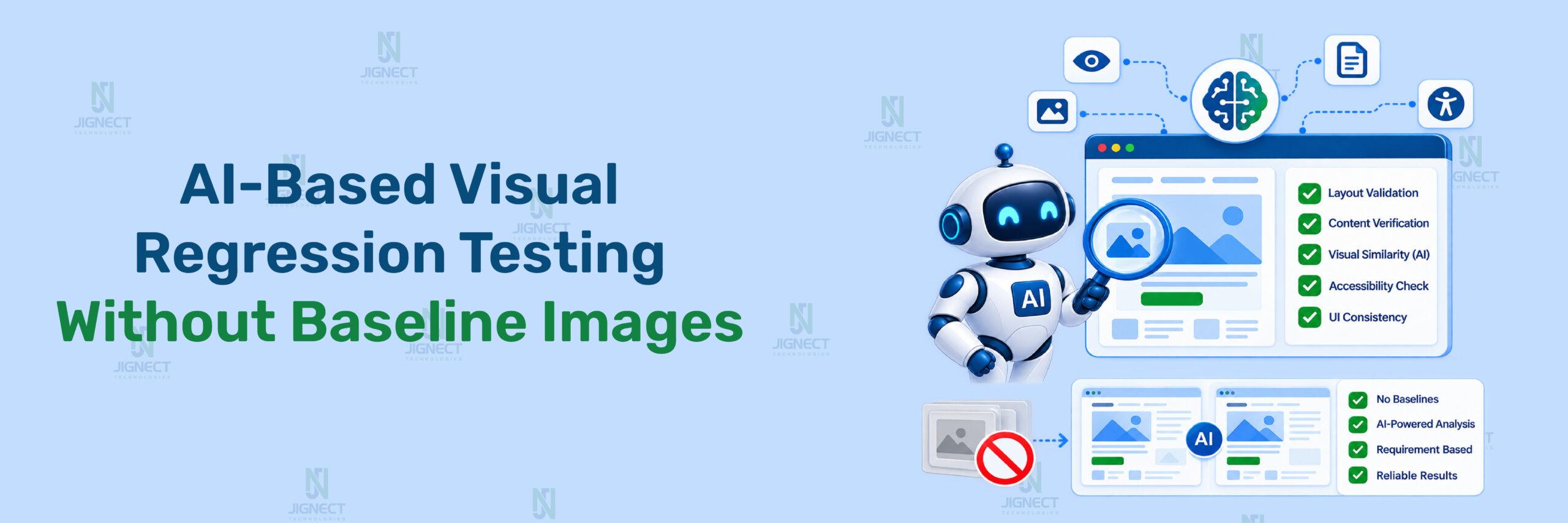

A visual regression test can fail because a button moved, a font rendered differently, or a browser produced slightly different anti-aliasing. QA teams then spend time reviewing noisy diffs, updating reference screenshots, and deciding whether a change is a defect or an intentional UI update.
That maintenance model becomes difficult for dynamic dashboards, responsive interfaces, and frequently changing applications. AI-based visual validation offers another approach: instead of comparing every screen with a stored image, it can evaluate the current UI against explicit visual requirements, semantic rules, accessibility signals, and component expectations.
This guide explains what “without baseline images” actually means, how the workflow differs from conventional screenshot comparison, where AI can assist with automated bug triage, and why deterministic checks and human review remain essential.
- What “Without Baseline Images” Means
- Why Traditional Visual Regression Uses Baselines
- How AI Can Validate UI Without Reference Images
- A Baseline-Free Validation Workflow
- Baseline-Free and Baseline-Based Approaches
- Tools and Alternatives
- Common Limitations and Risks
- Best Practices for Reliable AI Visual Validation
- Measuring Validation Quality
- When to Use a Baseline-Free Approach
- Conclusion
What “Without Baseline Images” Means
Baseline-based visual regression
Traditional visual regression testing captures a screenshot from a known-good application state. That screenshot becomes the reference image, or baseline. Future test runs capture the same page or component and compare the new image with the stored reference.
Playwright provides this model through expect(page).toHaveScreenshot(). The first execution generates a reference screenshot, while subsequent executions compare against it. Playwright supports options such as maxDiffPixels, stylePath, and --update-snapshots for controlling or refreshing comparisons.
For a complete walkthrough of setting up this baseline-based workflow, see our step-by-step guide to mastering visual testing with Playwright, which covers snapshot creation, comparison thresholds, and CI configuration in detail.
A simplified Playwright example looks like this
import { test, expect } from '@playwright/test';

test('homepage "Built for testing" section matches the approved screenshot', async ({ page }) => {
  await page.goto('https://playwright.dev/');

  await expect(page.getByRole('heading', { name: 'Built for testing' })).toHaveScreenshot('built-for-testing-heading.png');
});
Expected Result: The first run creates a reference image. Later runs fail when the rendered page differs beyond the configured comparison threshold.
How It Works: This is a baseline-dependent test. It can detect unintended changes, but the test cannot decide whether a difference is correct without reviewing the diff or updating the baseline.
Baseline-free visual validation
Baseline-free validation does not compare the current screen with a previously approved screenshot. Instead, it evaluates the current UI against a different oracle, such as:
- A structured design specification.
- A component contract.
- Accessibility requirements.
- Semantic UI requirements.
- Layout constraints.
- Business rules.
- An AI-generated interpretation of expected behaviour.
For example, a checkout page may be required to contain one visible payment form, a clearly identifiable purchase action, readable validation errors, and no overlapping controls. The validation target is the requirement, not a stored image.
This distinction is important. AI-assisted visual testing does not automatically mean baseline-free testing. Applitools Eyes uses Visual AI to identify meaningful visual differences, but its documented workflow still captures visual checkpoints and compares them with stored baselines.
Why Traditional Visual Regression Uses Baselines
The reference-screenshot workflow
A baseline workflow normally follows these steps:
- Start the application in a controlled environment.
- Navigate to a known page or component state.
- Capture a screenshot.
- Approve the screenshot as the expected appearance.
- Store the image locally or in a visual-testing service.
- Compare future screenshots with that approved image.
- Review and approve intentional changes.
This approach is valuable when the exact appearance matters. A logo, typography system, payment confirmation, or regulated disclosure may need pixel-level review rather than a broad semantic judgement.
Rendering noise and maintenance
Screenshot comparison can produce differences caused by factors unrelated to a product defect. Playwright documents that screenshot output can vary with the operating system, browser version, hardware, rendering configuration, and execution environment. Consistent execution environments therefore matter when creating and comparing screenshots.
Common sources of noise include:
- Font availability and font loading.
- Operating-system text rendering.
- Browser upgrades.
- Animation and transition timing.
- Timestamps and randomised content.
- Responsive breakpoints.
- Dynamic advertisements or analytics widgets.
- Asynchronous data loading.
- Different device-pixel ratios.
The result is a maintenance trade-off:
| Requirement | Baseline comparison | Baseline-free validation |
| Exact pixel matching | Strong | Limited unless paired with deterministic rules |
| Tolerance for rendering noise | Requires configuration | Potentially higher with semantic evaluation |
| Review of intentional UI changes | Baseline approval required | Requirement or policy review required |
| Dynamic content | Often requires masking or updates | Can evaluate meaning and structure |
| Auditability | Direct image-to-image evidence | Requires screenshots, metadata, and model output |
| Reproducibility | High with controlled environments | Depends on evaluator and version controls |
| Best fit | Pixel-critical interfaces | Dynamic or frequently changing interfaces |
Neither approach removes the need for a reliable expected result. Baseline-free testing replaces the screenshot oracle; it does not eliminate the oracle problem.
How AI Can Validate UI Without Reference Images
Design specifications as expected behaviour
A design specification can describe the properties a page must satisfy without prescribing one exact rasterised image.
For a checkout page, requirements might include:
- The payment form is visible after the user selects a payment method.
- The primary action is visually distinguishable from secondary actions.
- Validation errors appear close to the relevant fields.
- The order summary remains visible on desktop layouts.
- No interactive element overlaps another interactive element.
- Text remains readable at supported viewport sizes.
An AI evaluator can inspect a screenshot and compare it with these requirements. The output should be structured rather than a free-form paragraph.
Semantic requirements and component contracts
A component contract defines what a component must communicate and contain. It can apply to a button, form, navigation menu, table, or dashboard card.
A button contract might specify:
- It has an accessible name.
- It is visually distinguishable from surrounding text.
- It is not obscured.
- Its enabled or disabled state is clear.
- It appears in the expected interaction area.
This does not prove that the button matches a specific design system colour value. It evaluates whether the component remains usable and semantically correct.
Accessibility and structural signals
AI should not replace deterministic accessibility testing. Instead, accessibility and DOM signals can support the visual judgement.
Useful signals include:
- Accessible names and roles.
- Visible and hidden state.
- Bounding boxes.
- Element overlap.
- Computed colour contrast.
- Heading hierarchy.
- Form-label relationships.
- Focus visibility.
- Presence of required controls.
For example, a visual evaluator may report that a form error is difficult to notice, while deterministic checks confirm that the error has an accessible relationship with its input. Combining both signals creates stronger evidence than either method alone.
Vision-language evaluation with structured output
A vision-language evaluator should receive:
- The screenshot or selected page region.
- Explicit validation requirements.
- Relevant DOM metadata.
- Viewport and browser information.
- A strict response schema.
- Instructions to report uncertainty.
The response should separate observation from diagnosis:
{
  "status": "review",
  "confidence": 0.78,
  "findings": [
    {
      "requirement": "The primary purchase action must be clearly identifiable.",
      "result": "uncertain",
      "observation": "The purchase action is visible, but its contrast appears similar to secondary actions.",
      "probable_cause": "Button styling may not distinguish primary and secondary actions.",
      "evidence": ["screenshot", "button bounding box"],
      "requires_human_review": true
    }
  ]
}
Note: This JSON is a conceptual data structure, not a provider-specific API request.
The probable_cause field must not be treated as a confirmed root cause. The evaluator observes rendered evidence; it does not automatically prove whether the underlying cause is CSS, application logic, a test defect, or an environment issue. This is also why AI root cause analysis and AI-powered defect triage should remain recommendation workflows rather than unattended diagnosis.
A Baseline-Free Validation Workflow
A baseline-free workflow still needs deterministic setup and evidence collection. The following example is intentionally platform-neutral and demonstrates the workflow rather than a provider-specific integration.
Stabilise application state
Visual evaluation becomes unreliable when the application state changes between runs. Before capturing evidence, control:
- Test data.
- Authentication state.
- Viewport size.
- Locale.
- Time zone.
- Network responses.
- Animation state.
- Feature flags.
- Browser version.
- Font availability.
With Playwright, a test can wait for a meaningful application state instead of using arbitrary delays. Existing JigNect testing guidance also recommends stable selectors, web-first assertions, isolated tests, CI execution, and trace or screenshot collection for failures. This supports reliable Automation Testing and broader Software Testing workflows.
Capture visual and structural evidence
The evidence package should include only what is needed for the validation decision:
- A screenshot of the relevant page or region.
- The page URL or route name.
- Viewport dimensions.
- Selected DOM metadata.
- Accessibility-related attributes.
- Test data identifiers without secrets.
- Browser and build information.
A conceptual evidence object could look like this:
{
  "test_name": "built-for-testing-heading-state",
  "route": "https://playwright.dev/",
  "viewport": {
    "width": 1440,
    "height": 900
  },
  "requirements": [
    "\"Built for testing\" heading is visible",
    "Heading is identifiable by accessible role and name",
    "Heading text remains readable at the captured viewport",
    "No overlapping elements within the heading region"
  ],
  "artifacts": [
    "built-for-testing-heading.png",
    "built-for-testing-heading.dom.json"
  ]
}
Note: The file names are artifact identifiers for a local or CI workflow. In this case the route and heading do correspond to a real public page, so the same evidence object could be produced by an actual test run rather than only illustrating the shape of the data.
Evaluate requirements
The evaluator should return one of a small number of statuses:
pass: Evidence supports the requirement.fail: Evidence indicates a likely violation.review: Evidence is incomplete or ambiguous.blocked: The test could not collect reliable evidence.
A review state prevents false confidence from becoming an automated release decision. It also gives QA engineers a clear route for intelligent defect management without treating an AI result as a confirmed diagnosis.
Route uncertain results
A practical routing policy can separate findings by confidence and impact:
| Result | Confidence | Suggested action |
| Pass | High | Continue pipeline |
| Fail | High | Create a review item or block according to policy |
| Review | Any | Require human assessment |
| Blocked | Any | Investigate test, environment, or evidence collection |
| Fail on regulated or payment UI | Medium or high | Require human approval before release decision |
The routing policy should also record the evidence and evaluator version. Automated bug triage can help organise findings, but it should not silently close defects or change release status when evidence is incomplete.
Working end-to-end example on a real site
The following example runs the four steps above against saucedemo.com, a publicly available demo application. It collects DOM and accessibility evidence with Playwright and evaluates that evidence against explicit requirements. No screenshot file, reference image, or toHaveScreenshot() baseline is created or compared at any point.
import { test, expect } from '@playwright/test';

test('checkout requirements pass without a baseline image', async ({ page }) => {
  // 1. Stabilise application state
  await page.goto('https://www.saucedemo.com/');
  await page.locator('#user-name').fill('standard_user');
  await page.locator('#password').fill('secret_sauce');
  await page.locator('#login-button').click();
  await expect(page.locator('.inventory_list')).toBeVisible();

  await page.locator('.inventory_item').first().locator('button', { hasText: 'Add to cart' }).click();
  await page.locator('.shopping_cart_link').click();
  await page.locator('[data-test="checkout"]').click();

  // 2. Capture structural and accessibility evidence (no image)
  const primaryAction = page.locator('[data-test="continue"]');
  const evidence = {
    route: '/checkout-step-one.html',
    requirements: [
      'Checkout form fields are visible',
      'Primary continue action is identifiable',
      'Continue action is enabled',
    ],
    firstNameVisible: await page.locator('[data-test="firstName"]').isVisible(),
    lastNameVisible: await page.locator('[data-test="lastName"]').isVisible(),
    postalCodeVisible: await page.locator('[data-test="postalCode"]').isVisible(),
    continueRole: await primaryAction.getAttribute('type'),
    continueEnabled: await primaryAction.isEnabled(),
  };

  // 3. Evaluate requirements against the evidence
  const findings = [
    { requirement: evidence.requirements[0], result: evidence.firstNameVisible && evidence.lastNameVisible && evidence.postalCodeVisible ? 'pass' : 'fail' },
    { requirement: evidence.requirements[1], result: evidence.continueRole === 'submit' ? 'pass' : 'review' },
    { requirement: evidence.requirements[2], result: evidence.continueEnabled ? 'pass' : 'fail' },
  ];

  // 4. Route the result instead of asserting a pixel match
  const status = findings.every(f => f.result === 'pass') ? 'pass' : 'review';
  console.log(JSON.stringify({ status, findings }, null, 2));

  expect(findings.filter(f => f.result === 'fail')).toHaveLength(0);
});
Expected Result: the test fills the checkout form, gathers visibility and attribute evidence for each requirement, prints a structured findings object with a pass or review status per requirement, and fails only when a requirement is explicitly violated. No baseline screenshot is generated, stored, or compared at any point in the run.
How It Works: Step 1 mirrors the stabilisation guidance above by logging in with fixed test credentials and waiting for the inventory list before proceeding, rather than using arbitrary delays. Step 2 replaces the screenshot artifact with concrete DOM and accessibility signals, such as field visibility and button attributes, gathered directly through Playwright locators. Step 3 evaluates that evidence against the same explicit requirement statements described earlier in this workflow. Step 4 routes the outcome using the same pass, fail, and review vocabulary already defined, so a borderline result is escalated for human review instead of silently passing or failing the build.
Note: This example is deliberately limited to deterministic DOM and accessibility signals so it can run without any external AI service. In a full baseline-free pipeline, the same evidence object would also be sent to a vision-language evaluator for the semantic findings that DOM checks alone cannot cover, such as visual prominence or overlapping controls.
Baseline-Free and Baseline-Based Approaches
Baseline-free semantic validation
This approach checks whether the current UI satisfies defined requirements. It is useful when content, layout, or responsive behaviour changes frequently and exact screenshot equality is not the main goal.
It can identify issues such as:
- A required form is missing.
- A primary action is not distinguishable.
- A modal obscures the page without a clear close action.
- A responsive layout causes overlapping controls.
- A dashboard card loses its heading or context.
It is weaker for proving exact typography, brand colours, spacing tokens, or pixel-level design fidelity.
AI-assisted comparison with managed baselines
AI comparison can reduce noise while retaining the baseline model. Applitools describes Visual AI as an approach for detecting meaningful visual differences, and its Playwright integration uses eyes.check() to capture checkpoints and compare them with corresponding baselines.
This is baseline-managed rather than baseline-free. The key benefit is that the baseline workflow may become more tolerant or easier to review; the reference image still exists.
Conventional screenshot and pixel-diff comparison
Playwright’s native screenshot assertions are suitable when teams want repository-managed snapshots and deterministic comparison. Argos documents a different baseline-oriented model based on deterministic pixel diffing rather than AI visual comparison.
Choosing an approach
Choose baseline-free semantic validation when:
- The UI contains frequently changing data.
- Responsive behaviour matters more than exact pixels.
- Requirements can be expressed clearly.
- The team can maintain evaluator controls and review policies.
Choose baseline comparison when:
- Pixel-level accuracy is important.
- The team has approved designs or stable reference states.
- Brand, typography, or regulated content must be reviewed precisely.
- The execution environment can be controlled.
Use a hybrid approach when the application contains both dynamic and pixel-critical surfaces. For example, semantic AI checks can cover an analytics dashboard, while approved screenshots can protect a payment confirmation page.
Tools and Alternatives
Playwright visual comparisons
Playwright offers built-in screenshot assertions through toHaveScreenshot(). It is a natural choice for teams already using Playwright and wanting local snapshot files, test-runner integration, and repository-based review.
Its main trade-off is that it remains baseline-dependent and can be affected by environment-specific rendering differences.
Applitools Eyes
Applitools Eyes provides AI-powered visual testing and supports Playwright integration through eyes.check(). The official documentation describes visual checkpoints, match levels, regions, and baseline workflows.
Its differentiator is perceptual visual comparison and managed review rather than the elimination of reference images. The exact SDK version should be verified before implementation because package versions and integration requirements change.
Chromatic and Argos
Chromatic provides cloud-based visual tests and baseline snapshots, with strong alignment to Storybook and component review workflows.
Argos supports visual testing and documents deterministic pixel comparison. It is therefore an alternative for teams that want baseline-oriented comparison without presenting it as AI-based validation.
| Option | Comparison model | Strong fit | Important trade-off |
| Playwright | Local screenshot comparison | Existing Playwright suites | Requires stable baselines and environments |
| Applitools Eyes | AI-assisted comparison with baselines | Perceptual UI testing across visual conditions | Still baseline-based |
| Chromatic | Cloud snapshot and review workflow | Storybook and component libraries | Best suited to component-oriented workflows |
| Argos | Deterministic pixel diffing | Baseline-based CI visual testing | Not an AI visual comparator |
| Baseline-free semantic workflow | Requirements and evidence evaluation | Dynamic, responsive, changing interfaces | Requires strong specifications and human review |
Choose the tool or approach based on the decision you need to make. Do not select a baseline-free workflow merely because maintaining images is inconvenient.
Common Limitations and Risks
The oracle problem
A visual test needs an expected result. If the requirement says “the page should look correct,” an AI evaluator has no reliable standard to apply.
Example: A checkout requirement says that the purchase button must be “prominent.” The evaluator accepts a button that is visible but nearly identical to secondary actions.
Impact: A vague requirement can produce a confident but incorrect result.
Mitigation: Define measurable or observable conditions, such as role, visibility, location, minimum contrast, relationship to surrounding controls, and expected interaction state.
AI uncertainty and model variability
AI output can vary because of model updates, prompt changes, image preprocessing, or differences in context. A result that cannot be reproduced is difficult to audit.
Example: One evaluator run marks a dense dashboard as acceptable, while another flags a card hierarchy issue.
Impact: Inconsistent decisions can create false positives, false negatives, and unstable CI behaviour.
Mitigation: Pin the evaluator model and prompt configuration where possible, store the response schema, preserve evidence, and send low-confidence results to human review.
Dynamic content and rendering
Dynamic data, animation, fonts, and responsive layouts affect both screenshot quality and semantic interpretation.
Example: A dashboard contains live timestamps and changing chart values. The evaluator reports visual changes even though the layout is correct.
Impact: Noise can hide a real regression or create unnecessary review work.
Mitigation: Stabilise test data, disable animations where appropriate, wait for meaningful application readiness, and evaluate dynamic regions using semantic rules rather than exact visual equality.
Privacy and security
Screenshots and DOM metadata can contain personal data, payment details, authentication tokens, internal URLs, or customer information.
Before sending evidence to an AI service:
- Mask credentials, tokens, and session identifiers.
- Redact personal and payment information.
- Avoid transmitting unnecessary DOM content.
- Apply least-privilege access.
- Confirm data-retention and processing requirements.
- Store audit artifacts according to organisational policy.
Human approval does not replace access control or data-protection controls.
Best Practices for Reliable AI Visual Validation
Use explicit, testable requirements
Write requirements that an evaluator can inspect. Replace “the page should look good” with conditions such as:
- The error message is visible next to the invalid field.
- The primary action is visually distinguishable.
- No interactive controls overlap.
- The selected navigation item is identifiable.
- The mobile menu exposes all required navigation options.
Combine AI judgements with deterministic assertions
Use deterministic checks for facts that automation can verify precisely:
- Element presence.
- Visibility.
- Accessible role.
- Accessible name.
- Bounding-box overlap.
- Text content.
- URL and route.
- Form state.
- HTTP response status.
Use AI for higher-level interpretation, such as whether the page hierarchy is understandable or whether a visual change appears meaningful to a user. This division limits the amount of authority given to a probabilistic evaluator.
Pin models, prompts, and schemas
Record:
- Evaluator name and version.
- Prompt or requirement version.
- Input image dimensions.
- Browser and operating-system details.
- Application build identifier.
- Confidence threshold.
- Decision policy.
When a result changes, the team can determine whether the cause was an application change, an environment change, or an evaluator change.
Preserve evidence and review decisions
A useful failure artifact should include:
- The screenshot.
- Structured requirements.
- Evaluator response.
- Confidence value.
- DOM or accessibility metadata used.
- Build and test identifiers.
- Human decision.
- Decision rationale.
This makes AI-powered defect triage auditable. It also prevents a generated explanation from being mistaken for a confirmed root cause. Automated root cause detection should therefore produce a probable cause and supporting evidence, not an unverified diagnosis.
Retain baselines for pixel-critical surfaces
Baseline-free validation is not a replacement for every visual-testing strategy. Keep conventional baselines for:
- Logos and brand assets.
- Typography and spacing systems.
- Payment and financial confirmation screens.
- Legal disclosures.
- Design-system components.
- Pixel-sensitive visual exports.
Use semantic validation for dynamic dashboards, content-heavy pages, and responsive flows where exact screenshot equality creates excessive maintenance.
Measuring Validation Quality
AI visual validation should be evaluated like any other quality system. Do not measure success only by the number of tests passing.
Useful metrics include:
| Metric | What it measures | Failure it reveals |
|---|---|---|
| Precision | Percentage of flagged findings that are valid | Excessive false positives |
| Recall | Percentage of known regressions detected | Missed visual defects |
| False-positive rate | Incorrectly reported findings | Review burden |
| False-negative rate | Missed defects | Release risk |
| Human override rate | How often reviewers reverse AI decisions | Weak confidence calibration |
| Evidence completeness | Findings containing sufficient supporting evidence | Poor auditability |
| Routing accuracy | Findings reaching the correct owner or queue | Defect-management errors |
| Review time | Time required to resolve AI findings | Operational cost |
| Reproducibility rate | Frequency of consistent results for the same evidence | Model or workflow instability |
Build a representative evaluation set containing known layout regressions, missing controls, accessibility issues, dynamic-content changes, environment noise, and non-defects. Review false negatives carefully because undetected visual defects are often more damaging than additional review items.
Severity and priority should remain separate. A visually broken payment action may have high severity, while a minor spacing issue may have low severity but high priority during a release involving a key landing page. AI can suggest classifications, but teams should preserve human approval for high-impact decisions. This distinction is important when using bug severity classification or AI-powered defect triage.
When to Use a Baseline-Free Approach
Suitable use cases
Baseline-free semantic validation is a good candidate for:
- Dynamic analytics dashboards.
- Responsive layouts across many viewport sizes.
- Content-driven pages.
- Frequently changing product workflows.
- Interfaces where usability and information hierarchy matter more than exact pixels.
- Early-stage products whose UI is still evolving rapidly.
Cases where baselines remain preferable
Approved reference images remain preferable when:
- Brand fidelity is a release requirement.
- Typography and spacing must match a design system.
- The screen contains regulated or legal content.
- A payment or financial confirmation must be reviewed exactly.
- The team needs a direct visual record of intentional changes.
- The test environment can be made deterministic.
Decision checklist
Before adopting baseline-free validation, confirm that:
- The expected UI behaviour can be written as explicit requirements.
- The test state and evidence are deterministic.
- AI results can be returned in a structured schema.
- Low-confidence findings have a human-review path.
- Screenshots and DOM data can be handled securely.
- Evaluator and prompt changes are tracked.
- Deterministic assertions cover facts that AI does not need to judge.
- Pixel-critical surfaces retain a suitable baseline workflow.
AI-based visual regression testing without baseline images is best treated as a semantic validation architecture, not as a simple replacement for screenshot assertions. Traditional baselines remain valuable for exact visual fidelity, while AI can help interpret dynamic layouts and reduce dependence on fragile pixel equality.
A hybrid workflow is usually the most practical choice: use deterministic checks and AI-assisted requirements for dynamic interfaces, and retain approved baselines where exact appearance matters. Keep the final release decision auditable, evidence-based, and subject to human review when confidence or impact is high.
For teams evaluating a broader QA strategy, this approach can complement Software Testing, Automation Testing, and intelligent defect management rather than replace established quality controls.
Conclusion
AI-Based Visual Regression Testing Without Baseline Images is best understood as a requirement-driven validation approach, not a complete replacement for conventional screenshot testing. Instead of comparing every UI state against an approved image, teams can evaluate screens against explicit visual requirements, component contracts, accessibility signals, and structured evidence. This approach is particularly useful for dynamic dashboards, responsive interfaces, and rapidly evolving product flows where maintaining screenshot baselines creates frequent review work. However, AI should provide a confidence-based assessment and probable cause, not an unverified final diagnosis. Deterministic checks, evidence retention, privacy controls, and human review remain essential. A hybrid QA strategy is usually the most practical option. Use semantic AI validation for dynamic and usability-focused interfaces, while retaining approved baseline images for pixel-critical areas such as brand assets, typography, payment confirmations, legal disclosures, and design-system components
Witness how our meticulous approach and cutting-edge solutions can improve software quality across modern QA workflows. Explore Tools & Technologies and QA Services for more information from a QA Company focused on practical Software Testing and Automation Testing.
If you would like to learn more about the services we provide, be sure to reach out.
Happy Testing 🙂