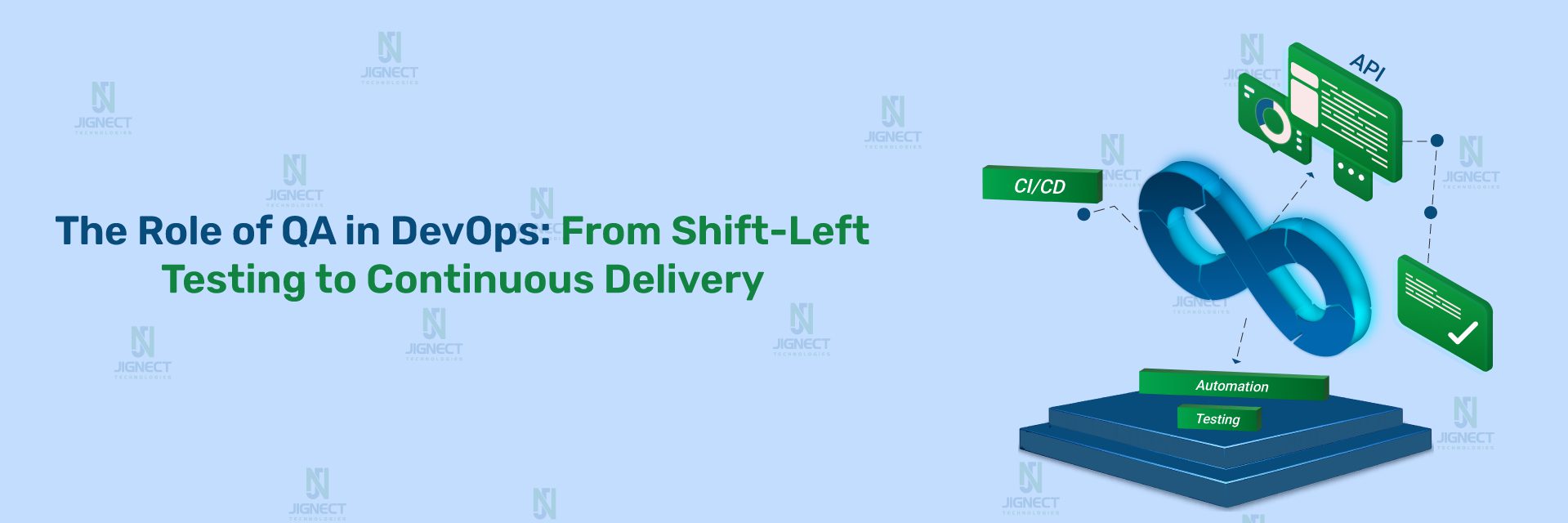

In today’s fast-paced software environment, delivering features quickly is important – but delivering them with quality is essential. Traditionally, QA was treated as a separate phase after development, leading to delays, communication gaps, and late defect detection. With the rise of DevOps, this siloed approach no longer works. Quality must be integrated into every stage of the software development lifecycle.
In a DevOps culture, QA is not just about finding bugs – it’s about enabling continuous testing, early defect prevention, and shared ownership of quality. By breaking silos between Development, QA, and Operations, teams can build quality into the product from the start, ensuring faster releases without compromising reliability.
In this blog, we will explore how QA evolves in a DevOps environment, the challenges involved, the benefits of continuous testing, and practical ways to embed quality into every stage of the software delivery lifecycle.
- 1. Introduction
- 2. What is DevOps?
- 3. Understanding the DevOps Culture
- 4. Traditional Role of QA (Before DevOps)
- 5. Why QA Cannot Be Isolated in DevOps
- 6. Evolving Role of QA in DevOps
- 7. QA Responsibilities Across DevOps Lifecycle
- 8. Automation: Backbone of QA in DevOps
- 9. CI/CD Tools Commonly Used by QA
- 10. Breaking Silos: How QA Enables Collaboration
- 11. Skills Required for QA in DevOps
- 12. Challenges Faced by QA in DevOps
- 13. Best Practices for QA Success in DevOps
- 14. Real-World Example or Scenario
- 15. Conclusion
1. Introduction
QA used to be the last stop before a product went out the door. Developers finished building, then tossed everything over the fence to QA, hoping nothing big was broken. Most of the time, bugs showed up late, and releases hit all kinds of delays. DevOps flipped that script. QA isn’t just waiting at the finish line anymore – they’re in the race from the very start. Now, QA, developers, and operations work side by side, every step of the way. This team approach turns quality into everyone’s job. The result? Software ships faster, runs smoother, and is just plain better.
2. What is DevOps?
DevOps isn’t just about fancy new tools or job titles. It’s about how people team up. At its core, DevOps is a way for development, QA, and operations to join forces – building, testing, releasing, and running software together. The job is simple but powerful: ship software faster, keep the quality up, cut down on production headaches, and make sure improvements keep rolling in. Instead of that old-school waterfall – develop, then test, then deploy -DevOps gets everyone working together, all the time. There’s more automation, more talking, more real-time testing, and way quicker feedback.
- Deliver software more quickly
- Continue to provide excellent quality
- Reduce production failures
- Facilitate ongoing development
Used to be, development, testing, and deployment happened one after the other. With DevOps, all these activities happen continuously and in sync.
DevOps focuses on automation, collaboration, continuous testing, continuous delivery, and fast feedback loops.
Traditional QA vs DevOps Mindset
Traditional QA Model
In the old days, teams split things up. Developers wrote code, QA came in at the end, and bugs popped up after most of the work was already done. Releases dragged out, stress levels soared, and teams played the blame game. QA was the checkpoint at the end, which meant a lot of last-minute surprises and delays.
DevOps QA Mindset
With DevOps, QA is there from the get-go. Testing starts early and never really stops. Automation isn’t a “nice to have” – it’s essential. QA works shoulder to shoulder with developers and ops, catching problems before they get big. Quality turns into a shared goal. QA becomes a quality champion, a teammate, and a problem preventer – not just the person who finds bugs at the end.
Why “Breaking Silos” Is Critical for Quality Today
In many teams, silos still exist even if no one openly admits it. Developers finish their work first, QA steps in later to “test everything,” and operations finally deploys the build. By the time issues appear, fixing them becomes expensive and stressful. A siloed setup looks like this:
- Developers → write code
- QA → test later
- Ops → deploy at the end
This approach no longer works in today’s fast-paced software world.
Problems caused by silos:
- Miscommunication
- Late bug discovery
- Environment issues
- Production failures
- “It works on my machine” issues
When silos are broken:
- QA understands code changes early
- Developers understand test failures better
- Ops understands quality risks
- Feedback becomes faster
- Quality improves automatically
Modern quality cannot exist without collaboration.
Breaking silos is the foundation of successful DevOps and continuous testing.
3. Understanding the DevOps Culture
DevOps isn’t something you “install” by adding a few tools or setting up a pipeline. In real projects, it only works when the mindset changes. It is seen that teams invest heavily in automation and still struggle, simply because people were working in silos and treating DevOps like someone else’s job.
When teams start thinking differently – sharing responsibility, talking early, and working together through the entire development lifecycle – things actually move faster. Problems get caught sooner, quality improves, and releases stop feeling risky. DevOps works best when everyone owns it, not when it’s parked with one team or role.
Core Principles of DevOps
1. Collaboration
In a DevOps environment, collaboration goes far beyond coordination meetings or shared tools. It removes the traditional boundaries that divide developers, testers, and operations teams. Previously, the organizations adopted cross-functional, autonomous teams, which often transition more smoothly because shared responsibility is already part of their culture.
From a QA perspective, effective collaboration eliminates the concept of handoffs. At the end of the pipeline, testers are no longer positioned to validate work after development is complete. Feedback becomes continuous, allowing teams to adjust early based on real outcomes rather than assumptions. Collaboration only thrives when psychological safety exists, when raising concerns or acknowledging mistakes is encouraged. Without this safety, teams rely on guesswork, which introduces risk into software delivery.
2. Automation
Automation is an important part of DevOps that enables faster and more dependable work. Manual processes are naturally inconsistent. Even well-documented steps can produce easily breakable results, which poses serious risks in production environments.
Automated build, test, and deployment pipelines let teams skip the boring, repetitive stuff and actually work on making things better. With Infrastructure as Code, you always get the same environment – no surprises, just a setup you can spin up over and over. When automation catches problems early or fixes them on its own, people aren’t stuck fighting fires all day. They get to focus on building rock-solid systems instead. Honestly, that’s where automation really shines.
3. CI/CD (Continuous Integration & Continuous Delivery)
CI/CD makes DevOps work in real life. With continuous integration, teams catch problems right after someone changes the code, fixing things is quicker and way less stressful. Automated checks give instant feedback if something breaks or doesn’t fit, so you’re not left guessing.
Continuous delivery goes a step further. It throws in quality gates that stop shaky code from getting anywhere near production. QA teams don’t have to rely on gut feelings anymore; they trust the automated checks. When your CI/CD pipeline actually works, deploying code feels like just another part of the day, not some big, nerve-wracking event.
4. Continuous Feedback
If you’re not getting feedback all the time, DevOps just turns into a guessing game. Dashboards and reports by themselves don’t cut it. You need more automated test results, system logs, and, honestly, nothing beats seeing how real users interact with your stuff.
It is seen that teams that only look at monthly reports, and they always end up reacting after the fact. When feedback comes in constantly and almost right away, you catch problems early, before they turn into headaches. It’s not just about keeping the system healthy, either. The whole team feels more confident because everyone’s making decisions based on actual data, not just gut feelings.
How DevOps Changes the Software Development Lifecycle
In a traditional SDLC, everything moves along in strict order. QA usually steps in after most of the big decisions are already made. By then, bugs are almost bound to show up late in the game. Fixing them takes more work, deadlines start to slip, and releases slow down because all the problems pile up at the end.
DevOps changes the whole approach. Teams don’t just wait around for their turn – everyone’s in it together from the start. Planning, coding, testing, and deploying all happen side by side. QA isn’t just an afterthought anymore; they’re part of every conversation from day one. Feedback comes early, teams catch issues while they’re still small, and quality just gets better without having to force it at the last minute.
Image of traditional SDLC:
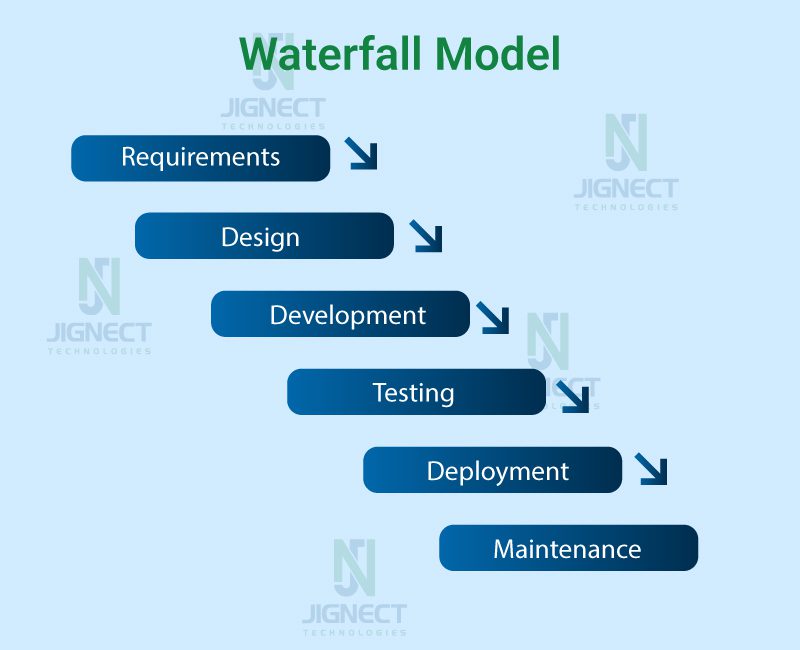
Image of DevOps-driven SDLC:
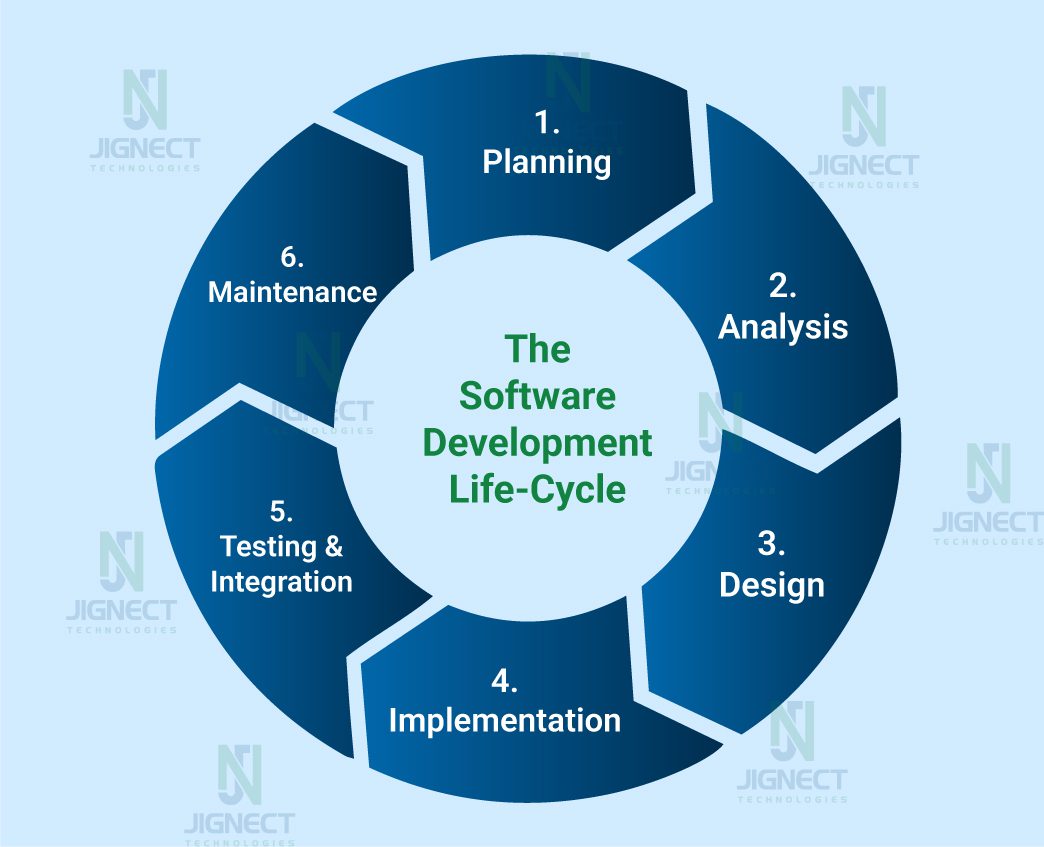
Shift from Handoff-Based Work to Shared Ownership
It has been watched as teams stick with the old handoff routine, and honestly, the same headaches keep popping up. Dev finishes their part, tosses the code to QA, then it lands with Ops every step just drags things out and mixes people up. When stuff goes wrong in production, everyone stops fixing the problem and starts pointing fingers, trying to pin down who messed up. That approach just slows everything down, and the work suffers.
Why Shared Ownership Improves Quality
Shared ownership flips the script. When everyone feels on the hook for results, developers actually notice when tests fail, QA steps up and thinks past the usual test cases, and Ops gets involved long before launch day. Problems don’t bounce from team to team; they get tackled together. This way, people spot issues sooner, cut down on production bugs, and bounce back faster when something breaks. It changes how folks see QA, too. They’re no longer just the bug-finders; they’re right in the thick of building solid, dependable software.
4. Traditional Role of QA (Before DevOps)
Before DevOps came along, QA was pretty old-school and stuck to a straight line. Teams only brought QA in after they’d finished building everything. It was like, “Okay, we’re done now, let’s see if it works.”
Let’s understand how QA worked earlier and what challenges teams commonly faced.
QA as the Final Gatekeeper
Back in the day, QA was the last line of defense. In the old Waterfall days, everyone saw QA as the final obstacle before a launch. Here’s how it usually played out: Developers wrapped up their work, then handed everything off to QA. The QA team ran their tests, scribbled down the bugs, and tossed them back to the developers. Once the fixes came in, QA got to decide if the product was ready to ship. Their main goal? Hunt down problems and keep them from slipping through.
Picture it like building a house. The crew finishes the job, and only then does the inspector walk in to check the wiring, plumbing, and structure. If they spot anything major, fixing it costs a lot and delays everything. That’s pretty much how old-school QA worked, spotting issues late, when they’re toughest to fix.
Separate Testing Phase After Development
Testing was a completely separate phase that started only after development finished.
Typical flow:
Requirement → Design → Development → Testing → Release
- QA had no involvement during the requirement or design discussions
- Test cases were written late
- The feedback loop was very slow
Real-Life Example:
In one of many traditional projects:
- Developers delivered the build after 2-3 months
- QA got only 2 weeks to test everything
- Due to time pressure, testing was limited to critical flows only
- Edge cases were missed and found later in production
Common Challenges in Traditional QA
1️⃣ Late Bug Detection
Bugs were identified after development, which caused:
- Major rework
- Design changes
- Increased cost and effort
Example:
A validation rule missing in a core form was discovered during QA:
- Database changes were needed
- UI logic had to be rewritten
- Deployment got delayed by weeks
2️⃣ Release Delays
Since testing happened at the end:
- Any critical defect pushed the release date
- Fix → Retest → Regression cycle repeated multiple times
Example:
QA found a payment failure bug just before release:
- Hotfix needed
- Full regression testing required
- Release postponed by 10 days
3️⃣ Communication Gaps Between Teams
QA, Development, and Business teams worked in silos:
- Developers focused on coding
- QA focused on finding bugs
- Business expected quick delivery
This led to:
- Blame games (“Dev issue” vs “QA missed it”)
- Lack of shared ownership
- Frustration across teams
Example:
QA reported a bug as “critical.”
The developer marked it as “works as designed.”
Business later rejected the feature during UAT
4️⃣ Manual-Heavy Testing
Automation was minimal or introduced very late:
- Regression testing was mostly manual
- Repetitive testing increases human errors
- Test execution took days or weeks
Mindset in Traditional QA
- QA was responsible only for testing
- Quality was considered QA’s job
- Developers were not accountable for test coverage
- Feedback came too late to influence the final design and implementation decisions
5. Why QA Cannot Be Isolated in DevOps
DevOps runs on speed and teamwork. You can’t just tuck QA away until the last minute and hope for the best. QA needs to be part of the action from start to end. Otherwise, quality turns into a constraint.
Impact of Late Testing in Fast-Paced Releases
DevOps teams push out releases every day. If you wait until the end to test, you catch problems very late. Suddenly, the team will panic right before launch, either delaying the release or shipping something you know has issues, which does not look good and does not create a good impression for the client.
Here’s a real story: A team rolls out new features every week. But because they waited to test, a big login bug popped up just hours before go-live. Now they’re stuck; they can either hold back the release or risk pushing a broken feature. Customers notice, and trust takes a hit.
Cost of Defects Found in Production
Once software is live, fixing issues becomes costly and risky. Production bugs lead to downtime, financial loss, and damage to a company’s image. Issues in live systems are expensive and hard to recover from.
Another real example: One small error can stop checkout when traffic is high, leading to lost sales and urgent fixes. A minor mistake can cause checkout failures at busy times, hurting sales and creating pressure on the team.
Quality as a Shared Responsibility
Every team involved shares the responsibility. Quality in DevOps is a shared effort, not a single team’s job. DevOps does not put quality on QA alone.
Need for Continuous Validation
That’s how you keep up with the pace and keep quality solid. Testing runs continuously, so problems are caught early, and releases stay reliable in continuous integration and continuous development. Testing happens with every update and not just at the end, but to maintain quality. CI/CD needs constant checking through tests, fast feedback, and monitoring.
6. Evolving Role of QA in DevOps
With DevOps, QA has evolved from being only a tester to becoming a quality advocate.
QA as a Quality Advocate Instead of Only a Tester
QA now focuses on preventing defects rather than only detecting them. They guide teams on quality standards, risk areas, and testing strategies.
Involvement from the Requirement and Design Phases
QA participates early to:
- Clarify requirements
- Define acceptance criteria
- Identify edge cases and risks
Benefit: Fewer misunderstandings and rework later.
Close Collaboration with Developers and Operations
QA works closely with:
- Developers for shift-left testing
- Operations for monitoring and production validation
Shift from Testing After Build to Testing With Build
Testing starts alongside development using unit tests, API tests, and early automation instead of waiting for a complete build.
7. QA Responsibilities Across DevOps Lifecycle
1. Planning & Requirement Phase
In this phase, QA plays a critical role in laying a strong quality foundation.
Requirement analysis and acceptance criteria
QA carefully reviews requirements to ensure they are clear, complete, and testable. They help define acceptance criteria so everyone has a shared understanding of when a feature is considered “done.”
Testability checks and risk identification
QA evaluates whether the requirements can be effectively tested and identifies potential risks such as unclear flows, dependencies, or integration challenges.
Benefit: Early risk identification reduces costly fixes later in the lifecycle.
2. Development Phase
During development, QA works in parallel instead of waiting for coding to finish.
Shift-left testing
QA starts testing activities early by reviewing requirements, writing test scenarios, and planning automation alongside development.
Collaboration with developers
QA closely collaborates with developers to discuss edge cases, clarify expected behavior, and quickly validate fixes.
Unit test reviews and test data preparation
“QA collaborates with developers to review unit test coverage, ensuring critical scenarios and edge cases are not missed, and prepares realistic test data in advance.
Benefit: Faster and smoother testing once features are ready.
3. CI/CD Pipeline
QA ensures continuous quality in automated pipelines.
Automated test execution
QA integrates automated tests into the CI/CD pipeline so tests run automatically with every build.
Smoke, sanity, and regression testing
QA defines and maintains:
- Smoke tests to verify build stability
- Sanity tests to validate recent changes
- Regression tests to ensure existing functionality remains unaffected
Build quality gates
Quality benchmarks such as test pass rates and defect thresholds are defined collaboratively by QA, development, and product teams, and enforced through CI/CD quality gates. Builds that fail these gates are not promoted further.
4. Release & Deployment
QA validates the product before it reaches end users.
Release validation
QA performs final checks to ensure all planned features work correctly and no critical issues remain.
Environment checks
QA verifies that configurations, integrations, and services are correctly set up in the target environment.
Deployment testing
After deployment, QA runs quick validation tests to ensure the application is stable and ready for use.
5. Post-Release & Monitoring
QA continues to support quality even after release.
Production monitoring support
QA helps analyze production issues and supports teams in understanding user-reported problems.
Log analysis and defect trends
QA reviews logs and defect data to identify recurring issues and areas for improvement.
Continuous feedback loop
QA feeds insights back into planning and development to improve future releases.
Benefit: Continuous learning and long-term quality improvement.
8. Automation: Backbone of QA in DevOps
In DevOps, maintaining quality at high speed is not possible with manual testing alone. Automation becomes the backbone of QA by enabling continuous testing and fast feedback.
Why automation is essential in DevOps
Automation allows QA teams to validate every build quickly and consistently. It helps:
- Reduce repetitive manual effort
- Provide faster feedback to developers
- Support frequent and reliable releases
Benefit: Continuous delivery without compromising quality.
Types of automation
QA implements automation at multiple levels in DevOps:
- Unit automation → Validates individual components early
- API automation → Ensures business logic and integrations work correctly
- UI automation → Verifies critical end-user flows
- Performance automation → Checks system behavior under load
- Security automation → Identifies vulnerabilities and security risks
This layered automation approach helps catch defects early in the lifecycle.
Selecting the right test cases for automation
Not every test case should be automated. QA selects test cases based on:
- Business-critical workflows
- Frequently used features
- Areas prone to regression
- Stable and repeatable scenarios
Focus: Automate the right test cases, not all test cases.
9. CI/CD Tools Commonly Used by QA
QA teams rely on multiple CI/CD tools to support continuous testing and fast feedback in DevOps environments.
Version control systems like Git
Version control tools help QA manage test scripts and collaborate with developers. Using Git allows QA to:
- Track changes in test code
- Work on feature branches
- Maintain consistency across environments
This ensures test automation stays aligned with application code.
CI tools such as Jenkins, GitHub Actions, GitLab CI
CI tools automate the execution of tests whenever code changes occur. QA uses these tools to:
- Trigger automated tests on every commit
- Validate builds continuously
- Detect issues early in the pipeline
This helps maintain and build stability and release confidence.
Automation tools like Selenium, Playwright, Rest Assured
QA uses automation tools based on the application layer:
- Selenium for cross-browser UI automation
- Playwright for modern, fast, and reliable UI testing
- Rest Assured for API testing and validation
These tools help ensure functional accuracy across different layers.
Test management and reporting tools
QA uses test management and reporting tools to:
- Organize test cases and test plans
- Track execution status
- Generate clear test reports for stakeholders
Benefit: Better visibility, traceability, and decision-making.
Here are some commonly used tools in a DevOps pipeline:
| Category | Tools/Technologies |
| Source Code Management | Git, Bitbucket, GitHub |
| Build & Deployment | Jenkins, CircleCI, Travis CI, GitLab CI/CD, Jenkins X |
| Containerization & Orchestration | Docker, Kubernetes, PodmanBenefit |
| Configuration Management | Ansible, Puppet, Chef, SaltStack, Terraform, Pulumi, Spacelift |
| Testing | Selenium WebDriver, Appium, JMeter, Postman Playwright,JUnit, TestNG, NUnit |
| Monitoring & Logging | Prometheus, Grafana, ELK Stack, Splunk, Datadog, Loki,SonarQube |
| Security | OWASP ZAP, Nessus, Burp Suite, Snyk, Checkmarx, SonarQube (vulnerabilities), Trivy, Aqua Security/Prisma Cloud |
| Serverless Computing | AWS Lambda, Azure Functions, Google Cloud Functions |
| Feature Flags | LaunchDarkly, Rollout, ConfigCat |
| Additional | Artifactory, Nexus, Docker Registry |
10. Breaking Silos: How QA Enables Collaboration
In DevOps, collaboration is key to delivering high-quality software. QA plays an important role in breaking silos between teams and ensuring everyone works toward a common goal.
Early participation in discussions
QA participates in planning, design, and grooming discussions from the beginning. This helps:
- Clarify requirements early
- Identify risks before development starts
- Align expectations across teams
Early involvement reduces rework and misunderstandings later.
Shared dashboards and reports
QA creates and maintains shared dashboards for test results and quality metrics. These dashboards:
- Provide real-time visibility into quality status
- Help teams make quick, informed decisions
- Promote transparency across development and operations
Regular standups and retrospectives
QA actively participates in daily standups and sprint retrospectives. This allows QA to:
- Share testing progress and risks
- Discuss defects openly
- Suggest process improvements
Regular communication keeps the entire team aligned.
Knowledge sharing across teams
QA supports knowledge sharing by:
- Documenting best practices
- Sharing testing strategies and learnings
- Helping teams understand quality expectations
Benefit: Strong collaboration and a shared sense of ownership for quality.
11. Skills Required for QA in DevOps
To work effectively in a DevOps setup, QA needs more than just testing knowledge. It’s a mix of solid technical fundamentals and strong people skills.
Technical skills
QA in DevOps should have strong technical fundamentals, including:
- Test automation skills to keep testing fast, repeatable, and reliable
- API testing to validate business logic and system integrations
- Basic understanding of cloud platforms and environments
These skills allow QA to support continuous testing and modern delivery pipelines without slowing teams down.
Understanding of CI/CD and Agile practices
QA must understand how CI/CD pipelines and Agile workflows operate. This includes:
- Knowing how tests fit into the CI/CD pipeline
- Working effectively within sprints and iterations
- Adapting quickly to frequent changes and releases
This understanding enables QA to align testing with delivery speed.
Soft skills like communication, collaboration, and problem-solving
Beyond technical skills, soft skills are critical in DevOps:
- Clear communication with developers and operations teams
- Strong collaboration to resolve issues quickly
- A problem-solving mindset focused on finding root causes, not just symptoms
When these skills come together, QA becomes a trusted partner who drives quality across the entire DevOps lifecycle.
12. Challenges Faced by QA in DevOps
While DevOps brings speed and flexibility, it also introduces several challenges for QA teams.
Time constraints for testing
- Short sprints and frequent releases leave very little room for manual testing
- QA must focus on critical scenarios and depend heavily on automation to keep up
Flaky automation tests
- Environmental unavailability
- Configuration mismatches
- Dependency failures
Environment-related issues
QA often faces challenges such as
- Environmental unavailability
- Configuration mismatches
- Dependency failures
These problems often block testing and delay feedback to the team.
Learning curve and skill gaps
- DevOps requires QA to learn new tools, technologies, and workflows
- Gaps in automation, CI/CD, and cloud knowledge can slow progress
The key here is continuous learning and steady process improvement.
13. Best Practices for QA Success in DevOps
The right practices help QA maintain quality without slowing delivery.
Shift-left and shift-right testing
- Test early during requirements and development (shift-left)
- Continue testing after release through monitoring and feedback (shift-right)
This keeps quality visible throughout the entire lifecycle.
Risk-based testing approach
- Prioritize testing based on business impact and risk
- Focus first on high-risk and business-critical areas
This ensures maximum value even when time is limited.
Maintaining stable and fast automation suites
- Keep automation reliable and stable
- Ensure tests run quickly
- Make suites easy to maintain
Regular refactoring and removing flaky tests help maintain trust in automation.
Continuous learning and improvement
- DevOps keeps evolving, and QA has to evolve with it
- Retrospectives and regular feedback help teams refine processes over time
The outcome is sustainable quality and smoother DevOps delivery.
14. Real-World Example or Scenario
This shows how QA adds value across a real DevOps pipeline.
QA involvement across a DevOps pipeline
QA is involved from the beginning of the pipeline:
- Reviewing requirements and acceptance criteria early
- Preparing test scenarios and automation plans
- Collaborating closely with developers during implementation
- Supporting monitoring and validation after release
Here, QA acts as a continuous quality owner, not a last-minute tester.
Sample CI pipeline with automated testing
Code is pushed to a Git repository:
- A CI tool triggers the build automatically
- Unit tests run first
- API and UI automation tests will execute next
- Smoke and regression tests validate overall stability
- The build passes defined quality gates before deployment
This setup ensures issues are caught early and consistently.
Impact on release speed and product quality
- Defects are detected earlier
- Rework and emergency fixes are reduced
- Releases happen faster and more often
- Overall product quality improves over time
The result is faster delivery with higher confidence and a better user experience.
15. Conclusion
In a DevOps-driven environment, QA has moved beyond traditional testing into continuous quality engineering. By working closely with development and operations, QA enables early feedback, prevents defects before they escalate, and supports stable, frequent releases. Instead of slowing things down, QA becomes a key driver of DevOps success helping teams deliver high-quality software without sacrificing speed.
Witness how our meticulous approach and cutting-edge solutions elevated quality and performance to new heights. Begin your journey into the world of software testing excellence. To know more refer to Tools & Technologies & QA Services.
If you would like to learn more about the awesome services we provide, be sure to reach out.
Happy Testing 🙂