
There is a particular frustration that almost every QA engineer experiences within the first few weeks of trying to use AI in their daily work. You open ChatGPT or a similar tool, paste in a user story, ask for test cases, and receive a list that looks promising at first glance. Happy path covered. A few negative scenarios. It reads clean. And then you look more carefully. There is nothing about your specific business rules. Nothing about the edge cases that caused a production incident six months ago. Nothing about the permission model your application actually uses. The scenarios are generic enough to apply to almost any application, which means they are specific enough for none.
You make a mental note: AI is not quite ready for serious QA work. You close the window and go back to writing test cases manually.
That conclusion, made every day by skilled QA engineers across the industry, is almost always the wrong one. The AI was not the problem. The prompt was.
Prompt engineering for QA is one of the most high-leverage skills a testing professional can develop right now. Not because it is technically complex, but because the gap between what most QA engineers ask AI for and what they could ask for is genuinely enormous, and closing that gap changes the return on every AI interaction. A poorly constructed prompt produces five generic scenarios that need to be discarded. A carefully constructed prompt, from someone who understands both the testing domain and how to frame a problem clearly for a language model, produces a detailed, risk-weighted scenario set that a QA engineer can review, extend, and take into sprint execution within the hour.
This blog is the practical guide to building that skill. It covers what prompt engineering actually means in the context of QA work, where it applies across the testing lifecycle, how to construct prompts that produce usable output, where the common mistakes live and why they matter, and a set of ready-to-use templates built for real QA scenarios. At JigNect, this is not theoretical ground. Our QA Prompt Library has been developed and refined across delivery engagements in FinTech, healthcare, e-commerce, and enterprise SaaS, and the patterns in this blog reflect what has consistently produced strong output in real sprint environments.
One premise that runs throughout everything here: AI accelerates QA thinking. It does not replace it. Every prompt template, every technique, every workflow recommendation in this article assumes a human QA professional is reviewing the output, validating it against the actual system, and owning the quality decisions that follow. That accountability does not move. What changes is how much preparatory cognitive work a skilled QA engineer has to carry before applying their judgment.
- Why Prompt Engineering Matters in Modern QA
- What Prompt Engineering for QA Actually Means
- Where QA Teams Can Use Prompt Engineering Today
- The Cost of Weak Prompts in QA
- A Practical Framework for Writing Better QA Prompts
- Prompt Engineering Principles Every QA Professional Should Know
- Weak Prompt vs. Strong Prompt: Real QA Examples
- Ready-to-Use Prompt Templates for QA Engineers
- Template 1: User Story Test Case Generation
- Template 2: Pre-Sprint Requirement Gap Analysis
- Template 3: API Endpoint Test Scenario Matrix
- Template 4: Bug Report from Raw Defect Notes
- Template 5: Regression Impact Analysis
- Template 6: Exploratory Testing Charter
- Template 7: Flaky Test Diagnosis
- Template 8: Acceptance Criteria Breakdown and Test Coverage Mapping
- How QA Leads Can Standardize Prompt Usage Across Teams
- Risks, Limitations, and What AI Still Cannot Replace in QA
- Best Practices for Human Review and Validation
- A Practical Workflow for Using Prompt Engineering in the QA Lifecycle
- How JigNect Approaches Prompt Engineering in AI-Driven Quality Engineering
- Conclusion
Why Prompt Engineering Matters in Modern QA
Walk through a typical sprint cycle from a QA perspective. Before development starts, you are reading requirements, often ones that are partially formed, and trying to identify what is ambiguous, what is missing, and where the risk is concentrated. During the sprint, you are designing test cases across a feature set that may have changed three times since backlog refinement. You are identifying edge cases that the product owner did not think to specify and the developer did not know to ask about. You are writing bug reports precise enough that a developer can reproduce the issue without a thirty-minute conversation. You are planning regression coverage against a codebase where you have incomplete visibility into what actually changed. And you are doing all of this under sprint time pressure that does not allow for the depth of analysis any of these activities really deserves.
Every single one of these activities involves language at its core. Reading it, interpreting it, generating it. And every one of them is an activity where a well-structured prompt to a capable language model can meaningfully accelerate the work.
The word “well-structured” is doing a lot of weight-bearing there. A language model is not searching a database for the right answer. It is generating a response by predicting what a coherent, contextually appropriate output looks like, given the input you provided. If the input is thin, the output will be generic. If the input is precise, domain-specific, and clearly framed, the output can be genuinely useful, sometimes surprisingly so. The model has no prior knowledge of your application, your business domain, your historical defect patterns, or your team’s testing standards. Everything it needs to produce relevant output has to come from you in the prompt.
This is the dynamic that most QA engineers who have been disappointed by AI tools have not fully accounted for. They have asked a broad question and received a broad answer, which they experienced as the AI being shallow. In reality, the model responded to exactly the input it was given. The shallowness was in the question.
There is a secondary benefit to developing this skill that is worth naming explicitly. Writing a genuinely good prompt for a QA task forces you to think through that task more carefully than you would if you were just opening a test case spreadsheet and typing. If you cannot articulate the user story, the business rules, the relevant constraints, and the type of scenarios you need with enough precision to include in a prompt, that is often a signal that the requirement itself is not well enough understood to test against. The discipline of prompt construction is, in a meaningful way, a discipline of requirement analysis.
What Prompt Engineering for QA Actually Means
The term “prompt engineering” carries more mystique than it deserves. In AI research contexts, it encompasses sophisticated techniques for steering model behaviour at scale. For a QA engineer working in a sprint environment, it means something considerably more practical: learning how to give a language model enough structured context that its output is specific, relevant, and usable without complete reconstruction.
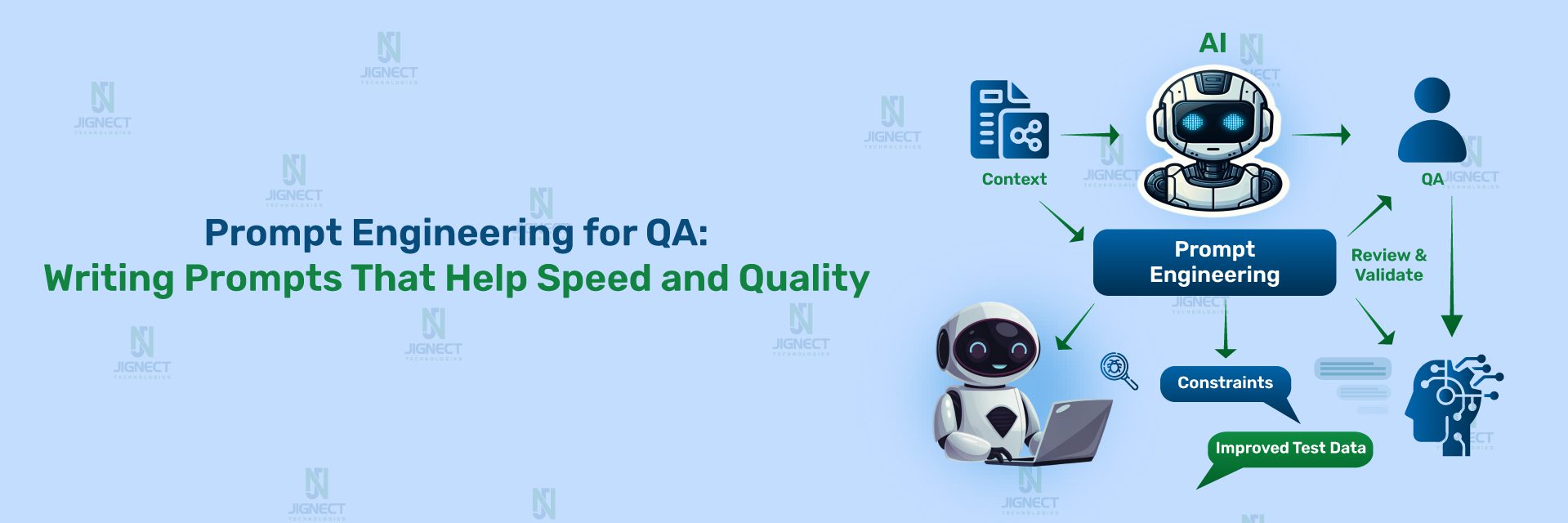
There are three core elements to this.
Context is the foundation. The most consistent difference between a prompt that produces useful QA output and one that does not is the amount of relevant context it contains. Application type, business domain, user roles, relevant business rules, accepted criteria, known defect history, integration dependencies, the platform and tech stack, and any regulatory or compliance constraints that affect testing scope. The model cannot infer any of this. You have to provide it explicitly. And the degree of specificity in your context determines whether the model produces scenarios relevant to your system or scenarios relevant to a generic application of the same category.
Precision of instruction shapes what comes back. There is a meaningful difference between “generate test cases for the checkout flow” and “generate negative and boundary test cases for the checkout flow in a multi-vendor e-commerce platform where a registered user applies a percentage discount code, focusing on scenarios where the discount reduces the cart total below the minimum order threshold, and format each case with ID, preconditions, steps, expected result, and risk level.” The second prompt leaves the model very little room to fill gaps with generic assumptions. It has a task boundary, a scenario category, a domain detail, a specific edge condition, and a format requirement. That is the level of precision that produces output you can actually work with.
Knowing what to do with the output determines whether the effort pays off. Prompt engineering is not only a writing skill. It is an evaluation skill. AI-generated QA artifacts have reliable strengths: they tend to be structurally sound, they surface scenario categories systematically, and they cover breadth well. They have predictable weaknesses: they fill in business logic gaps with plausible-sounding assumptions, they may miss application-specific constraints you did not mention, and they will produce confidently worded output even when that output is subtly wrong. Understanding where to trust and where to verify makes the review process efficient rather than exhausting.
Where QA Teams Can Use Prompt Engineering Today
Prompt engineering is not a single-use technique. It has distinct applications at multiple points across the testing lifecycle, and each point has its own patterns and its own return profile.
1. Requirement Analysis
Requirements that arrive in a sprint ambiguous cause defects that surface three weeks later, often in production. The cost of catching an ambiguity at requirement review is a five-minute conversation during refinement. The cost of discovering it during regression is a missed release date. Catching requirement ambiguity early is one of QA’s highest-value contributions to delivery, and it is also one of the most mentally demanding parts of the job because it requires imagining what the developer will assume when the requirement is silent on an edge case.
AI-assisted requirement review does not replace that judgment. It accelerates the analysis by systematically checking requirements against the pattern of what clear versus unclear specifications look like. A prompt that instructs the model to act as a senior QA analyst and identify unstated assumptions, missing acceptance criteria, ambiguous terms, undefined edge cases, and potential conflicts with adjacent features will reliably surface questions worth asking. Not because the model understands your system deeply, but because the structure of requirements gaps is recognisable across domains.
The practical workflow at JigNect is straightforward. Before sprint refinement, the QA lead runs the requirement analysis prompt across the user stories in the upcoming sprint. The output is a prioritised list of specific questions. Those questions become the QA input to the refinement session, making the session more focused and ensuring the most consequential ambiguities get resolved before test design begins rather than after.
2. Test Case Generation
Test case generation is the use case most QA engineers try first with AI, and also the one where the quality gap between a weak prompt and a strong one is most visible. With adequate context and a precisely framed instruction, AI-assisted test case generation produces a meaningful first-pass coverage set in a fraction of the time it takes to build one manually. That coverage set still requires review, refinement, and extension by a QA engineer who knows the system. But the starting point is substantively better than a blank page, and the time saved on the mechanical documentation work is time a skilled engineer can direct toward the more complex, judgment-dependent parts of their role.
The critical factors are specificity and scenario framing. Telling the model what type of scenarios to generate, what the acceptance criteria are, what the relevant business rules say, what the historical defect patterns look like, and what format to produce the output in turns a generic exercise into something with real sprint value.
3. Exploratory Testing Support
Exploratory testing depends on the curiosity, experience, and domain knowledge of the tester. AI does not replace that. But it can structure the preparation for an exploratory session in ways that make the session more productive. A prompt that generates a structured testing charter, given a feature description, user persona, and a list of known risk areas, gives the tester a set of focused investigation missions to work through rather than entering the session with no formal structure.
The more useful application is using AI as a real-time thinking partner during exploratory testing itself. When you encounter unexpected behaviour and want to explore what adjacent scenarios might be affected, a targeted prompt describing what you observed and asking what related scenarios are worth investigating next is a fast way to extend your exploratory coverage beyond what your immediate instinct would have surfaced. At JigNect, we treat this as a form of assisted heuristic testing rather than AI-driven test execution.
4. API Testing
API testing scenarios follow predictable structural patterns across domains: valid inputs at various combinations, missing required fields, invalid data types, boundary values, authentication failures across token states, response schema validation, rate limiting behaviour, error message consistency, and idempotency where the contract requires it. Generating comprehensive coverage across multiple endpoints manually is one of the more repetitive tasks in QA work, and it is a strong fit for AI assistance.
Given a request specification, the relevant authentication model, and the expected response structure, a well-constructed prompt can produce a scenario matrix covering the breadth of these categories for a given endpoint within minutes. The output needs to be validated against the actual API contract before it is treated as authoritative, and business-rule-specific edge cases will almost always require augmentation from someone who knows the application. But the structural coverage is reliably solid, and it eliminates the blank-page problem for every new endpoint that needs coverage.
5. Bug Reporting and Defect Quality
Poor bug reports waste developer time at scale. A vague title means a developer cannot triage without opening the ticket. Missing reproduction steps mean they cannot reproduce without finding the tester. An imprecise description of actual versus expected behaviour means the fix may not address the real problem. Across a sprint with dozens of defects, the accumulated cost of weak bug reports in back-and-forth communication, misdirected investigation, and reopen cycles is significant.
This is one of the most immediately valuable and consistently underused applications of AI in QA work. Giving the model your raw defect observations, the environment details you recorded, the reproduction conditions, and the expected behaviour, and asking it to structure a professional, reproducible bug report, produces output that is cleaner than a first draft written under pressure almost every time. The model cannot know what you did not include, so the review step matters, but the structure, the summary specificity, and the severity reasoning are reliably better than the informal shorthand most testers use when they are mid-session and just want to capture the defect before moving on.
6. Regression Planning
Regression planning requires understanding what changed and how those changes ripple through the application’s functional dependencies. The technical side of that, which files were touched, which services were modified, which database schemas changed, is visible in the code diff. The functional side, which user workflows depend on the affected components, which integration points are at risk, which edge cases in adjacent features might be disturbed, requires domain knowledge that is not always captured anywhere systematically.
AI assistance in regression planning addresses the domain side. Given a summary of the changes in a release and a description of the application’s key functional areas, a prompt can generate an impact map that identifies which functional flows are directly affected, which are indirectly at risk through shared components or data dependencies, and which third-party integrations should be re-verified. The output does not replace a proper impact analysis. It ensures the regression scope covers the less obvious risks, not just the ones that are immediately visible from the change log.
7. Test Data Generation
Creating realistic, diverse test data is tedious and often under-resourced. Boundary value datasets, internationalization-sensitive inputs, data profiles that represent specific edge conditions without exposing real user information, synthetic data at the volumes needed for performance scenario validation: all of these take disproportionate time to build manually. Language models handle this category of task well because it is fundamentally a structured generation problem with clear constraints.
A prompt specifying the field types, the constraints, the edge conditions, and the format needed will produce a usable dataset quickly. Phone numbers across international formats including edge cases at boundary lengths. Email addresses at the limits of RFC 5321 compliance. Names containing Unicode characters, apostrophes, and hyphenation patterns that historically cause encoding failures. Financial figures at rounding boundaries and precision limits. The output requires validation for correctness at the constraint boundaries, but the coverage breadth is consistently broader than what a tester building data manually under time pressure would produce.
8. Automation Assistance
QA engineers building and maintaining automation frameworks spend a meaningful fraction of their time on mechanical work: writing boilerplate Page Object methods for new modules, building assertion logic for specific validation scenarios, structuring data factory classes, documenting automation patterns for team onboarding, and trying to debug intermittently failing tests where the root cause is not immediately obvious.
Each of these is a strong fit for AI assistance with appropriate prompting. Providing the model with the HTML structure of a new module, the framework conventions already in use, and the interaction patterns the tests need to validate will produce a well-structured Page Object class that the engineer reviews and refines rather than builds from scratch. Describing the failure mode of a flaky test, the framework involved, and the frequency pattern of the failure will produce a prioritised list of likely root causes and diagnostic steps that gives the investigation a structured starting point. These are not magic outputs. They are informed starting points that reduce the mechanical preparation work so the engineer can apply their judgment to the parts of the problem that actually require it.
The Cost of Weak Prompts in QA
Most discussions about AI in testing focus on what good prompts can produce. The cost of weak prompts receives less attention and deserves more, because the consequences extend well beyond a single session of mediocre output.
The first and most visible cost is quality. A generic prompt produces generic output, and generic test cases have a way of creating false confidence. A test case list that looks comprehensive because it is long, but covers only the obvious scenarios, gives a QA lead the impression that coverage is solid when the real gaps are elsewhere. If that list makes it into the test suite without careful review because “AI generated it,” those gaps become invisible until something escapes to production. The defect then gets attributed to AI being unreliable rather than to the process gap that actually caused it.
The second cost is adoption. When engineers use AI and consistently receive output they have to discard or completely rewrite, the natural conclusion is that AI tools are not useful for this type of work. Teams make that call early, often after a handful of disappointing sessions, and it shapes their behaviour for months. The irony is that the same engineers who dismiss AI as shallow for QA work would get meaningfully different results if their prompts were structured differently. The skill of prompt construction is rarely the explanation given for why AI did not work. It is almost always the actual explanation.
The third cost is time, and it is subtler than it sounds. A prompt that is too vague produces output that requires significant rework before it is usable. Depending on how much rework that is, you may have spent more total time on the interaction than if you had written the test cases manually from the start. The efficiency benefit of AI assistance in QA only materialises when the output is specific enough to be usable as a starting point rather than a draft in need of complete reconstruction. Getting the prompt right initially is faster than getting general output and editing it into shape.
A Practical Framework for Writing Better QA Prompts
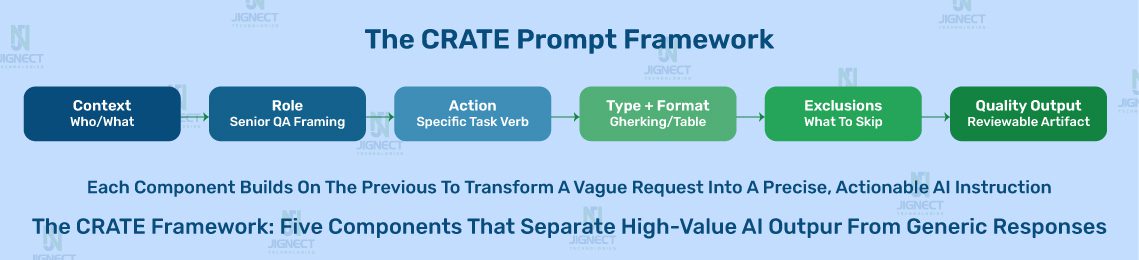
Over the course of building and refining JigNect’s QA Prompt Library, we identified five structural components that consistently differentiate prompts that produce usable QA output from those that do not. We refer to these collectively as the CRATE framework, not because the acronym is the important thing, but because having a consistent structure to build prompts against makes the discipline faster to develop and easier to teach across a QA team.
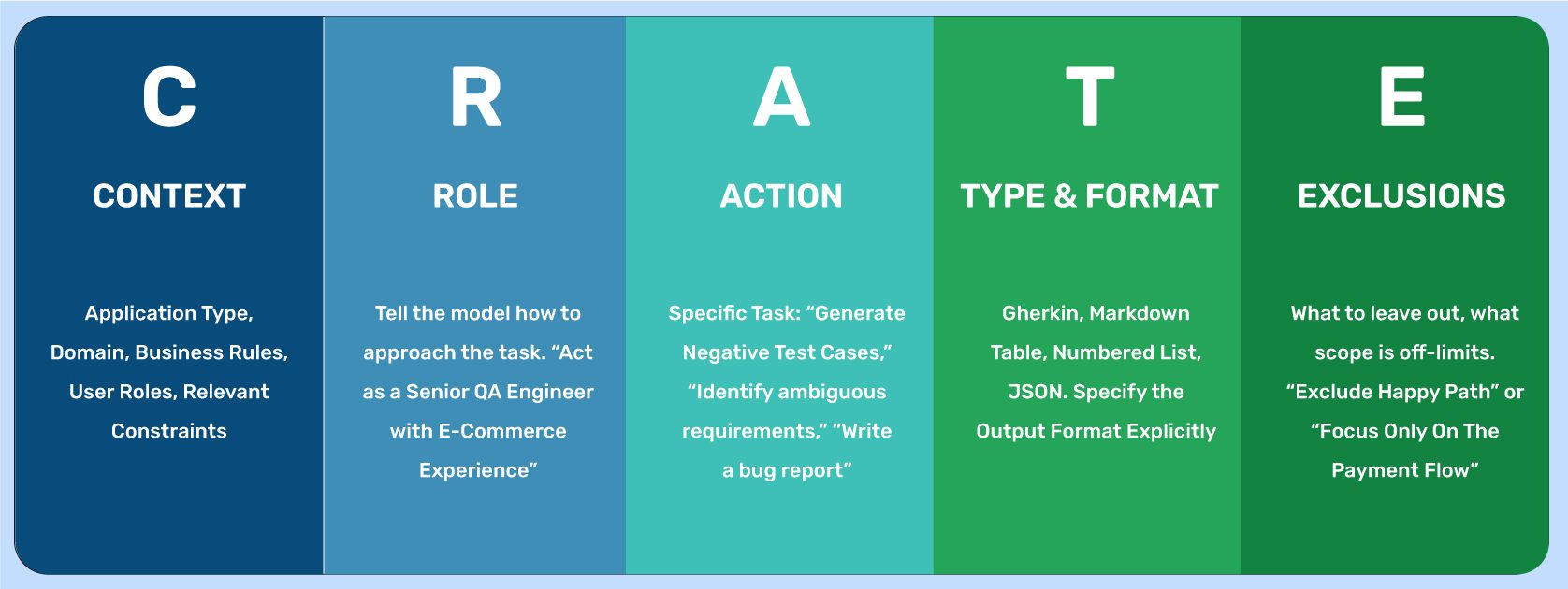
C – Context. The application type, the business domain, the user roles involved, the relevant business rules, the platform and tech stack, and any regulatory or compliance constraints. The model has none of this unless you provide it. Context is the single most common thing missing from QA prompts that fail to produce useful output.
R – Role. Instructing the model to approach the task from the perspective of a specific type of expert shapes the style and depth of the output in useful ways. “Act as a senior QA engineer with experience in healthcare SaaS applications” and “act as a QA lead preparing for a sprint refinement session” produce meaningfully different outputs from the same underlying task description. Role framing is not decoration. It calibrates the model’s response pattern.
A – Action. A precise, specific description of what you want the model to do. Not “help me with testing” but “generate a set of negative test cases for the scenario described below, including one case for each distinct validation rule mentioned in the acceptance criteria, plus three additional edge case scenarios for conditions the acceptance criteria do not explicitly address.”
T – Type and Format. An explicit specification of how the output should be structured. Gherkin Given/When/Then format. A table with specific column headings. A numbered list with preconditions, steps, and expected results formatted consistently. A structured bug report with named sections. Specifying the output format reduces the time spent reformatting after the fact and makes it easier to pipe output directly into the test management or defect tracking tools your team is already using.
E – Exclusions and Constraints. What the output should not include, what scope is off-limits, and what constraints the model should work within. “Exclude happy path scenarios, which are already covered in the existing test suite.” “Focus only on the payment flow. Do not generate scenarios for the cart or the order confirmation page.” “Do not generate scenarios that require environment-specific configuration. Flag those as a separate list if they arise.” Exclusions prevent the model from filling your output with scenarios you already have or cannot use, which makes the output more immediately actionable.
Prompt Engineering Principles Every QA Professional Should Know
Beyond the structural framework, there are a set of principles that distinguish QA engineers who consistently get strong output from AI tools from those who do not. These are not technical rules. They are habits of how to approach the interaction.
Be domain-specific. Specificity is the work. The effort of writing a strong prompt is mostly the effort of articulating the domain details that make your testing problem distinct from a generic version of itself. “Test the payment module” is a test domain description. “Test the payment flow for a B2B SaaS invoicing platform where enterprise accounts can be configured to require dual approval for payments above a threshold set at the account level, and where the payment gateway integration has a known latency issue above 30 concurrent transactions” is a domain-specific description. The second prompt does not require AI to be smarter. It requires the engineer to have done the thinking. That thinking was going to be required for the testing anyway. Putting it into the prompt surfaces it earlier.
Use worked examples to anchor the output format. If you know what a good test case or a good bug report looks like for your team’s specific standards, include one complete example in the prompt. Models are excellent at recognising and replicating patterns from examples, often more reliably than they are at following abstract format descriptions. A single well-crafted example case included in the prompt is frequently worth more than a detailed verbal description of the format you want.
Iterate systematically. A first prompt is rarely the final prompt. If the initial output is missing a scenario category, a follow-up prompt adds it: “Now generate four additional boundary value scenarios for the quantity field, specifically at the minimum and maximum values defined in the acceptance criteria, and two values outside each boundary.” If the output format needs adjustment: “Reformat the test cases from the previous response into a Gherkin structure with Given/When/Then syntax.” Treating the interaction as a conversation with structured follow-ups consistently produces better results than trying to get everything right in a single complex prompt, and it gives you a more reliable audit trail of what you asked for and why.
Separate concerns across prompts. There is a common instinct to try to accomplish multiple distinct tasks in a single prompt to save time. In practice, combining test case generation, risk assessment, and format specification in one sprawling request produces output that does the simpler parts adequately and the harder parts poorly. Separate prompts for separate tasks produce cleaner, more reviewable output for each. The total time spent is usually lower because less rework is needed.
Verify every domain-specific claim in the output. This is the most important operational principle and the one most often skipped under time pressure. Language models fill in gaps in the context you provide with plausible-sounding assumptions. Those assumptions may be completely wrong for your specific application. An output that says “when the user attempts to reset their password, a link valid for 24 hours is sent to the registered email address” is a specific claim about how your application behaves. If your application actually uses a 15-minute token expiry, that test case will pass against the wrong expected behaviour. Every AI-generated output in QA requires review by someone who knows what the system actually does, not only someone who knows what good test cases look like in general.
Weak Prompt vs. Strong Prompt: Real QA Examples
The following comparisons are drawn from real QA scenarios. For each example, the goal is not to show that weak prompts produce bad output in isolation, but to show the specific mechanics of why each weak prompt fails and precisely what the stronger version changes about the likely output.
Example 1: Test Case Generation for an Authentication Module
Weak prompt:
Generate test cases for a login feature.
Why this fails: The model has no information about the authentication mechanism, the user role structure, the lockout policy, whether MFA is involved, what constitutes a successful versus failed login from a business perspective, or what platform this is on. The output will be exactly the kind of scenario list you would find in a QA textbook: username field empty, password field empty, incorrect password, correct credentials, maximum character length. Every QA engineer already knows these scenarios. The prompt did not ask for anything the model could not have produced from a generic template.
Strong prompt:
You are a senior QA engineer reviewing the authentication module of a B2B SaaS
compliance management platform.

Authentication details:
- Supports both SSO via SAML 2.0 and local email/password authentication
- Account lockout triggers after 5 consecutive failed login attempts
- Lockout duration is 30 minutes or until reset by an admin
- MFA via TOTP authenticator app is mandatory for users with the Admin or Compliance Manager role
- MFA is optional for Standard and Read-Only roles
- Session timeout is 8 hours for standard users, 2 hours for admin roles
- SSO users are provisioned via the IdP and cannot use local authentication

Generate test scenarios covering:
1. Local authentication: negative scenarios only (happy path is already covered)
2. SSO: edge cases around session state, IdP availability, and user provisioning
3. Lockout policy: the trigger, the 30-minute timer, and admin unlock behaviour
4. MFA enforcement: scenarios where MFA is required, scenarios where it is optional, and attempts to bypass MFA on mandatory-MFA roles
5. Role-based session timeout: verify that the correct timeout applies per role

Format each scenario as:
Scenario ID | Description | Preconditions | Steps | Expected Result | Risk Level

Do not generate happy path local authentication cases.
Why this works: The model now has the authentication mechanism, the role structure, the lockout policy with timing details, the MFA rules and which roles they apply to, the session timeout differential, and a clear instruction that happy path local auth is excluded. The output will include scenarios that a QA engineer doing this from memory under time pressure would likely miss: the edge case where a SAML-provisioned user attempts to authenticate through the local login form, the lockout counter behaviour when a user successfully authenticates on the fourth failed attempt and whether the counter resets, the MFA bypass attempt sequence for an admin-role account, the session timeout boundary for a user whose role is changed from standard to admin mid-session.
The difference in output quality between these two prompts is not a measure of AI capability. It is a measure of how precisely the testing problem was articulated.
Example 2: Bug Report from Raw Field Notes
Weak prompt:
Help me write a bug report. The date filter on the dashboard is broken.
Why this fails: “The date filter is broken” tells the model almost nothing. What type of filter is it? What happened when you used it? What did you expect to happen? What environment were you in? The output will be a generic bug report template with placeholder text that you would need to fill in entirely yourself, which is no different from opening a blank template.
Strong prompt:
I found a defect during regression testing on the reporting dashboard of a
SaaS analytics platform. Help me write a professional, structured bug report.

Here are my raw notes from the session:

- Applied a date range filter: Start date 28 February, End date 3 March
- Results table loaded data starting from 27 February instead of 28 February
- Tested the same filter range but shifted one day later (1 March to 4 March) and the results were correct
- Tested five other date range combinations, all returned correct results
- Issue appears specific to filters where the start date is the last day of a month
- Testing environment: Chrome 121 on Windows 11, Staging environment v3.4.1
- User account is in UTC+5:30 timezone
- Defect is 100% reproducible with this specific date range

Write a bug report with the following sections:
- Summary (one line, clear, searchable, specific to the observed behaviour)
- Steps to Reproduce (numbered, precise enough for a developer who has not seen this before)
- Actual Behaviour
- Expected Behaviour
- Severity (Critical / High / Medium / Low) with a one-sentence rationale
- Environment (complete the details from my notes)
- Possible Root Cause Clue (based on the month-boundary pattern I observed)
- Information Gaps (anything a developer would need that I have not provided)
Why this works: The model now has the specific filter configuration that triggered the defect, the contrast cases that did not reproduce it, the reproducibility pattern across multiple test runs, the observation about month-end dates being the common factor, the full environment context, and explicit section requirements including a root cause clue analysis and gap identification. The output will produce a specific, well-titled bug report that flags the month-boundary and timezone offset as a likely root cause direction, saving the developer the investigation time of figuring out which date conditions trigger the defect. The information gaps section will likely flag the need to test with users in UTC and UTC-5 timezones to confirm whether the issue is timezone-related.
Example 3: Requirement Gap Analysis Before Sprint Planning
Weak prompt:
What is wrong with this requirement?
"Users can reset their password."
Why this fails: The question is so open-ended that the model produces a checklist of generic requirement quality dimensions rather than the specific, actionable questions a QA analyst would raise in a planning meeting. The output is correct in form but useless in practice because it applies equally to any requirement in any application.
Strong prompt:
You are a QA analyst preparing questions for a sprint refinement meeting for a B2B SaaS expense management platform. The platform has three user types: Admin, Finance Manager, and Employee. Admin and Finance Manager accounts are provisioned via SAML SSO through the company's IdP. Employee accounts use local email/password authentication. The platform operates in a regulated financial services environment.

Review the following user story and produce a structured gap analysis:

User Story: "As a registered user, I can reset my password using my email address so that I can regain access to my account if I forget my credentials."

Identify:
1. Ambiguous terms that need definition
2. Unstated assumptions a developer might make incorrectly
3. Missing acceptance criteria for both stated and implied scenarios
4. Edge cases not addressed by the story as written
5. Role-specific considerations not covered (Admin, Finance Manager, Employee)
6. Security and compliance considerations relevant to a regulated financial services platform
7. Potential conflicts with the SSO provisioning model for Admin and Finance Manager accounts

For each gap, write the specific question you would raise in the planning meeting and the test risk it mitigates if answered.
Why this works: The model now knows the application type, the three user roles and their distinct authentication models, the regulated industry context, and the specific categories of gaps to look for. The output will raise questions like: Does this flow apply to Admin and Finance Manager accounts, which are SSO-provisioned and may not have a local password to reset? What is the token expiry window for the reset link? Is there a rate limit on reset requests to prevent enumeration attacks? What happens if a user requests a reset while a previous unexpired reset link exists? What audit log entry is created for a password reset in the context of a regulated platform? These are the questions that prevent a developer from shipping a password reset flow that does not work for the two most sensitive user roles in the application.
Example 4: API Test Scenario Matrix
Weak prompt:
Write test cases for a POST endpoint.
Why this fails: No endpoint path, no request schema, no validation rules, no authentication model, no response contract. The output will be a list of generic HTTP testing principles applicable to any POST endpoint ever written.
Strong prompt:
You are a QA engineer designing a test scenario matrix for a new REST API endpoint in a B2B invoicing SaaS platform.

Endpoint: POST /api/v2/invoices
Purpose: Creates a new invoice for a specified customer account

Request body schema:
- customer_id: required, UUID v4 format
- invoice_date: required, ISO 8601 date format (YYYY-MM-DD), must not be a future date
- due_date: required, ISO 8601 date format, must be >= invoice_date
- line_items: required, array, minimum 1 item, maximum 100 items
  - product_id: required, UUID v4 format
  - quantity: required, integer, minimum 1, maximum 9999
  - unit_price: required, decimal, maximum 2 decimal places, minimum value 0.01
- currency: required, ISO 4217 three-letter code (e.g., USD, GBP, INR)
- notes: optional, string, maximum 500 characters
- discount_percentage: optional, decimal, minimum 0, maximum 100

Authentication: Bearer token (JWT), must contain invoice:create scope Response on success: HTTP 201, response body includes invoice_id (UUID), status: "draft", and a calculated total_amount Known business rule: If discount_percentage is provided and the calculated invoice total after discount is less than $1.00, the API must reject the request with HTTP 422

Generate a test scenario matrix covering:
1. Valid request (happy path)
2. Missing required fields (one field missing per scenario)
3. Invalid format for each field where format matters
4. Boundary values (quantity and unit_price at minimum, maximum, and one outside each boundary)
5. Date validation (invoice_date in the future, due_date before invoice_date)
6. The discount business rule edge case
7. Authentication failure scenarios (missing token, expired token, valid token with missing invoice:create scope)
8. line_items array edge cases (empty array, 100 items, 101 items)
9. Response schema validation for the success case

Format as a table:
Scenario ID | Scenario Name | Input Conditions | Expected HTTP Status | Expected Response Detail | Test Priority (High/Medium/Low)
Why this works: The model now has the complete field schema with all types, constraints, and optional/required flags. It has the authentication model with scope requirements. It has the calculated-total business rule with its specific threshold. It has an explicit list of the eight scenario categories to cover and the exact table format. The output will be a complete test matrix for this endpoint, including boundary cases at min/max/one-outside for both quantity and unit_price, both authentication scope scenarios, the calculated total business rule edge case at exactly $1.00 and $0.99, and the array boundary at 100 and 101 items. This is a working test plan for the endpoint, not a list of testing principles.
Example 5: Flaky Test Root Cause Analysis
Weak prompt:
My automated test is failing intermittently. What could be causing this?
Why this fails: No test description, no framework, no failure mode, no frequency pattern, no environment context. The output will be a list of the ten most common causes of flaky tests in general: timing issues, network latency, shared state, hardcoded waits. Every automation engineer already knows this list.
Strong prompt:
I have an automated UI test that is failing intermittently in the CI pipeline only. It never fails when run locally. I need help diagnosing the root cause.

Framework: Playwright with TypeScript
Application: React SPA with server-side data loading
Test description: The test navigates to the Order History page, waits for the page to load, filters orders by "Cancelled" status, and then asserts that the first result in the table has a status badge displaying "Cancelled"

Failure mode: The test fails on the assertion step with
"Expected: Cancelled, Received: Pending". The page appears to have loaded correctly based on the screenshot captured on failure, but the filter result is still showing the unfiltered data.

Failure frequency: Fails approximately 30% of runs in CI.
When it fails in CI, retrying the same test in the same pipeline run almost always passes on the second attempt.

Recent changes: No changes to this test. The team added a Redis caching layer to the order list API response two sprints ago.

Playwright configuration: No custom timeouts configured. Using default Playwright waitForLoadState('networkidle').

Please provide:
1. The three most likely root causes for this specific failure pattern, ordered by probability based on the details provided
2. For each root cause, the specific diagnostic step to confirm or rule it out
3. The recommended fix for each root cause
4. A test code change recommendation that would make this test more resilient against this category of failure regardless of which root cause is confirmed
Why this works: The model now has the complete picture: framework, application type, exact test sequence, exact assertion that fails, the specific difference in observed state, the CI-only/local pass pattern, the retry behaviour, and the critical detail about the Redis caching layer added two sprints ago. The output will identify the most likely root cause as a cache invalidation timing issue where the filter API request returns cached unfiltered data before the cache has been invalidated by the filter parameter change, likely exacerbated by the headless CI environment’s slightly different network timing. It will recommend testing the API response timing with and without the cache, checking whether the filter request is being issued before or after the cache TTL boundary, and replacing waitForLoadState('networkidle') with an explicit wait for the table contents to reflect the filtered state rather than assuming the page being idle means the filter has been applied.
Ready-to-Use Prompt Templates for QA Engineers
The following templates are production-tested starting points, built from the patterns in JigNect’s QA Prompt Library. Each template is designed to be copied, adapted with the details specific to your application, and used directly in your QA workflow. The placeholders in brackets indicate where you need to insert your specific context. The human validation notes at the end of each template reflect the review steps that remain essential regardless of how well the prompt is constructed.
Template 1: User Story Test Case Generation
Purpose: Generating a comprehensive, risk-weighted test case set from a user story and acceptance criteria before sprint test design begins.
When to use: After backlog refinement, when the story has stable acceptance criteria, and before manual test design begins.
Act as a senior QA engineer with [X] years of experience in [application type: e.g., B2B SaaS / e-commerce / healthcare portal / fintech platform].

User Story: [Paste the full user story]

Acceptance Criteria:[Paste acceptance criteria, one per line]

Additional context:
- Application: [Brief description of the application and its business domain]
- User roles involved: [List the roles that interact with this feature]
- Platform: [Web browser / iOS / Android / REST API / desktop]
- Relevant business rules not in the acceptance criteria: [Add any known constraints or domain rules]
- Known defect history related to this feature area: [Add if applicable, or write "None documented"]
- Regulatory or compliance requirements: [Add if applicable, or write "Not applicable"]

Generate a test case set that includes:
1. Positive scenarios: all valid permutations of the happy path (3 to 5 cases)
2. Negative scenarios: one case per distinct validation rule or constraint in the acceptance criteria, plus invalid input types for each user-editable field (4 to 7 cases)
3. Boundary value cases: at the minimum, at the maximum, one below minimum, and one above maximum for any numeric or length-constrained fields (2 to 4 cases)
4. Edge cases: unusual but technically valid user behaviours, concurrent user actions, and conditions the acceptance criteria do not explicitly address (3 to 5 cases)
5. Role-based scenarios: any behaviour that differs by user role (as many as the role model requires)
6. Integration scenarios: if this feature depends on external services or APIs, cases covering the degraded-service and error-response conditions (2 to 3 cases)

Format each test case as:
TC-[ID] | Title | Test Type | Risk Level (High/Medium/Low) | Preconditions | Steps (numbered) | Test Data | Expected Result

After generating test cases, list any requirement gaps or unclear acceptance criteria you identified during this process as a numbered list of specific questions for the product owner.
Human validation required: Verify that all business rule references in the output match actual system behaviour. Check that preconditions are achievable in your test environment. Remove any scenarios that rely on assumed application behaviour not confirmed in the specification. Add scenarios that require knowledge of the system’s historical defect patterns or architectural constraints that the model cannot derive from the story alone.
Template 2: Pre-Sprint Requirement Gap Analysis
Purpose: Identifying ambiguities, missing acceptance criteria, and edge cases in user stories before sprint planning, so the most consequential gaps are resolved during refinement rather than during testing.
When to use: After stories are written and before sprint planning or refinement sessions.
You are a QA analyst with deep experience in [application type] preparing a structured gap analysis for an upcoming sprint refinement session.

Application context: [Brief description of the application, its domain, and any relevant architectural facts that affect how requirements should be interpreted]

User roles in this application:
[List the roles and their key permissions or access boundaries]

User Story to review:
[Paste the complete user story]

Acceptance Criteria:
[Paste acceptance criteria]

Analyse the story and produce a structured gap analysis identifying the following:

1. Ambiguous terms: words or phrases in the story or criteria that could be interpreted differently by different team members, with the specific alternative interpretations that need resolution
2. Missing acceptance criteria: scenarios the story implies but does not explicitly cover (negative paths, error states, boundary conditions)
3. Unstated assumptions: decisions a developer will have to make when implementing this story where the story is silent, and the consequences if they assume incorrectly
4. Role-specific gaps: behaviours that may differ by user role that are not addressed
5. Integration and data dependency gaps: any upstream or downstream system dependencies that the story does not account for
6. Security and validation gaps: input validation, authentication requirements, and data exposure risks the story does not address
7. Observable edge cases: technically valid scenarios outside the happy path that could produce undefined behaviour as the story is currently written

For each gap, write:
- The specific question you would raise in the refinement meeting (not a category description, but the actual question)
- The test risk this question mitigates if answered correctly before development begins
- Priority: Critical / High / Medium based on the risk of getting it wrong
Human validation required: Remove questions already addressed in existing documentation, sprint notes, or prior planning sessions. Prioritise the list based on your knowledge of which gaps historically cause the most expensive defects in this application area. Add questions that require domain knowledge specific to your system that the model would not have access to.
Template 3: API Endpoint Test Scenario Matrix
Purpose: Generating a complete, structured test scenario matrix for a REST API endpoint from its specification.
When to use: During test design for new API endpoints, after breaking changes to an existing endpoint’s contract, or when bringing a previously untested endpoint into coverage.
You are a QA engineer designing a comprehensive test scenario matrix for the following REST API endpoint.

Endpoint: [HTTP method] [path]
Service: [name and purpose of the service this endpoint belongs to]
Purpose: [one sentence describing what this endpoint does]

Request schema:
[List every field with: field name, type, required/optional, all constraints (format, min, max, pattern, enum values)]

Authentication model:
[Token type, where the token is passed, required scopes or permissions]

Success response:
[Status code, key response fields with types]

Error responses documented in the contract:
[Status code | Condition | Response body structure for each]

Business rules not expressed in the schema:
[Any domain-specific logic that governs valid or invalid requests]

Generate a test scenario matrix covering:

Section 1: Positive scenarios
- Happy path with all required fields and valid optional fields
- Happy path with only required fields (no optional fields)
- [Add any valid permutations specific to the business rules above]

Section 2: Required field validation
- One scenario per required field, testing the request with that field completely absent
- One scenario per required field, testing the request with that field present but set to null

Section 3: Data type and format validation
- One scenario per field where format matters, testing an invalid format value

Section 4: Boundary value testing
- For every numeric field: at minimum, at maximum, one below minimum, one above maximum
- For every string or array field with a length constraint: at minimum length, at maximum length, one below minimum, one above maximum

Section 5: Business rule edge cases
- One scenario per business rule listed above, testing the boundary condition of that rule

Section 6: Authentication and authorisation
- Request with no authentication token
- Request with an expired token
- Request with a token that lacks the required scope or permission
- [Add role-based scenarios if the endpoint's behaviour differs by role]

Section 7: Response validation
- Verify the success response schema: all required fields present, correct types, correct formats
- Verify that error responses for the scenarios above match the documented error contract

Format as a table:
Scenario ID | Section | Scenario Name | Input Condition | Expected HTTP Status | Expected Response Detail | Priority (H/M/L)
Human validation required: Verify all expected status codes against the actual API contract documentation before treating the output as authoritative. Confirm that business rule edge case scenarios reflect the actual validation logic implemented in the backend, not the assumed logic. Add environment-specific configuration details (base URLs, valid test tokens, test customer IDs) before the matrix is ready for execution.
Template 4: Bug Report from Raw Defect Notes
Purpose: Transforming raw defect observations captured during testing into a professional, structured, reproducible bug report ready for logging.
When to use: Immediately after identifying and verifying a defect, before logging it in your defect tracking system.
I found a defect during testing and need to write a professional bug report. Here are my raw observations from the testing session:

What I was doing when I found it: [Describe the test scenario or exploratory session]

Exact actions taken (as precisely as you can recall):
[Step-by-step account of what you did]

What I saw (actual behaviour):
[Describe exactly what happened]

What I expected to see (expected behaviour):
[Describe what the correct behaviour should be]

Environment:
- Application: [name and version]
- Environment: [dev / staging / UAT / production]
- Browser/OS/Device: [specify]
- User account type used: [role / permission level]
- Test data used: [relevant data points, sanitised if needed]

Reproducibility:
[100% reproducible / intermittent at approximately X% / only in specific conditions]

Anything else observed:
[Any patterns, related observations, screenshots if describable in text]

Write a complete bug report with these sections:

Summary: A single line that is specific enough to be searchable and unambiguous without opening the ticket.
Format: [Component] - [Observed behaviour] when [Condition].

Steps to Reproduce: Numbered steps precise enough for a developer who has never seen this defect to reproduce it in the first attempt.

Actual Behaviour: What happened.

Expected Behaviour: What should have happened, with a reference to the acceptance criteria or business rule that defines the correct behaviour if available.

Severity: Critical / High / Medium / Low with a one-sentence rationale grounded in business impact.

Priority: Your recommendation for resolution priority relative to severity, with reasoning if they differ.

Environment Details: Complete based on my notes above.

Potential Root Cause Direction: Based on the symptom pattern, any observations that might narrow the investigation. Note that this is a hypothesis for the developer to evaluate, not a confirmed cause.

Information Gaps: List anything a developer would need to fully investigate this defect that I have not provided in my notes.
Human validation required: Verify that every step in the reproduction sequence is accurate and complete as written before logging. Confirm that your severity assessment aligns with your team’s severity classification criteria. Ensure that no personally identifiable data, credentials, or internal system names are included in the report text as submitted.
Template 5: Regression Impact Analysis
Purpose: Generating a risk-mapped regression scope from a release change summary, ensuring coverage extends to indirect and integration-level risks, not just the features directly modified.
When to use: Before regression test selection and execution planning after any significant feature change, refactor, dependency update, or configuration change.
You are a QA lead performing regression impact analysis for an upcoming release.

Application: [Name and brief description]
Application type: [B2B SaaS / consumer mobile / e-commerce platform / etc.]

Core user journeys in this application:
[List the 5 to 8 most critical end-to-end workflows that users depend on. Be specific about what each journey involves.]

Shared infrastructure and components:
[List key shared services, databases, authentication systems, or UI component libraries used across multiple features]

Changes in this release:
[Paste the release notes, developer change summary, or commit history summary here. Be as specific as possible about what was changed, not just what feature it relates to.]

Based on the changes listed above, produce a regression impact analysis structured as follows:

Section 1: Direct impact
Features and user journeys whose code, configuration, or data was directly modified in this release, with a brief explanation of what changed and why regression testing is required.

Section 2: Indirect impact
Features and user journeys that were not directly modified but share components, data flows, API contracts, or database schemas with the features that were changed. Explain the dependency that creates the indirect risk.

Section 3: Integration and third-party risks
External systems, APIs, or integrations that may be affected by the changes, or that the changed code depends on in ways that could behave differently after the release.

Section 4: Data integrity risks
Any schema changes, data migrations, or shared-state modifications that could affect existing data records or report calculations.

Section 5: Regression test priority
A consolidated priority list:
- Must test before release: [list]
- Should test if capacity allows: [list]
- Can defer to next cycle: [list]

Format Sections 1 through 4 as tables:
Functional Area | Change or Dependency | Risk Description |
Regression Priority (H/M/L) | Suggested Test Coverage Focus
Human validation required: Cross-reference the impact analysis against the actual code diff with the developer who made the changes before finalising regression scope. Add known fragile areas and historical regression hotspots in your application that the model cannot infer from the change summary. Validate the highest-priority impact areas with your team’s domain knowledge before scheduling regression execution.
Template 6: Exploratory Testing Charter
Purpose: Generating a structured exploratory testing charter that gives a testing session defined missions, investigation goals, and testing heuristics, without scripting the session so tightly that it eliminates the value of exploratory work.
When to use: Before any significant exploratory testing session, particularly for new or high-risk features, post-refactor testing, and sessions targeting areas with known quality concerns.
You are an experienced test lead preparing an exploratory testing charter for an upcoming session.

Feature or area under investigation:
[Feature name and a clear description of what it does and how users interact with it]

Application type and platform:
[e.g., web application on React / iOS mobile app /REST API / desktop application]

User persona for this session:
[Describe the type of user whose experience this session is examining: their role, their goals, their typical level of technical sophistication]

Known risks and concerns:
[Anything the team has flagged: recent code changes in this area, historical defect patterns, developer-noted complexity, performance concerns]

Features adjacent to this area that share components or data:
[List adjacent features that might be affected by defects in this area]

Session duration: [X hours]

Generate a structured exploratory testing charter with 4 to 5 distinct testing missions. Order them from highest to lowest risk.

For each mission, provide:

Mission Title: A clear, action-oriented title (e.g., "Investigate filter behaviour under concurrent data updates")

Focus Area: The specific aspect of the feature this mission is examining

Starting Point: The exact screen, user action, or API call where the tester should begin

Investigation Questions: 3 to 5 specific questions the tester is trying to answer during this mission (not tasks to perform, but questions about system behaviour to investigate)

Heuristics to Apply: Specific testing heuristics relevant to this mission. Draw from SFDPOT (Structure, Function, Data, Platform, Operations, Time), CRUD operations, Goldilocks values, error guessing, FEW HICCUPPS, or others appropriate to the context.

Oracle: How will the tester recognise a problem if they find one? What is the comparison point (specification, similar feature, user expectation, consistency with adjacent behaviour)?

Risk Level: High / Medium / Low with a one-sentence rationale

End Conditions: What output or observation would indicate this mission is complete?
Human validation required: Adjust mission risk ordering based on current sprint context and release priority. Add application-specific context about known fragile areas, recently changed code paths, and historically defect-prone flows that the model would not have access to. Review the investigation questions against your own domain knowledge and add any that require system-specific expertise.
Template 7: Flaky Test Diagnosis
Purpose: Getting a structured, hypothesis-driven root cause analysis for an intermittently failing automated test.
When to use: When an automated test has been flagged as flaky with a reproducible failure pattern, but the root cause has not been identified through initial investigation.
I have a flaky automated test and need a structured root cause analysis.

Framework and language:
[e.g., Playwright with TypeScript / Selenium with Java / Cypress / REST Assured / Appium]

Application type:
[e.g., React SPA / Angular / iOS native / REST API]

Test description:
[What the test does, the feature it covers, and the user flow it validates]

The test steps in sequence:
[List the test steps]

The assertion that fails:
[Exact assertion code or description of what is being compared and what the comparison produces]

Failure mode:
[Exactly what happens when it fails: error message, incorrect assertion value, timeout, element not found, etc.]

Failure pattern:
[Fails X% of runs / fails only in CI / fails only when run in parallel / fails only after a specific other test / fails at a specific time in the pipeline]

Behaviour on retry:
[Passes immediately on retry / continues to fail for N retries before passing / never recovers without manual intervention]

Recent changes:
[Any recent changes to the application, test code, test environment, or CI configuration that preceded this issue appearing]

Relevant test code:
[Paste the failing assertion and the 10 to 20 lines surrounding it]

Provide:

1. Root cause hypotheses
List the 3 most likely root causes for this specific failure pattern, ordered by probability. For each:
- The hypothesis in one sentence
- The specific evidence from the details above that supports this hypothesis
- The diagnostic step to confirm or rule it out

2. Recommended fix for each hypothesis
The specific code or configuration change that would resolve the issue if this hypothesis is confirmed.

3. Test resilience improvement
Regardless of which root cause is confirmed, recommend one change to the test's wait strategy or assertion approach that would make it less susceptible to this category of failure.

4. Anti-pattern identification
Based on the test code provided, identify any test design patterns visible in the code that may be contributing to fragility beyond the immediate root cause.
Human validation required: Treat each root cause as a hypothesis to test experimentally, not a confirmed diagnosis. Run targeted experiments for the highest-probability cause before making code changes. Apply your knowledge of the application’s async behaviour, infrastructure timing, and CI environment differences before concluding. Developer input on recent backend changes is often essential context before a definitive root cause can be confirmed.
Template 8: Acceptance Criteria Breakdown and Test Coverage Mapping
Purpose: Breaking down acceptance criteria into the minimum set of test cases required for coverage sign-off, with explicit traceability between each criterion and the test cases that validate it.
When to use: For high-risk stories, regulated features requiring full traceability, or when test coverage needs to be formally justified to stakeholders.
You are a senior QA engineer creating a traceable test coverage map for a feature with formal acceptance criteria.

Feature: [Feature name and one-sentence description]
Application: [Application name and domain]
User roles: [Roles that interact with this feature]
Compliance requirement: [Any regulatory or audit requirement
that makes full traceability necessary, or "Not applicable"]

Acceptance Criteria:
[Number each criterion clearly:
AC-01: ...
AC-02: ...
etc.]

For each acceptance criterion listed above:

1. Restate the criterion in your own words to confirm your interpretation

2. Identify all the test scenarios required to fully validate this criterion, including:
   - The positive scenario that directly validates the criterion as stated
   - Negative scenarios for any constraints the criterion implies
   - Boundary conditions if the criterion involves any thresholds, limits, or ranges

3. Identify any scenarios the criterion implies but does not state explicitly that would need separate coverage

4. Assess the risk level for this criterion:
   High (defect here causes data loss, security exposure, or regulatory non-  compliance), Medium (defect degrades functionality for users), Low (defect affects convenience or non-critical behaviour)

After the per-criterion analysis, produce a coverage matrix:
AC Reference | Test Scenario Title | Scenario Type | Test Priority | Coverage Rationale

Finally, list any acceptance criteria that appear contradictory, overlapping, or impossible to validate as written without further clarification.
Human validation required: Review every interpretation statement at the start of each criterion analysis. If the model’s interpretation of a criterion differs from your understanding, that is a signal the criterion is ambiguous and needs clarification before testing. Validate coverage completeness with the product owner or BA for any high-risk criterion. Add scenarios that require system-specific knowledge beyond what the acceptance criteria alone convey.
How QA Leads Can Standardize Prompt Usage Across Teams
Individual engineers figuring out effective prompt patterns on their own is a useful start, but it is inefficient at scale. Every engineer is rebuilding the same foundational knowledge independently. The prompts one engineer discovers to work well are not visible to the rest of the team. And when a new QA engineer joins, the accumulated prompt knowledge in the team’s head is not transferred alongside the domain knowledge.
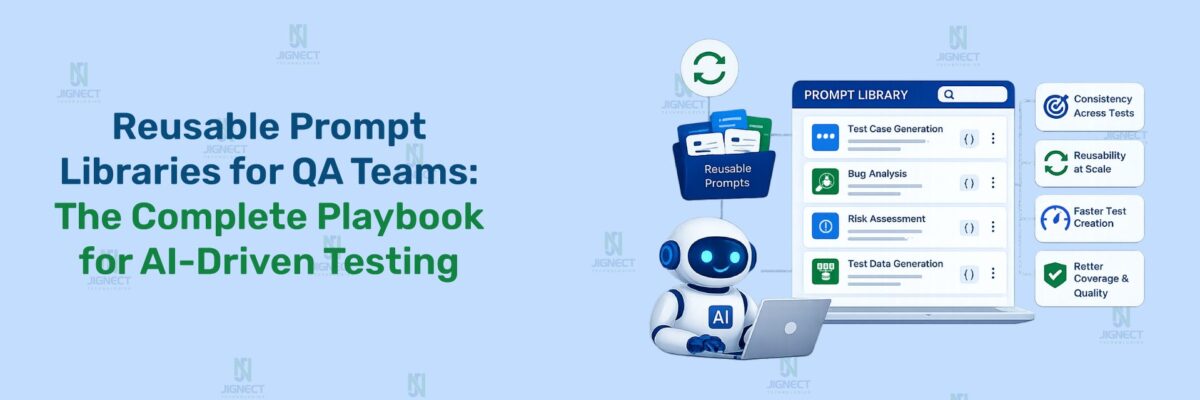
The structural solution is a team-level prompt library: a maintained, shared repository of prompt templates calibrated to your specific application, domain, and quality standards. At JigNect, this is precisely what our QA Prompt Library represents, and the model for how we built it is directly applicable to client engineering teams looking to get consistent, sustainable value from AI-assisted testing.
Building a team prompt library effectively requires a few operational decisions that are worth making explicitly rather than letting them emerge organically.
Treat prompts as living documentation, not one-time artifacts. A prompt that works well for version 3 of your application may produce subtly wrong output after a major architectural change or a significant feature refactor. Prompts should be versioned alongside the features they relate to and reviewed when the underlying feature area changes substantially. Assign an owner for the library who is responsible for keeping the most frequently used templates current.
Establish a contribution standard. Not every prompt an engineer tries belongs in the shared library. A contribution-worthy prompt should have been used successfully on at least one real sprint task, should include context notes explaining when it works best and what its output limitations are, and should be reviewed by a senior engineer before it is treated as a team standard. This keeps the library useful rather than turning it into a collection of partially formed experiments.
Integrate prompt usage into process rather than leaving it discretionary. The teams that get sustained value from AI-assisted testing are the ones where AI use at specific lifecycle stages is a normal part of the process, not something individual engineers opt into when they feel like it. That means establishing the expectation that the requirement gap analysis prompt runs before every refinement session, that the test case generation template is the starting point for test design on every story above a defined complexity threshold, and that the bug report template is used for every defect logged against high-risk features. Making it structural removes the activation energy of deciding whether to use it.
Build a human review standard alongside the prompt library. The prompt library tells engineers how to produce AI-generated QA artifacts. The review standard tells them how to evaluate those artifacts before they enter the test suite or the defect tracker. A simple checklist covering domain accuracy review, coverage gap check, and format validation is sufficient. The goal is to prevent AI output from being accepted without review under sprint time pressure, which is the most common way the quality benefits of AI assistance get eroded.
The prompt library structure described above is what Orkestra by aidriventesting.ai is built around. It gives QA and engineering teams a shared workspace where prompts are organized by project, runnable directly against Claude, ChatGPT, or Perplexity, and available to the whole org. When someone joins a new project, the prompts, skills, and context the team has built for that project are already there. The knowledge stops living in individual heads and becomes something the entire team can use from day one.
Risks, Limitations, and What AI Still Cannot Replace in QA
Any responsible treatment of AI in QA has to give honest space to what AI does not do well and what it cannot do at all. These are not caveats added for balance. They are operational realities that every QA lead needs to plan around.
Language models hallucinate, and in QA that has consequences. A language model generates output by predicting what a plausible, contextually appropriate response looks like. Plausible is not the same as correct. In a QA context, this means a model will produce test cases that reference application behaviours that do not exist in your system, assert expected outcomes that are factually wrong for your business rules, and describe system states that are technically impossible in your architecture, all with the same confident tone it uses when it is correct. There is no internal signal of uncertainty. Every AI-generated output in QA must be validated by someone who knows the actual system before it is treated as authoritative.
The model does not know your application. This seems obvious but its implications are easy to underestimate. No matter how comprehensive the context you include in a prompt, you are providing a snapshot of how you have chosen to describe the system, not the system itself. The model does not know that the field labelled “customer_id” in your API behaves differently for accounts created before your 2023 data migration. It does not know that the search feature has a known performance issue above 50,000 results that makes one of the edge cases it generated untestable. It does not know that your authentication module has a documented architectural decision that makes one of the test approaches it suggested not work in your environment. Domain expertise cannot be transferred via prompt. It is a complement to the model’s structural reasoning, not something the model can substitute for.
AI cannot own quality accountability, and should not. Release sign-off, defect severity classification, risk-based test prioritisation decisions, and the judgment call of whether a system is safe to release: these are human decisions with human consequences. AI can accelerate the analysis that informs those decisions, and it can surface information and scenarios that help a QA lead make better-informed judgments. But the judgment belongs to the engineer. An organisation that uses AI to generate a test suite and then treats that suite as sufficient quality validation without serious human review has misunderstood what AI assistance means. The accountability for what ships belongs to the QA team, not to the tool they used to help prepare for it.
Coverage appearance is not coverage reality. A test case list generated by AI often looks comprehensive. It may cover fifteen scenarios where a manually written set would have covered eight. But looking comprehensive and being comprehensive are different things. A model can produce a list that covers all the scenario categories you asked for, looks well-structured, and uses precise language, while missing an entire class of defects because you did not describe that class in your prompt and the model had no basis to infer it. Coverage analysis of AI-generated test suites requires the same quality check as any other test suite, applied with the additional awareness that AI-generated coverage gaps tend to be systematic rather than random.
Best Practices for Human Review and Validation
The human review layer is not an optional add-on to AI-assisted QA. It is the part of the process that makes AI assistance produce reliable quality outcomes rather than fast but unreliable ones. The design of the review process matters because an inadequate review layer allows AI output quality problems to compound over time.
Review for domain accuracy before anything else. The most consequential errors in AI-generated QA artifacts are not structural. They are substantive: wrong expected behaviour, incorrect assumption about business logic, reference to a feature state that does not exist. Before evaluating whether the output is well-organised or comprehensive in coverage, confirm that what the model has asserted about your system is actually true. This review cannot be done by someone who knows only what good test cases look like in general. It requires someone who knows your system.
Review for what is absent, not only what is present. The natural tendency in reviewing AI-generated test cases is to read through what was generated and evaluate it. The more important review direction is to ask what was not generated. What scenario category is absent from this list entirely? What class of defect in this feature area is not represented? What business rule edge case is not covered? AI coverage gaps tend to be in the scenarios that were not implied by the context you provided in the prompt. If you did not mention that your application has a concurrent editing model, the model will not have generated scenarios for concurrent editing conflicts. Reading the output critically for absences is a different skill than reading it for quality, and it is the more important one for coverage reliability.
Make the review proportionate to risk. A set of AI-generated test cases for a low-risk UI change does not require the same depth of review as AI-generated scenarios for a payment processing flow or an authentication change. Risk-tiered review preserves the efficiency benefit of AI assistance by not applying maximum scrutiny to everything uniformly. Establish the review criteria for each risk tier explicitly rather than leaving it to each engineer’s discretion.
Maintain a feedback loop that improves prompts over time. When a defect escapes to production from a feature area where AI-assisted test design was used, the first question worth asking is not only why the defect was not caught, but whether the prompt that generated the test coverage for that area could have been improved to include the missing scenario. If the answer is yes, updating the prompt template is the preventive action. Over time, this feedback loop builds prompt quality systematically rather than through accumulated individual experience that stays in individual heads.
A Practical Workflow for Using Prompt Engineering in the QA Lifecycle
The following workflow maps prompt engineering touchpoints to the natural stages of a sprint cycle. These are not theoretical recommendations. They are the integration points where teams at JigNect and in our delivery engagements have found the clearest and most measurable return on AI-assisted testing.
1. During Backlog Refinement
The QA lead runs the Requirement Gap Analysis prompt (Template 2) across each user story scheduled for the upcoming sprint before the refinement session. The output generates a prioritised list of specific questions to raise. This shifts analytical preparation from the meeting itself to the session before it, making refinement more focused and ensuring the most consequential ambiguities get resolved before development begins.
The value of this touchpoint compounds over time. As the prompt is refined with application-specific context and calibrated against the types of gaps that have historically led to expensive defects in your system, the quality of the pre-refinement analysis improves with each sprint cycle.
2. During Sprint Planning
The regression impact analysis prompt (Template 5) runs against the change summary for the current sprint, producing a risk map of the functional areas most likely to require regression attention in the upcoming cycle. This gives the QA lead better input for effort estimation conversations and ensures regression scope decisions are grounded in an analysis of what is actually changing rather than habit.
3. During Test Design
This is the highest-volume prompt engineering touchpoint across the QA lifecycle. The test case generation template (Template 1) is the starting point for test design on every story above a defined complexity threshold. The acceptance criteria breakdown template (Template 8) is used for high-risk or regulatory-compliance stories requiring full traceability. The API test scenario matrix (Template 3) is used for every new or changed endpoint. The exploratory testing charter (Template 6) is used for any session targeting a new or high-risk feature area.
Each output is reviewed and refined by the QA engineer responsible for the story before any case is entered into the test management system. The review standard defined in the team’s QA process determines what that review covers. The model provides the broad first-pass coverage. The engineer provides the domain-specific validation and extension.
4. During Test Execution
During manual and exploratory test execution, the exploratory testing charter structure guides the session. In addition to the pre-session charter, testers use targeted inline prompts when they observe unexpected behaviour and want to identify adjacent scenarios worth investigating. The real-time prompt “I observed that the cart total becomes negative when a coupon is applied to a single-item cart. Given this application is a multi-vendor e-commerce platform, what adjacent scenarios should I investigate next?” is a fast way to extend exploratory coverage beyond what the tester’s immediate instinct would have surfaced.
5. During Defect Triage
The bug report template (Template 4) is used by every tester to structure defect documentation before logging. During triage sessions, a prompt summarising the pattern across a group of related defects helps the QA lead identify whether a cluster of issues points to a systemic root cause rather than isolated bugs.
6. During Regression Planning
The regression impact analysis prompt generates the initial scope input. The QA lead validates and extends it with domain knowledge, developer input on the specific changes made, and historical context about which functional areas have been most sensitive to collateral damage from similar changes in past releases.
7. During Release Readiness
Before quality sign-off, a prompt that summarises the testing coverage relative to the release scope helps surface areas where coverage is lighter than the risk profile of what is being released would suggest. This is an input to the release readiness discussion, not a substitute for it. The judgment call remains with the QA lead or engineering manager. What the prompt provides is a structured second review of coverage completeness at a moment when sprint pressure can otherwise cause gaps to go unnoticed.
How JigNect Approaches Prompt Engineering in AI-Driven Quality Engineering
At JigNect, prompt engineering became a formal practice not because we set out to build one, but because we kept observing the same pattern across delivery engagements. Teams would adopt AI tools with genuine intent to improve their testing process. They would use those tools for a few sprints and see mixed results. The outputs were sometimes useful and sometimes not, and the determining factor was almost always the quality of the prompt, not the capability of the model.
The response we developed was to treat prompt engineering as a QA process design problem rather than an individual skill development problem. Building a library of rigorously constructed prompts calibrated to specific testing activities, maintaining and versioning that library, and integrating prompt usage into the QA process at defined lifecycle touchpoints turned a variable, engineer-dependent capability into a consistent team-level asset.
This thinking is formalized in Orkestra by aidriventesting.ai, a platform built for teams doing serious AI-assisted quality engineering. Orkestra combines a structured Prompt Library spanning requirement analysis, test case generation, API scenario design, exploratory charters, defect documentation, regression planning, and more, with Skills.md and Context file support so the AI understands not just what to do, but the standards and project-specific rules it needs to do it well. Prompts are organized under Projects, executable against Claude, ChatGPT, or Perplexity, and maintained as a shared org-wide asset rather than scattered across individual tools and notes.
When we engage with a client team to build their AI-driven QA capability, prompt engineering is integrated into the process design from the beginning rather than added as an afterthought once tools are in place. The difference this makes to adoption sustainability is significant. Teams that have a structured prompt library and a clear process for when and how to use it consistently sustain and improve their AI-assisted testing practice over time. Teams that adopt AI tools without that structure typically see strong initial enthusiasm followed by gradual drift back to previous habits as the inconsistency of unguided AI output erodes confidence.
We also deliberately build the human validation layer into process design from the start. In our experience, the failure mode of AI-assisted QA programs is almost never that the AI produces bad output. It is that the review process around the output is not robust enough to catch the cases where the output is subtly wrong. Designing the review layer with explicit criteria, defined responsibilities, and proportionate depth based on risk tier is as important as designing the prompts themselves.
If your team is at the stage of trying to move from occasional, inconsistent AI use in QA to a repeatable, reliable AI-assisted testing practice, the path is shorter than most teams expect. It requires deliberate process design more than it requires technical sophistication. The tools are already capable. The missing element is usually the structured framework around how to use them.
Conclusion
Prompt engineering for QA is not a separate discipline layered on top of testing expertise. It is testing expertise expressed in a new medium. The same clarity of thought that distinguishes a strong test case from a weak one, the precision about preconditions that makes a bug report reproducible rather than ambiguous, the systematic coverage thinking that separates a well-designed test suite from a superficially comprehensive one: all of these translate directly into what separates a prompt that produces usable QA output from one that produces generic noise.
The QA engineers and leads who develop this skill are not changing what they know about testing. They are learning to direct what they know into a format that a capable language model can act on. The return on that investment is real: less time spent on mechanical test case documentation, broader coverage from initial test design passes, better-structured defect reports on first submission, faster and more complete requirement gap analysis before planning, and regression scope decisions grounded in a more thorough impact analysis than time usually allows.
None of this eliminates the judgment that experienced QA professionals bring to their work. The model does not know your system, your users, or the business risk profile of what your organisation ships. It cannot own the quality decisions that matter. What it can do, when asked precisely and reviewed rigorously, is accelerate the preparatory work that consumes QA capacity before the judgment is applied.
The templates, principles, and frameworks in this blog are not theoretical starting points. They are drawn from the practice of AI-driven quality engineering that JigNect has been developing and refining across real delivery environments. The patterns work in practice. They also continue to improve as the prompts are refined, the review processes mature, and the teams using them develop a richer understanding of where AI assistance adds the most value in their specific context.
Start with the template most relevant to the pain point that costs your team the most time right now. Use it in the next sprint. Review the output critically. Refine the prompt based on what was missing. Build from there. The compounding value of a well-maintained prompt library does not materialise from a single session. It builds over cycles, and the teams that commit to building it deliberately are the ones that see the transformation in what their QA process can deliver.
Related Reading: Automation Is No Longer Enough: Welcome to AI-Driven Quality Engineering
Witness how our meticulous approach and cutting-edge solutions elevated quality and performance to new heights. Begin your journey into the world of software testing excellence. To know more refer to Tools & Technologies & QA Services.
If you would like to learn more about the awesome services we provide, be sure to reach out.
Happy Testing 🙂