

In today’s fast-changing tech world, Test Automation as a Service (TAaaS) is becoming a go-to solution for teams struggling to keep pace with rapid releases. Many companies that once relied on manual testing are shifting to automation because users now expect smooth, fast, and error-free app experiences. Modern applications are more complex, and with CI/CD running daily, testing workloads can quickly become overwhelming. TAaaS helps teams avoid heavy tool investments, staffing challenges, and flaky test issues by providing a ready-to-use cloud setup that simplifies automation and keeps delivery cycles moving efficiently.
What is Test Automation as a Service (TAaaS)?
Lately, whenever I talk to anyone working in software, the same thing comes up: everything is moving at a ridiculous speed. It’s not the usual “fast” we used to complain about, it’s the kind of fast where you look away for a moment and suddenly there are multiple new builds waiting in the pipeline.
In the middle of that, testing somehow always ends up getting pushed around. I’ve watched it happen with different teams. People who were totally fine with manual testing a few years ago are now slowly giving in to automation. Not because they’re trying to copy what others are doing, but because the apps we build today are just too complicated to handle without some level of automation helping out.
And honestly, with frequent releases, heavier features, and CI/CD running nonstop in the background, the old way of setting up in-house automation starts feeling like a chore. There’s the cost of tools, the struggle to find skilled folks, keeping scripts alive, fixing random failures that nobody can reproduce… all of it slowly eats up time you didn’t even realize you lost.
TAaaS Test Automation as a Service has grown popular because teams want the benefits of automation without dealing with all the setup and maintenance that usually comes with it. Instead of spending time configuring servers, managing devices, buying licenses, or fixing random environment issues, teams can simply use a ready-made automation setup whenever they need it. It also fits easily into existing CI/CD pipelines, so tests run automatically as soon as new code is pushed whether it’s for quick smoke checks, nightly regressions, or full pre-release runs. And since these platforms are handled by automation experts who work with this stuff every day, problems get solved faster, test suites become more reliable, and teams can focus more on shipping features rather than fighting with broken scripts.
For a lot of teams I’ve seen, shifting to TAaaS has taken a huge weight off their shoulders. Releases happen smoother, there are fewer late-night issues, and the team actually gets time back to focus on improving the product rather than babysitting scripts that break for no real reason.
Key Characteristics of TAaaS:
- Cloud-Based Infrastructure
- With TAaaS, everything runs on the cloud: your test executions, reports, and all the behind-the-scenes work. You don’t have to set up any machines or maintain labs on your own. You just log in and use whatever browser, device, or operating system you need at that moment.
- On-Demand Test Automation
- One of the nicest parts about TAaaS is how flexible it is. If your project suddenly gets busy, you can scale up your testing. When things slow down, you scale back. You only pay for what you use, which helps keep costs under control. It’s very useful during heavy regression cycles or release weeks when your team is already stretched.
- Covers Multiple Testing Types
- TAaaS usually supports a mix of testing needs, like:
- UI testing to check how your app looks and works across different devices
- API testing to make sure your backend services are stable
- Performance testing to see how your system handles traffic and pressure
- Security testing to find issues before real users run into them
- Delivered by Specialized QA Providers
- Most TAaaS providers come with their own tools, frameworks, and strong industry experience. This lets your internal team stay focused on development while the experts take care of the automation part. It saves time, cuts down the effort of learning new tools, and helps you get results faster.
How TAaaS Differs from Traditional Automation
For a long time, most companies handled test automation completely on their own. It worked, but it also came with a lot of hidden effort. Setting everything up was expensive, teams had to depend on specific tools, and you needed people who were experts just to keep things running. A lot of time went into fixing frameworks, updating tests, and managing the machines needed to run them. After a point, all of this starts slowing down how quickly a team can deliver.
TAaaS works in a much more practical way. Instead of doing everything internally, the testing happens through a cloud setup managed by a specialized provider. You can increase or reduce the amount of testing whenever your project needs it, and you only pay for what you actually use. On top of that, you get access to their tools, their infrastructure, and their experience. It usually means faster results, wider test coverage, and much less stress on the internal QA team.
In-house Automation vs TAaaS
| Factor | In-House Automation | Test Automation as a Service (TAaaS) |
| Initial Investment | High (tools, infrastructure, skilled resources) | Low/None (subscription or pay-per-use) |
| Scalability | Limited by internal infrastructure and resources | Cloud-based, instantly scalable on demand |
| Expertise | Requires in-house specialists; learning curve is high | Delivered by QA experts with proven frameworks & best practices |
| Tool Maintenance | Team must update, license, and maintain tools | Managed entirely by service provider |
| Speed of Implementation | Slower (setup, hiring, framework building) | Faster (ready-to-use frameworks and cloud infrastructure) |
| Cost Structure | Fixed costs, even if underutilized | Flexible pay only for usage or subscription model |
| CI/CD Integration | Needs manual setup and continuous upkeep | Pre-integrated with DevOps pipelines for continuous feedback |
| Coverage | Limited to available in-house environments | Wide cross-browser, cross-platform, performance, API, and security tests |
Key Benefits of TAaaS
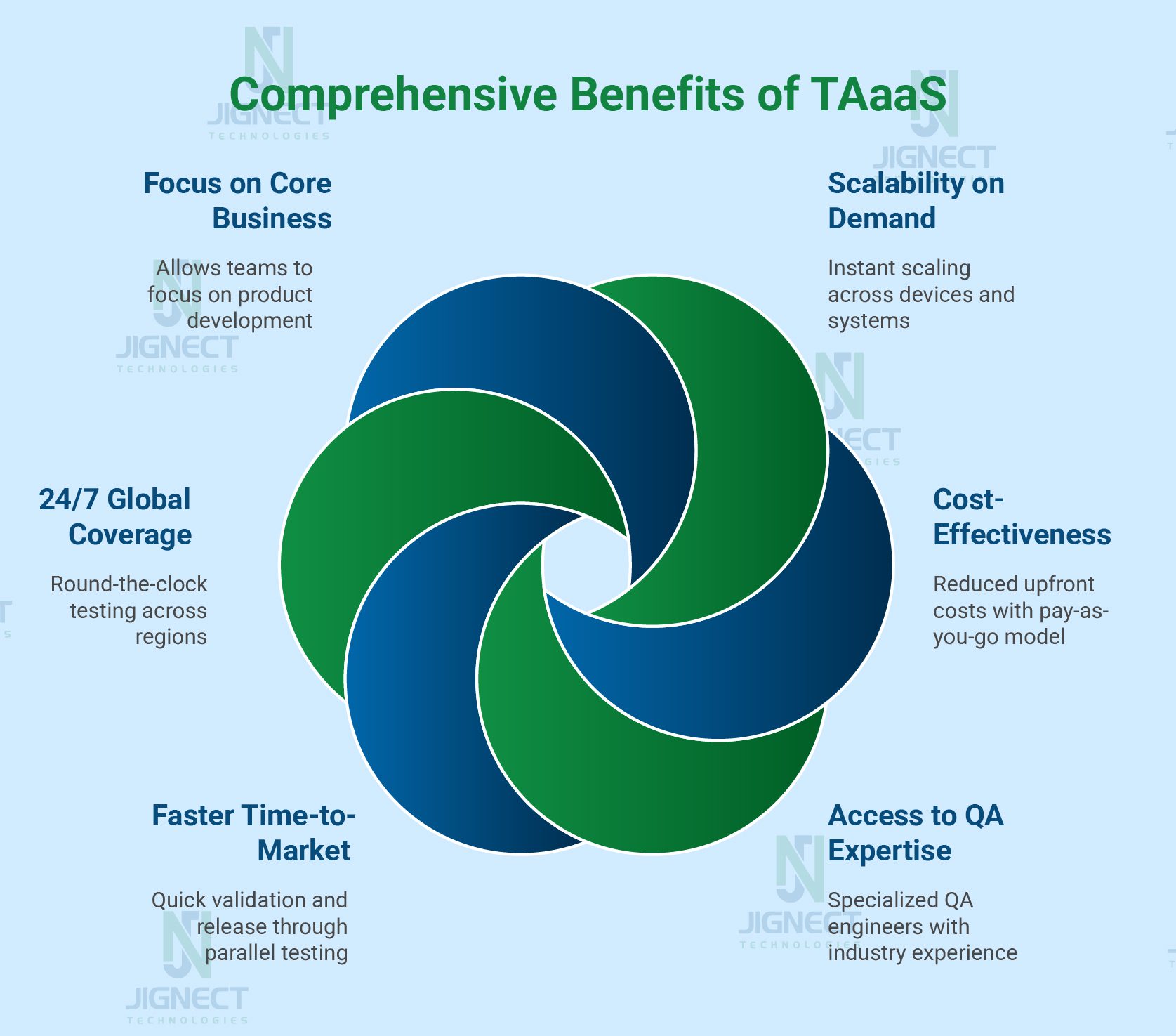
Adopting Test Automation as a Service basically means letting an external team handle the heavy lifting of automation for you, and it comes with quite a few practical benefits. It’s not just about saving time or money it actually helps teams move faster and avoid a lot of the usual headaches that come with maintaining automation in-house.
One of the biggest advantages is the ease of scaling your testing.
- No need to set up your own devices or maintain large in-house testing labs.
- You can simply use the devices and infrastructure provided by the testing platform.
- For small tasks, you can run just a few quick checks.
- For major releases, you can execute hundreds or even thousands of tests.
- Scaling across multiple browsers and devices requires zero setup on your end.
Cost is another area where TAaaS helps. Building automation inside the company can get expensive because you need tools, servers, licenses, and skilled people to maintain everything. With TAaaS, you just pay for what you use like a subscription or usage-based model which ends up being much cheaper than managing everything yourself.
Another nice part is that these providers usually come with a team of people who already know testing really well. Instead of spending months figuring out frameworks or fixing flaky tests, you get access to people who’ve done it many times before. Their experience helps avoid mistakes and keeps the automation stable.
All of this naturally speeds up your release process. Since the entire setup runs in the cloud and can be integrated with your CI/CD pipeline, you get faster feedback on new features and you catch issues earlier. That means teams can push updates out sooner without cutting corners on quality.
Because everything runs through cloud labs, testing doesn’t stop when your team logs off. It can continue overnight or even around the clock if you need it to, which is great for companies working across different countries or time zones.
And honestly, one of the most underrated benefits is that your internal teams get more time to focus on building the actual product. You’re not stuck fixing test scripts all day the external team handles that. It frees people up to do work that actually moves the product forward.
Why TAaaS is the Future of QA
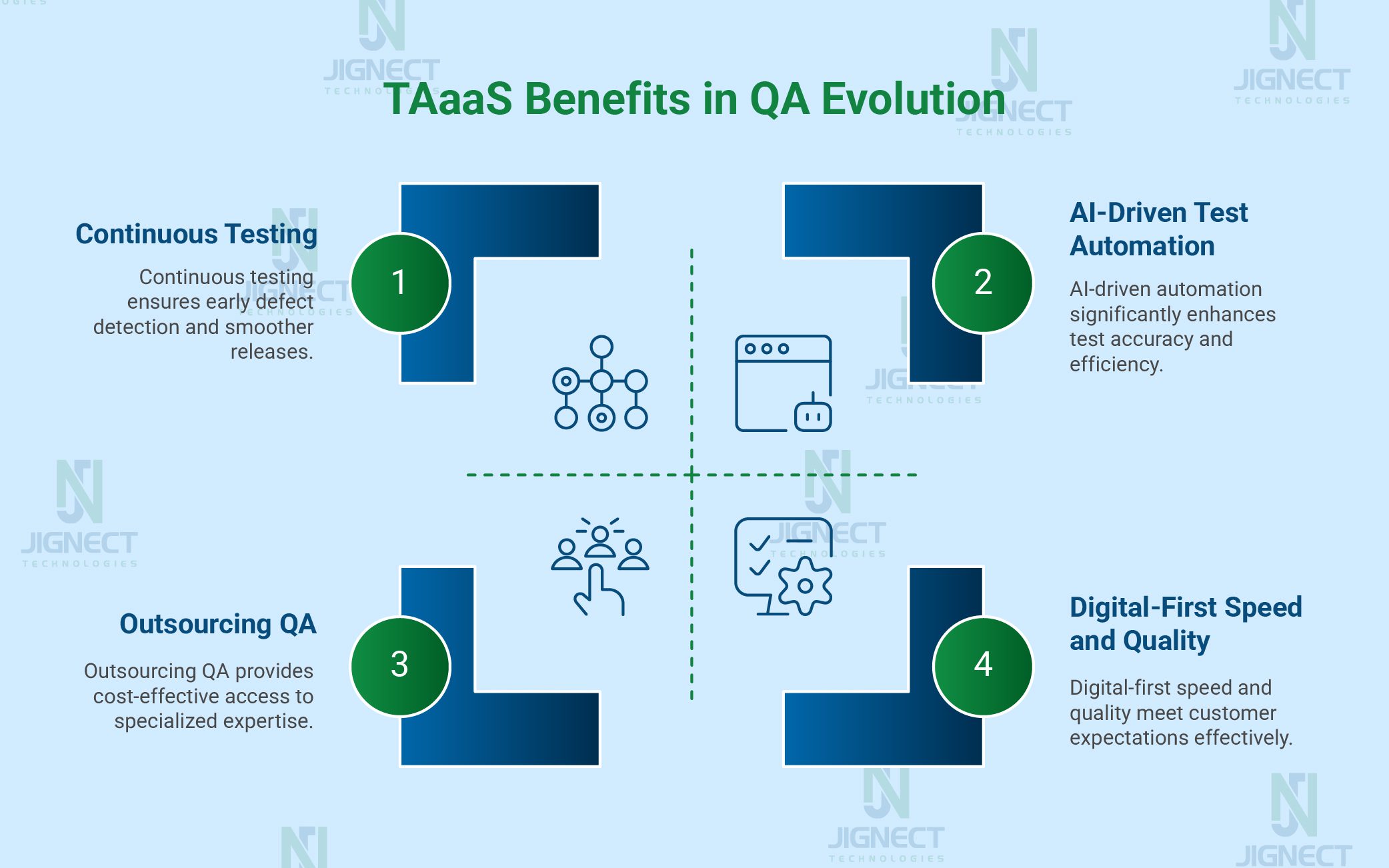
The software industry is evolving at lightning speed, and quality assurance must keep pace. Test Automation as a Service (TAaaS) is emerging as the natural next step in this evolution here’s why:
1. Digital-First Economy Demands Speed + Quality
We’re living in a world where users expect apps to be quick, easy to use, and constantly updated without breaking anything. Businesses don’t really have the option to slow down or accept poor quality. TAaaS basically helps teams push updates faster while still keeping things stable. It fills that gap between moving quickly and delivering something that actually works well.
2. AI-Driven Test Automation in TAaaS Models
A lot of TAaaS providers are adding AI into their tools now. The idea is simple: reduce the boring, repetitive maintenance work and make tests smarter. Things like tests fixing themselves when the UI changes or tools that can guess where bugs might appear are becoming more common. It doesn’t replace people, but it definitely makes life easier for teams who deal with constant changes.
3. Continuous Testing for DevOps Pipelines
Since DevOps relies on continuous integration and delivery, testing can’t be a one-time activity anymore. It has to happen constantly. TAaaS fits well into this flow because it keeps tests running automatically at different stages. Teams get feedback earlier, spot issues sooner, and avoid that last-minute “everything is breaking” panic before a release.
4. Global Trend of Outsourcing Non-Core but Critical Functions
Companies already outsource plenty of things such as support, infrastructure, payroll, you name it. QA is slowly joining that list. Test automation matters a lot, but it also requires time, tools, and expertise. With TAaaS, companies can hand this part over to people who specialize in it instead of stretching their own teams thin.
5. Alignment with the “As-a-Service” Model
TAaaS follows the same idea we’ve seen with SaaS or IaaS. Instead of spending heavily on tools and setting up everything in-house, teams can simply use a service when they need it. It keeps costs predictable, scales easily, and gives access to better tools without huge upfront effort.
Real-World Use Cases of TAaaS
E-commerce Platforms Scaling Across Multiple Browsers/Devices
For e-commerce teams, one of the biggest headaches is making sure the website behaves the same on every device. People shop from all sorts of phones and browsers, and even the tiniest UI issue can mess up a customer’s experience. TAaaS basically helps these teams run a huge number of checks at once, across different screens and browser versions, so they can spot weird glitches early and keep the shopping flow smooth for everyone.
FinTech Apps Requiring Strict Compliance and Security Testing
FinTech apps don’t just need to “work” they have to follow heavy rules and keep user data safe. Any slip-up can cause trouble. With TAaaS, companies get access to teams who already understand these rules and know how to test for them properly. They run the necessary security and compliance checks so the app stays trustworthy and doesn’t end up failing any audits or standards later.
Healthcare Apps Ensuring HIPAA/GDPR Compliance
Healthcare apps deal with extremely sensitive info, so there’s no room for mistakes around privacy. Rules like HIPAA or GDPR can be difficult to test manually. TAaaS helps automate a lot of this work checking who can access what, making sure data handling follows the rules, and verifying that the app doesn’t accidentally expose anything. It saves a ton of time while still keeping everything compliant.
Startups Accelerating Releases Without QA Infrastructure
Startups usually move fast, but they don’t always have a QA team or the tools needed for full automation. TAaaS works almost like a prebuilt testing setup they can use whenever they need it. Instead of spending money building a QA department from scratch, they can test their features quickly and keep their release cycles moving without stretching their budget.
Challenges and Considerations
- TAaaS definitely has its benefits, but like anything you hand over to an outside team, there are a few things worth keeping in mind. None of these are deal-breakers; they just help you avoid headaches later if you think about them upfront.
Data Security & Compliance Concerns
- Testing usually means dealing with data you don’t want floating around everywhere. That’s why companies get a bit uncomfortable when the testing work goes outside their walls. The worry isn’t unreasonable; you want to be sure the vendor handles your data properly and follows the rules you’re expected to follow.
- Mitigation: The easiest approach is to avoid using real data whenever possible. Masked or dummy data works for most test cases. It also helps a lot if the vendor already has proper security certificates and uses secure environments or VPN access. Basically, the more locked-down the setup, the safer you feel.
Vendor Lock-In Risks
- Something people don’t think about until later is how tied they become to one provider. If everything is built around the vendor’s tools or setup, moving away later feels like tearing up flooring possible, but messy and time-consuming.
- Mitigation: A simple fix is to pick a provider that works with tools you can carry anywhere. Open-source frameworks and exportable tests keep you from getting stuck. It just gives you breathing room in case you want to switch later.
Communication Gaps with External Teams
- When your QA team isn’t sitting with you or even in your time zone little misunderstandings can slow things down. Sometimes you just want a quick clarification, but waiting for someone to come online can delay things more than expected.
- Mitigation: Having a clear rhythm helps. Regular check-ins, shared boards, agreed timelines, these small things keep everyone aligned. When roles and expectations are spelled out early, half the usual back-and-forth simply disappears.
Balancing Cost vs. Quality
- One big reason businesses choose TAaaS is to control costs. But saving money shouldn’t come at the expense of weak or shallow testing. If the coverage isn’t strong enough, issues can sneak through, and then the whole point of automation gets lost.
- Mitigation: Before starting, it helps to be clear about what you consider “good quality.” Maybe you track things like the number of bugs found later, how much of the product is covered by tests, or how long your test cycles take. Keeping an eye on these gives you a good sense of whether the service is doing what you hoped.
How to Get Started with TAaaS
Honestly, starting with TAaaS isn’t as complicated as it sounds. If you take it slow and focus on what really matters, it’s actually pretty straightforward. The main thing is knowing what’s slowing your testing down right now.
Identify Testing Gaps in Your Organization
Before bringing in anyone from outside, take a step back and look at your current testing process.
- Are regression tests taking forever?
- Are you barely covering all browsers or devices?
- Do releases get delayed because automation can’t keep up?
Figuring out where it hurts the most shows you where TAaaS can help. You don’t need a perfect system, just the rough spots that cause problems.
Choose the Right TAaaS Partner
Not every provider will be a good fit. Some know the tools but don’t understand your industry. Others know the industry but can’t handle big test volumes.
Think about:
- Can they work with your tools like Selenium, Cypress, Playwright, or Appium?
- Have they worked in your industry, especially regulated areas like healthcare or finance?
- Can they handle lots of tests without slowing everything down?
- Are their dashboards and reports actually useful, or will you be digging for info all day?
The right partner should feel like part of your team, not some separate company doing its own thing.
Run a Proof of Concept (PoC)
Before signing a long contract, try a small PoC. Take a few real scenarios from your app and see how the provider handles them.
Ask yourself:
- Can they automate your workflows correctly?
- Do they handle tricky edge cases?
- How fast are they at delivering results?
A PoC gives you a real sense of how it will actually work day-to-day.
Integrate with Your DevOps Toolchain
TAaaS works best if it fits with the tools you already use. It shouldn’t feel like a separate system.
Make sure it can connect to:
- CI/CD tools like Jenkins, GitHub Actions, or GitLab CI
- Issue trackers like Jira or Azure DevOps
- Communication tools like Slack or Teams
When everything talks to each other, testing flows better and you don’t have to chase results.
Scale Gradually with a Hybrid Approach
You don’t have to hand over everything on day one.
Start with repetitive stuff like regression or cross-browser tests. Keep sensitive or critical tests in-house until you feel confident. Once you see the time and effort saved, you can expand gradually. Doing it this way keeps your team comfortable and avoids surprises.
Future Trends in TAaaS
TAaaS is evolving rapidly, and several trends are shaping its future:
Artificial intelligence and machine learning are making test automation smarter. From intelligent test case generation to predictive defect analysis, AI is set to make TAaaS even more proactive and efficient.
- Scriptless Automation Adoption
Codeless or scriptless automation platforms will reduce the dependency on specialized coding skills, allowing business users and testers alike to contribute to automation pipelines.
- Self-Healing Test Suites
One of the biggest pain points in automation is test maintenance. TAaaS platforms will increasingly support self-healing capabilities, where tests automatically adapt to UI changes without manual intervention.
- Cloud-Native & Containerized Testing
With enterprises embracing Kubernetes and cloud-native apps, TAaaS providers will offer containerized test environments that are scalable, reproducible, and on-demand.
- End-to-End Quality Engineering as a Service
TAaaS will evolve beyond functional testing into a holistic QEaaS model (Quality Engineering as a Service) that covers functional, performance, security, accessibility, and compliance testing under one umbrella.
Conclusion
Test Automation as a Service, or TAaaS, isn’t just about saving money anymore. You can think of it like having someone help out with testing so your team doesn’t have to do everything themselves. Apps are getting bigger, features keep piling up, and releases are happening faster than ever. You need a way to test stuff quickly without everything falling apart.
A lot of teams that use TAaaS notice it right away. You can push features out faster, cut down the extra work your team does, and catch more bugs before they hit users. You don’t have to spend weeks setting up servers or hiring every QA expert under the sun. TAaaS gives you people who actually know what they’re doing, plus tools and setups that already work. That way, your team can spend more time building things and less time babysitting tests.
Honestly, after a while, it’ll feel weird not to use it like trying to ship code without CI/CD. TAaaS isn’t just a nice tool. It’s quickly becoming the part of QA that actually makes software delivery smooth and less stressful.
Witness how our meticulous approach and cutting-edge solutions elevated quality and performance to new heights. Begin your journey into the world of software testing excellence. To know more refer to Tools & Technologies & QA Services.
If you would like to learn more about the awesome services we provide, be sure to reach out.
Happy Testing 🙂